Welcome to the Klaviyo Community and congrats on your first post!
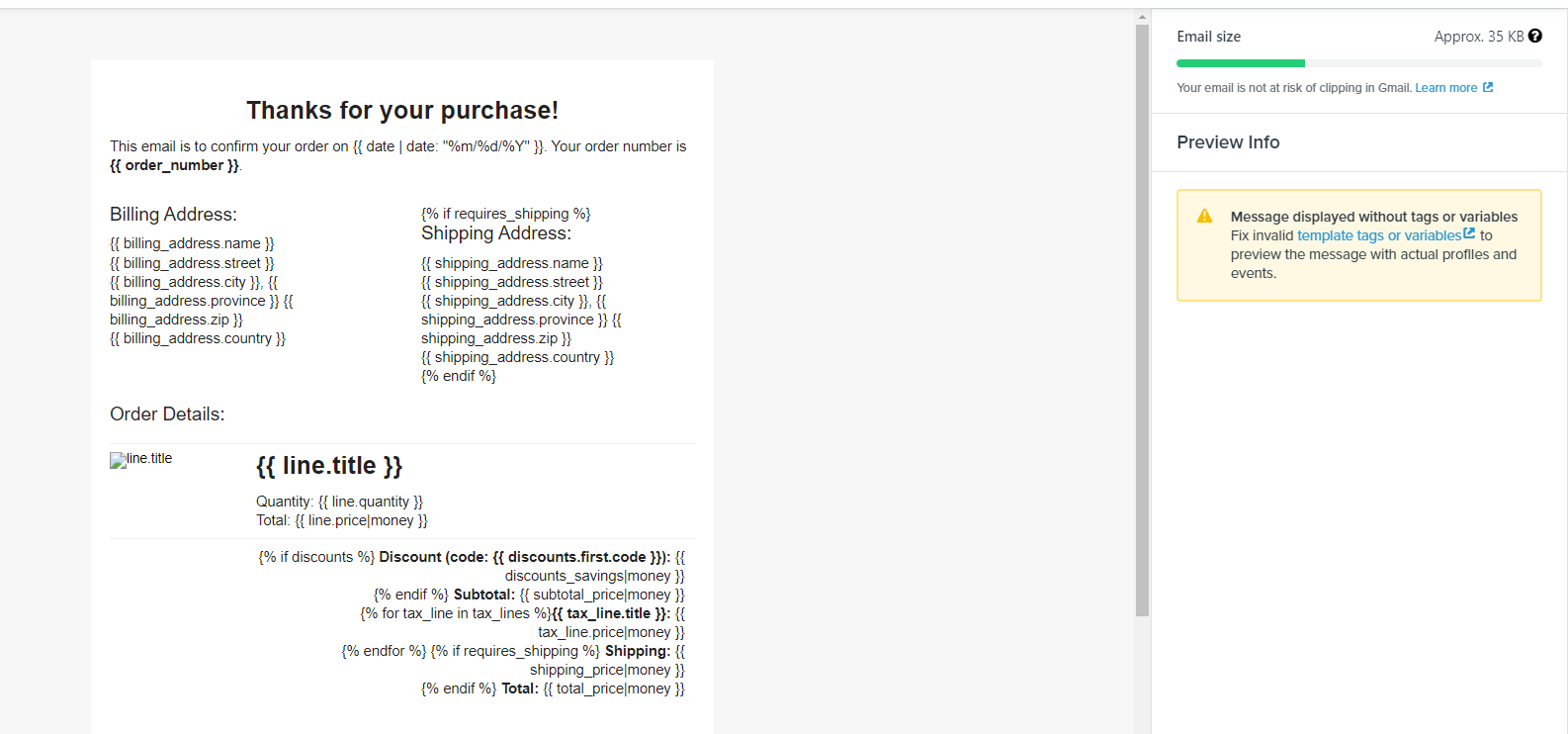
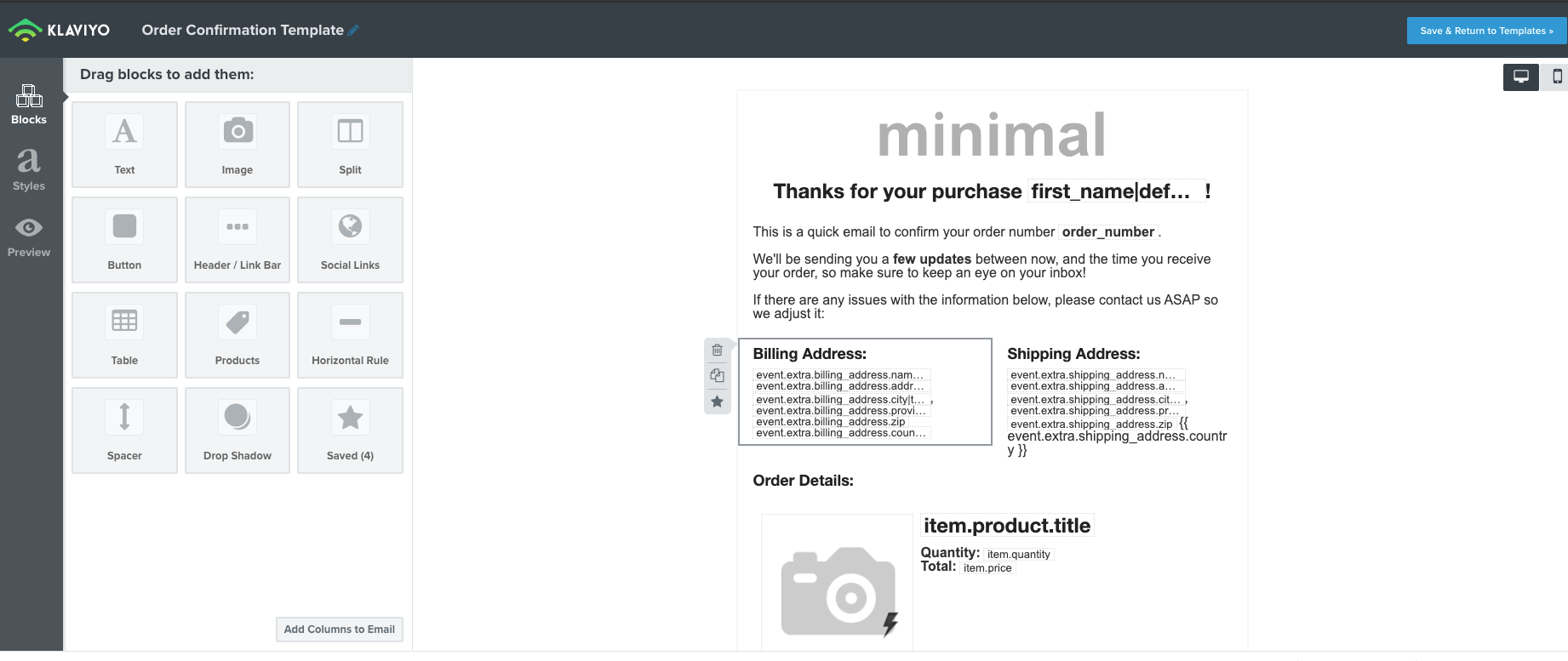
The template that you are using is intended to be exported and sent from Shopify, not from Klaviyo, and includes Shopify dynamic tags that will not work in Klaviyo. These templates are detailed in this article: https://help.klaviyo.com/hc/en-us/articles/115005080587-Personalize-and-Export-Shopify-Notification-Emails. If you want to send your order confirmations through Klaviyo you would need to create a new template using the necessary event variables which should look something like this:
The article I linked above will show you how to find and use the correct variables to be able to send from Klaviyo. One thing to remember, request this email to be made “transactional” so it can still be sent to customers regardless of their consent status, so everyone who places an order will receive this email.
Welcome to the Klaviyo Community and congrats on your first post!
The template that you are using is intended to be exported and sent from Shopify, not from Klaviyo, and includes Shopify dynamic tags that will not work in Klaviyo. These templates are detailed in this article: https://help.klaviyo.com/hc/en-us/articles/115005080587-Personalize-and-Export-Shopify-Notification-Emails. If you want to send your order confirmations through Klaviyo you would need to create a new template using the necessary event variables which should look something like this:
The article I linked above will show you how to find and use the correct variables to be able to send from Klaviyo. One thing to remember, request this email to be made “transactional” so it can still be sent to customers regardless of their consent status, so everyone who places an order will receive this email.