


Contributor I
October 9, 2024
Solved

Issue with Syncing Custom Audience to Meta

  • October 9, 2024
  • 13 replies
  • 2124 views

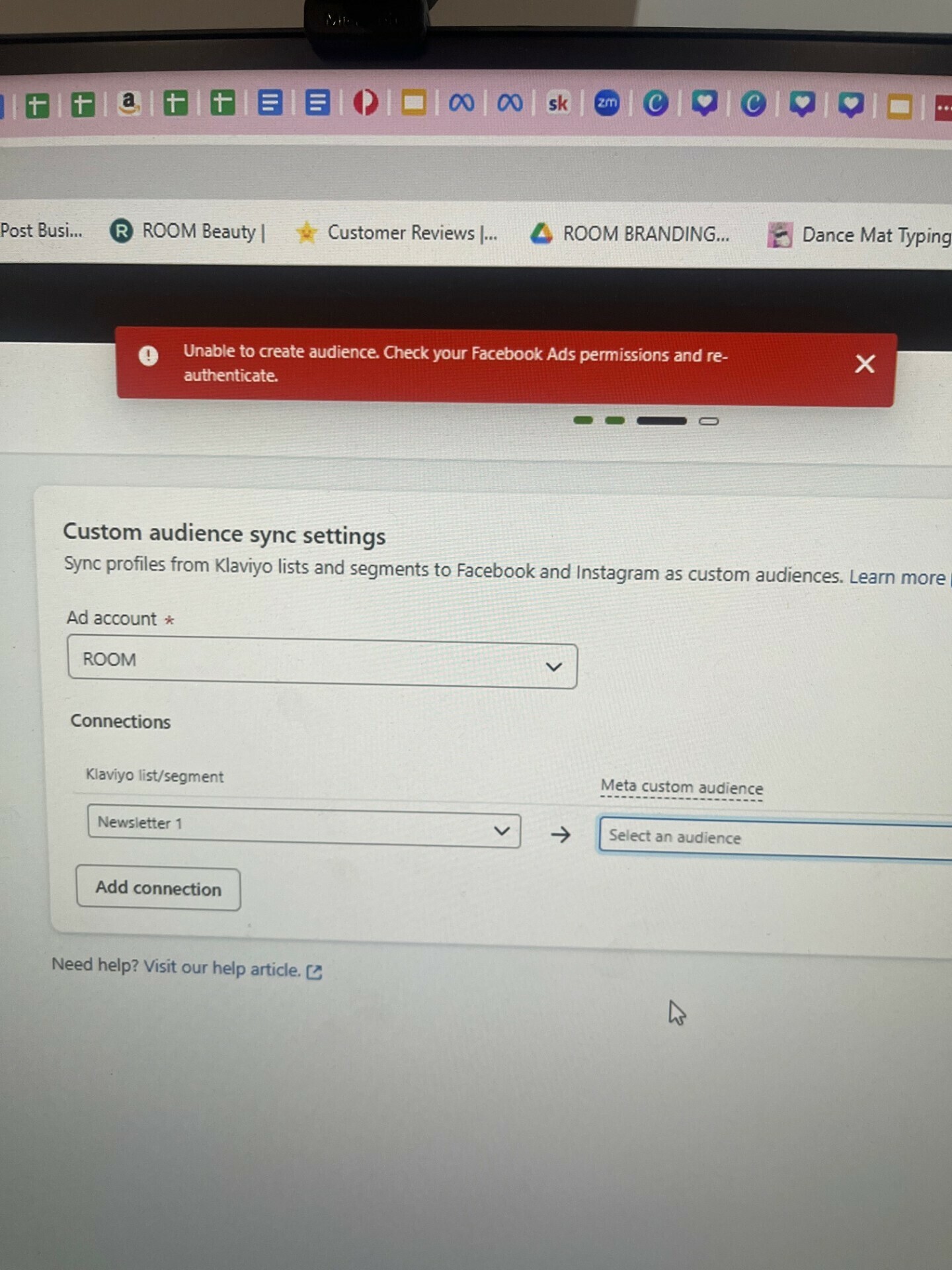
I’m trying to set up a custom audience sync to Meta and it keeps saying that “Unable to create audience.  Check your Facebook Ads permissions and re-authenticate”.

But I have checked and I have full control and authority for the Ad account that I am syncing across to.  

I’ve removed the integration and cleared caches but doesn’t work.  I’ve got over 100 people in the database.

Any ideas as to what could be happening?  
 

    Best answer by Taylor Tarpley

    Hi all! 


    Another possible cause for that message could occur because you have not yet accepted the terms of service in Meta for custom audiences.


     If that is the case, I would recommend going to the following link: https://business.facebook.com/ads/manage/customaudiences/tos/?act={id}


    Replace the "{id}" placeholder with your Facebook account ID.  Once you've accepted the terms, please try connecting the integration again and attempt to create your custom audience once again.  You should be able to do so with no errors at that point.


    Let us know if that worked! 

    -Taylor 

    13 replies

    Problem Solver II
    November 19, 2024

    Ok, after spending all day with this, I finally got it. Ok First thing is:

    1. Check out this video Below: Although this video is for Lead accounts, it works the same way
    2. So take what this video did and login to your facebook account, then replace the lead account URL with this URL: https://business.facebook.com/ads/manage/customaudiences/tos/. If you don’t have any other custom connected accounts, then this should work just by going here.
    3. But if you have a Facebook Personal Page, connected to a Facebook ads account then you need to do this: https://business.facebook.com/ads/manage/customaudiences/tos/?act={Personal User ID}&business_id={Ads Account ID}


    Hope this helps someone. I spent all day on this!

    Contributor I
    November 27, 2024

    Thanks ​@Taylor Tarpley I had the same problem and this fix worked.

    Contributor I
    January 31, 2025

    guys I was able to link and create a list for the public, but I can't see the pages. How can I do this?
