Partner - Gold
August 12, 2023
Solved

klaviyo review app issues

  • August 12, 2023
  • 3 replies
  • 1102 views

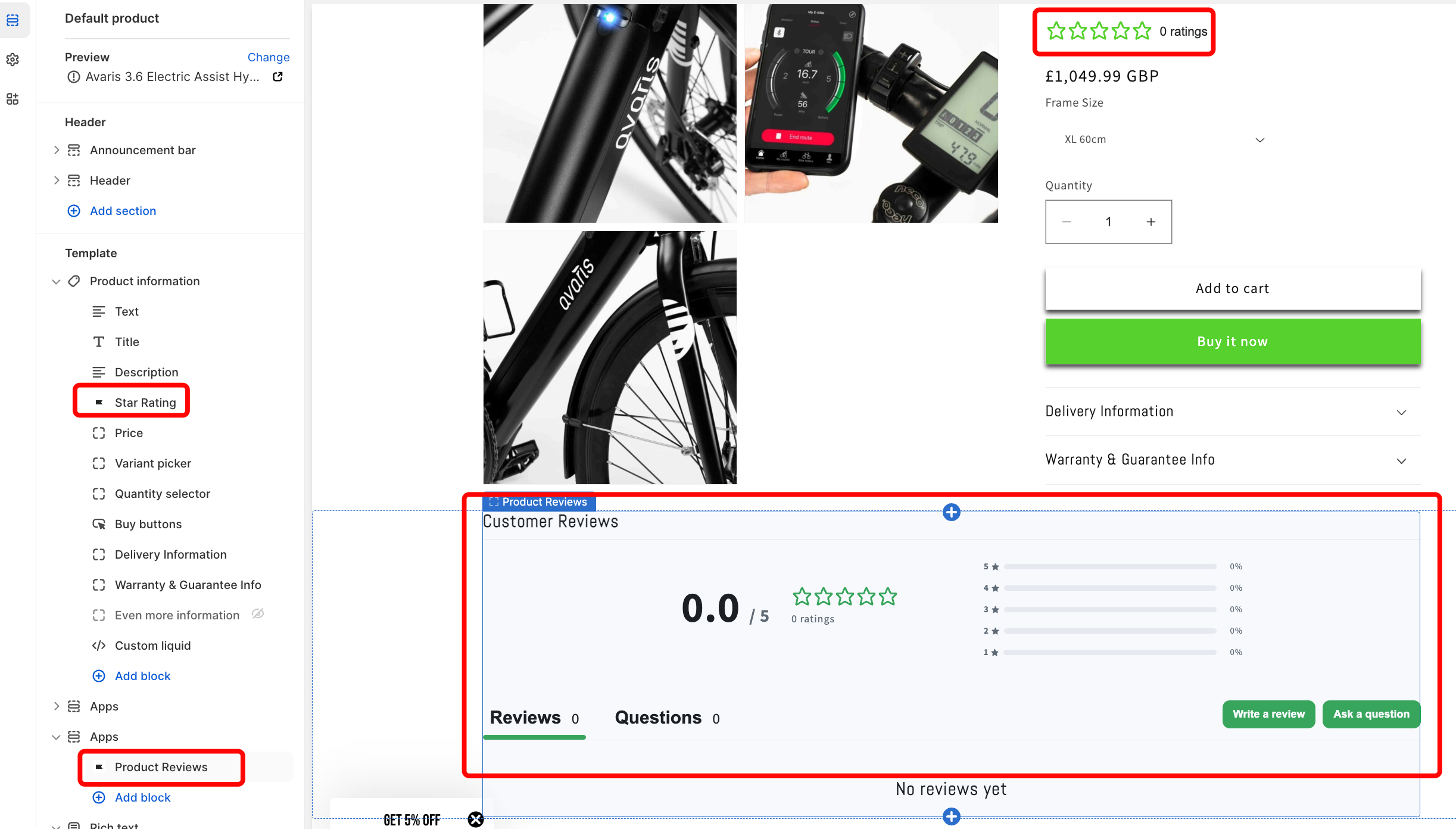
Hi, I have successfully installed the Klaviyo review app, however, I am encountering an issue where the reviews are not being displayed on the product page. I kindly request your assistance in diagnosing and resolving this matter. (Please check the screenshot)

 

This topic has been closed for replies.
Best answer by Brian Turcotte

Hi @proecom!

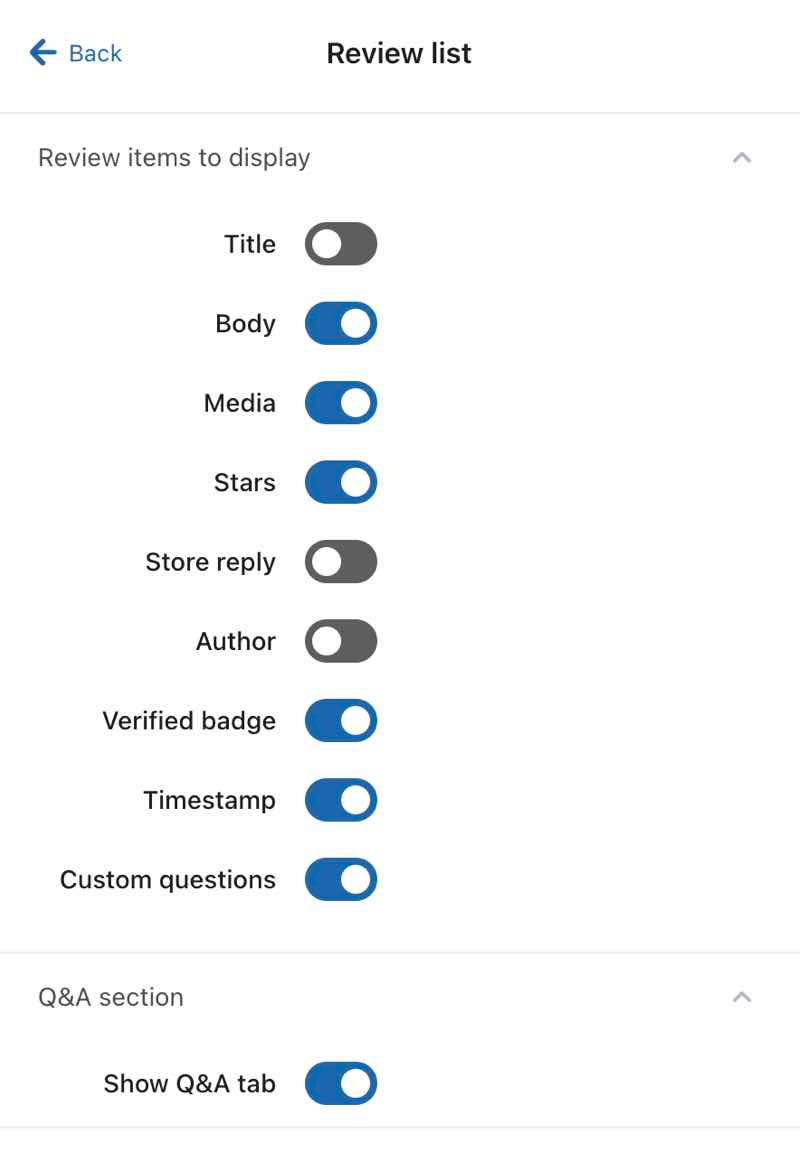
My apologies for the delay here! Can you please check if any review elements are hidden from your reviews list (e.g., review author, store reply, timestamp) if desired. To do so: 

  1. Open the Reviews tab in Klaviyo. 
  2. Select Reviews settings.
  3. Click Onsite widgets
  4. Choose Product reviews
  5. Click Review list
  6. Check if elements are hidden:


Since reviews should automatically appear on the product page, if this doesn’t resolve the issue, I would recommend to reach out to Support for this issue since it is likely account-specific.


Best,

Brian

3 replies

Brian Turcotte
Klaviyo Alum
August 14, 2023

Hi @proecom!
 

May I ask what Shopify theme you are using? The instructions vary slightly depending on if you’re using a Shopify 2.0 or vintage theme:


If you’re unsure which type of theme your site uses, you can check here.


Best,

Brian

proecomAuthor
Partner - Gold
August 15, 2023

i’m using 2.0 and i followed the Instructions still not working

Pro_eCom
Brian Turcotte
Klaviyo Alum
September 5, 2023

Hi @proecom!

My apologies for the delay here! Can you please check if any review elements are hidden from your reviews list (e.g., review author, store reply, timestamp) if desired. To do so: 

  1. Open the Reviews tab in Klaviyo. 
  2. Select Reviews settings.
  3. Click Onsite widgets
  4. Choose Product reviews
  5. Click Review list
  6. Check if elements are hidden:


Since reviews should automatically appear on the product page, if this doesn’t resolve the issue, I would recommend to reach out to Support for this issue since it is likely account-specific.


Best,

Brian