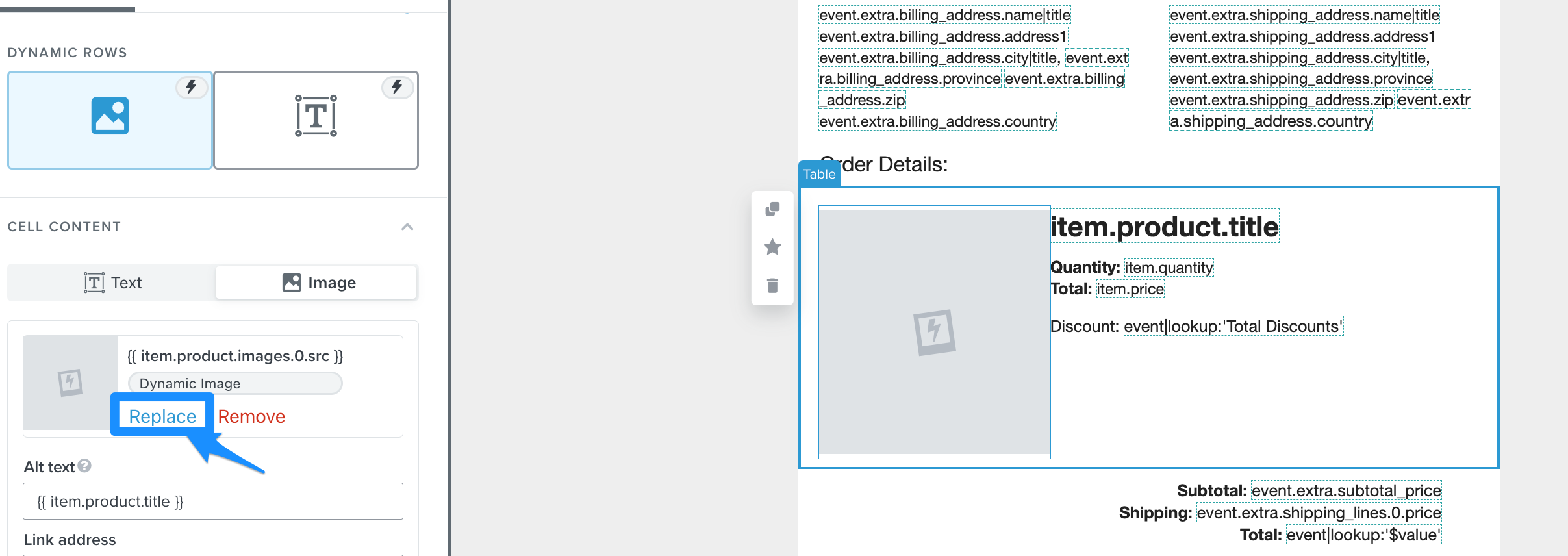
hi, We are using the order confirmation flow. We are having issue on images upon receiving the email.
when the customer buys the mini it’s showing the full size bottle instead of the mini. How can we display the correct image when the customer receives the email confirmation. I used the template and did not change anything.
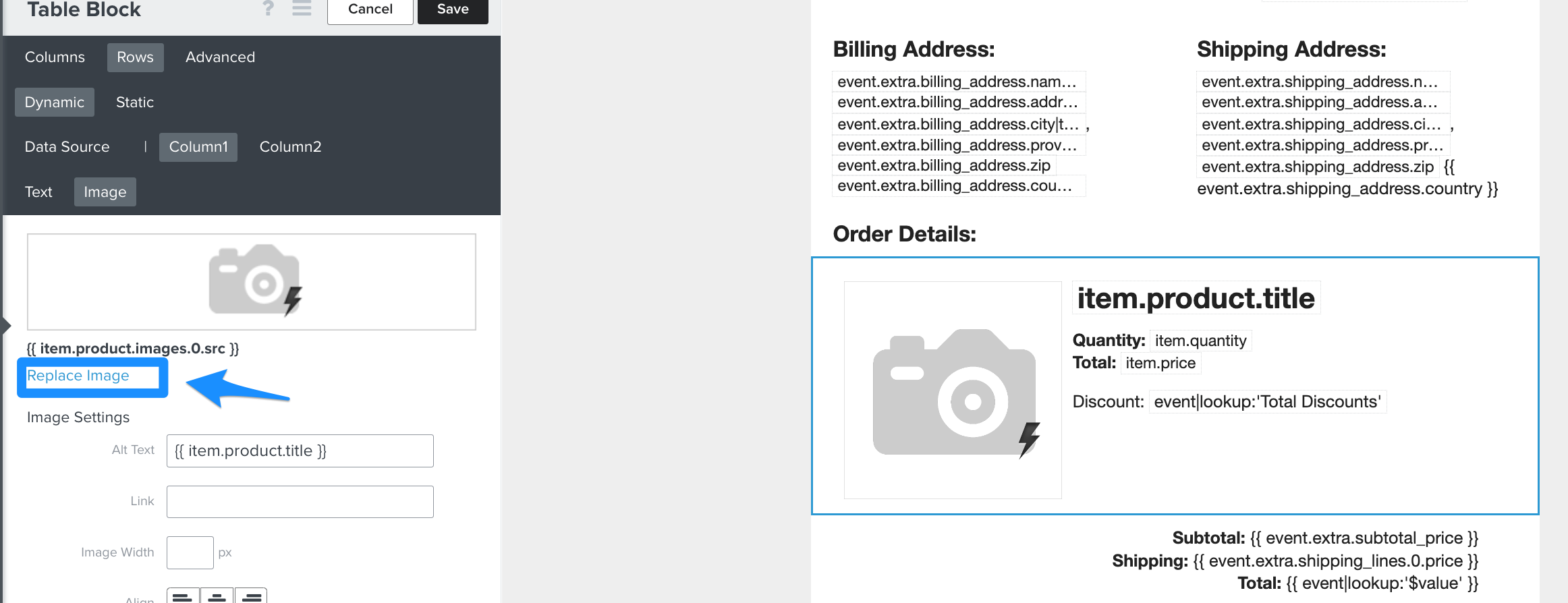
Best answer by Dov
Hi @Claude,
Thanks for sharing this with us.
It sounds like your template may not be displaying the variant image for the product. If that is indeed the case, replace the following placeholder in the template: {{ item.product.images.0.src }} with this: {% if item.product.variant.images.0.src %}{{item.product.variant.images.0.src}}{%else%}{{item.product.images.0.src|missing_product_image}}{%endif%} . Using this conditional statement will allow the variant image to be displayed.
I’ll show you where to make this change in both the “classic” and “new” Klaviyo editors:
It sounds like your template may not be displaying the variant image for the product. If that is indeed the case, replace the following placeholder in the template: {{ item.product.images.0.src }} with this: {% if item.product.variant.images.0.src %}{{item.product.variant.images.0.src}}{%else%}{{item.product.images.0.src|missing_product_image}}{%endif%} . Using this conditional statement will allow the variant image to be displayed.
I’ll show you where to make this change in both the “classic” and “new” Klaviyo editors:
Hi Dov!! thank you so much for the quick solution, yes you are indeed correct I’ve tried the code you’ve given its now displaying the variant image. 😀
Can i also ask about 3 more issue:
1. displaying the customer’s selected currency? cause now its showing our default currency is which is SGD. is there a way to show what the customer paid in their selected currency.
can we also remove the <br> from the product title. (from the photo encirled in red)
lastly can we also show the variant name and sku. (from the photo boxed in violet)
I would appreciate if you could start a separate thread on this topic so we could keep this one on topic. Happy to help address those questions in that thread.
I have tried the same way but still variant image is not visible.
By first method:--
By the second Method, adding code to get variant Image
Kindly help me to resolve this, as I tried all the possible ways.
Thanks in advance!
Search saves time. Contributing compounds value.
The ROI of your reply? One helpful answer can support dozens of teams, build your credibility, sharpen your own expertise over time, foster connectivity, and create good karma – because what goes around comes around. The community is what YOU make it.