


Problem Solver II
July 15, 2021
Solved

Product Feeds Major Bug with Shopify

  • July 15, 2021
  • 12 replies
  • 2228 views

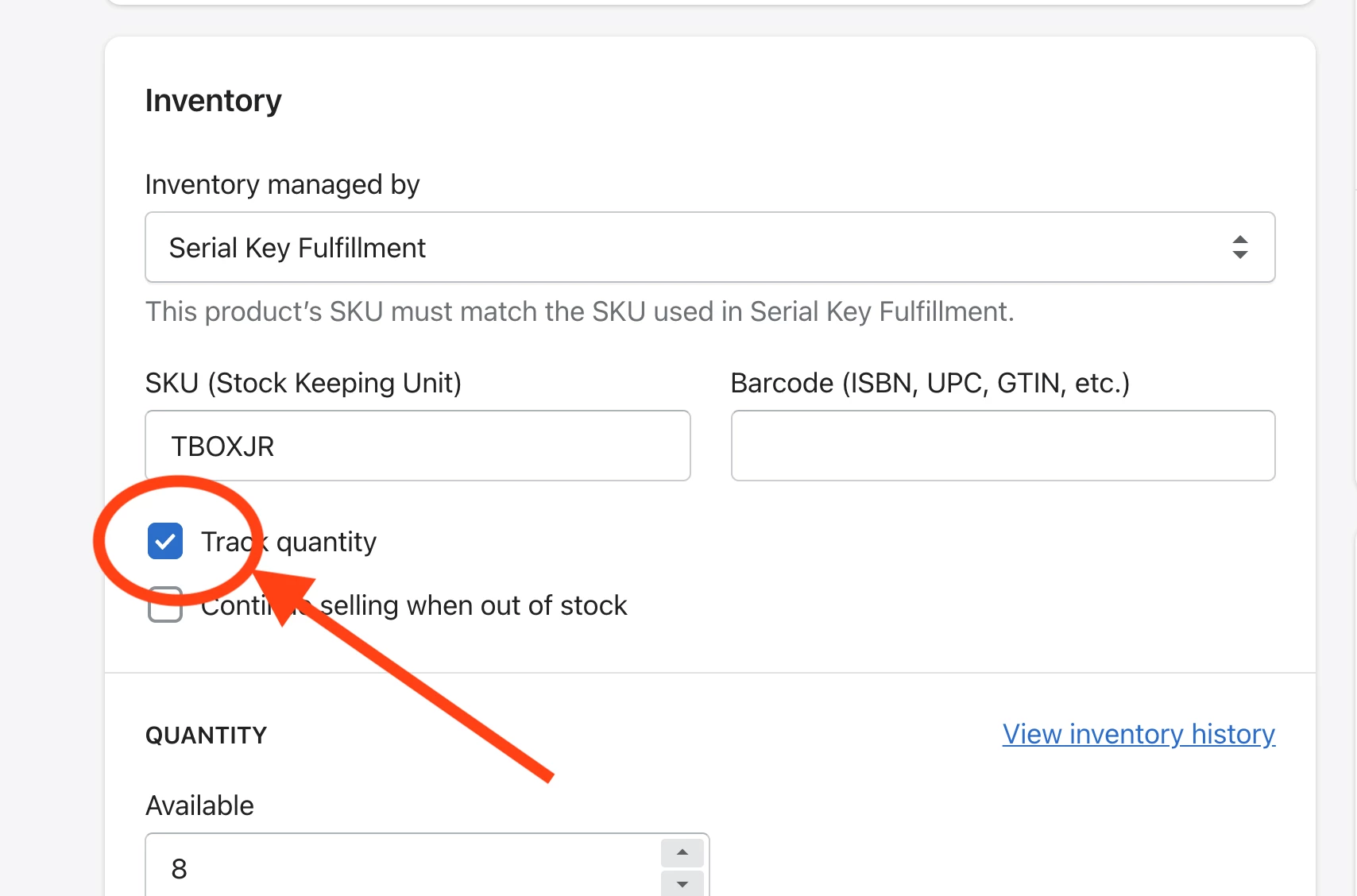
I think I found a major bug with the Product Feeds and the Shopify integration. For the life of me, I’ve been trying to figure out why the product feeds were only showing a few products and not displaying the correct best sellers. Well after some testing and experimenting, I think Klaviyo only displays products in the product fee that have a Track Quantity checked (See attached). My store is primarily a virtual good store where I sell digital downloads, so the only product showing are products where I deliver a serial number via a list, which I do track inventory in this case. 


I’m new to Klaviyo and although I love the new features, as an engineer, I’ve found quite a few major bugs with this software that I wasn’t expecting given the high price I pay per month. 

Can anyone verify this? 


    Best answer by Dov

    Hello @jmacman,

    Thanks for sharing this with our Klaviyo Community. Happy to help clear up the confusion here.

    If you are not keeping track of inventory for an item (or the item is out of stock) in Shopify, the item will be “unpublished” in Klaviyo. By default, unpublished items will not show up in product feeds because Klaviyo is interpreting these items as unavailable for purchase. Additionally, items without associated images and items have already been purchased by the recipient will not appear in the product recommendations.

    With that said, there is a setting we (Klaviyo) can enable on the backend of your Klaviyo account to ignore the inventory quantity. Enabling this setting will allow your products to populate in the feed regardless of their stock/inventory quantity. Since this is an “ignore” setting, the caveat here is that it will display all items in the feed even if they are legitimately out of stock. 

    If you would like this feature enabled, please file a request with our support team and they will be happy to take care of this for you.

    Thanks and have a wonderful rest of your day.

    12 replies

    Contributor I
    January 12, 2025

    This is an old thread, but I had the same issue and found a better workaround. At least for my store.


    If you uncheck “track quantity”, but check off “continue selling when out of stock”, Klaviyo will update the status to Published the next time you refresh the feed. Apparently it only leaves products unpublished when both boxes are unchecked.


    I think this is a more elegant solution than applying a manual store-wide exception on the Klaviyo back end. If you aren’t tracking inventory in Shopify for a product, the concept of selling when out of stock is moot anyway.

    Excellent, I thought of doing the same, but wasn’t sure if Shopify would show it as a back-order or similar in the store … but tried it and it seems to work fine :-)

    Contributor I
    May 21, 2025

    Hey guys! I have a question, where can you configure that product feed counts like two out of stock so users can have a bit more time to buy the product. Where’s that config from? Klaviyo or Shopify? ​@jmacman 
    Thanks!
