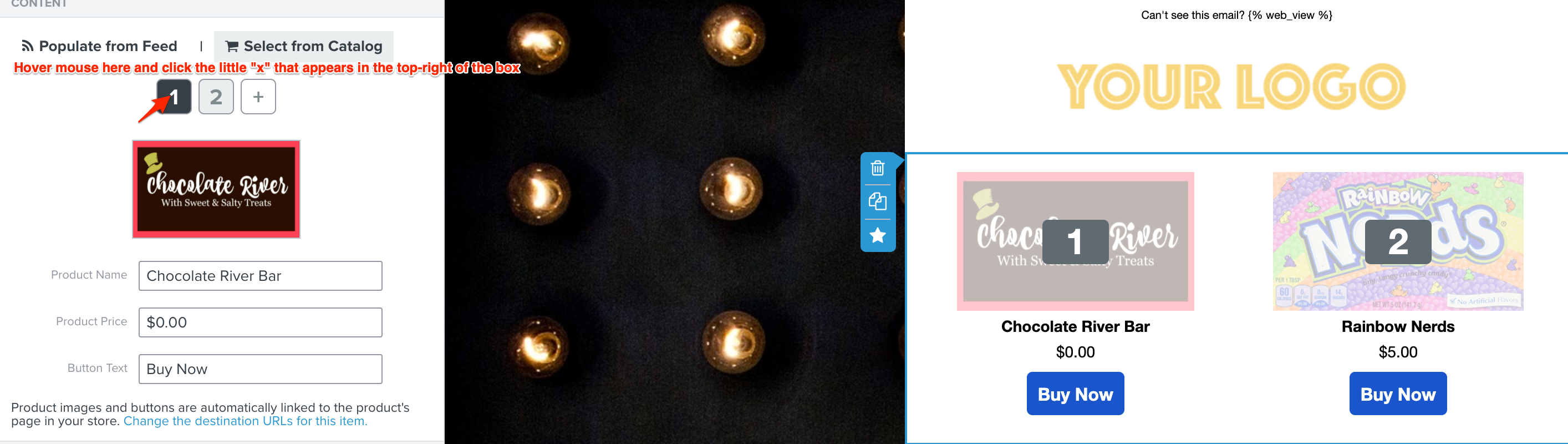
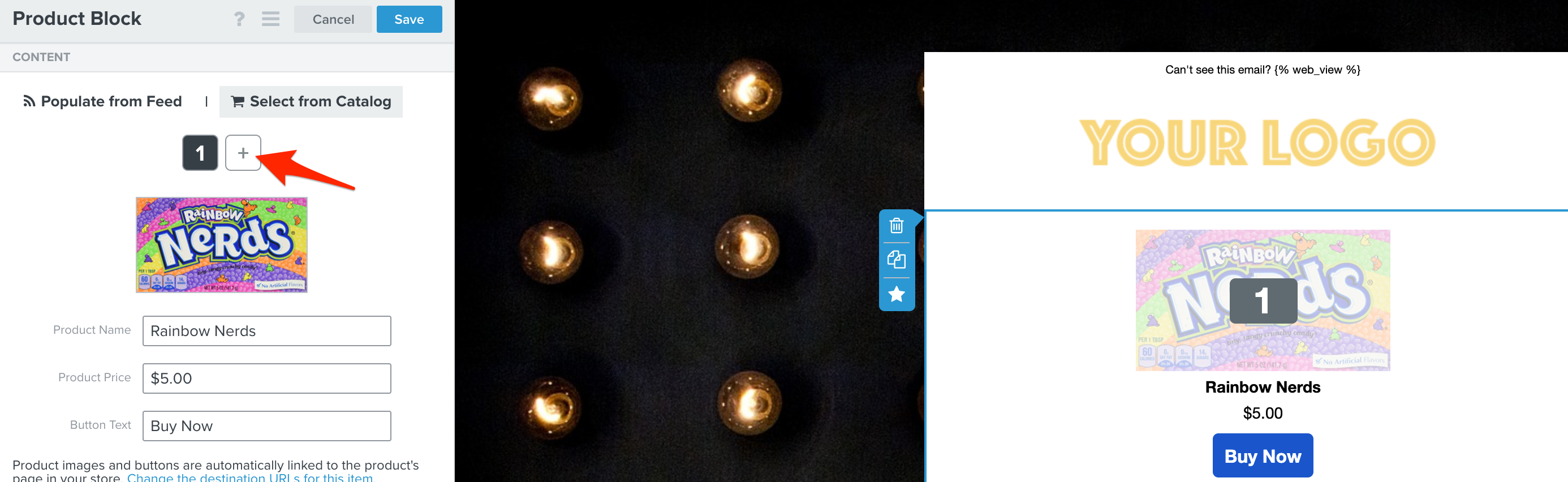
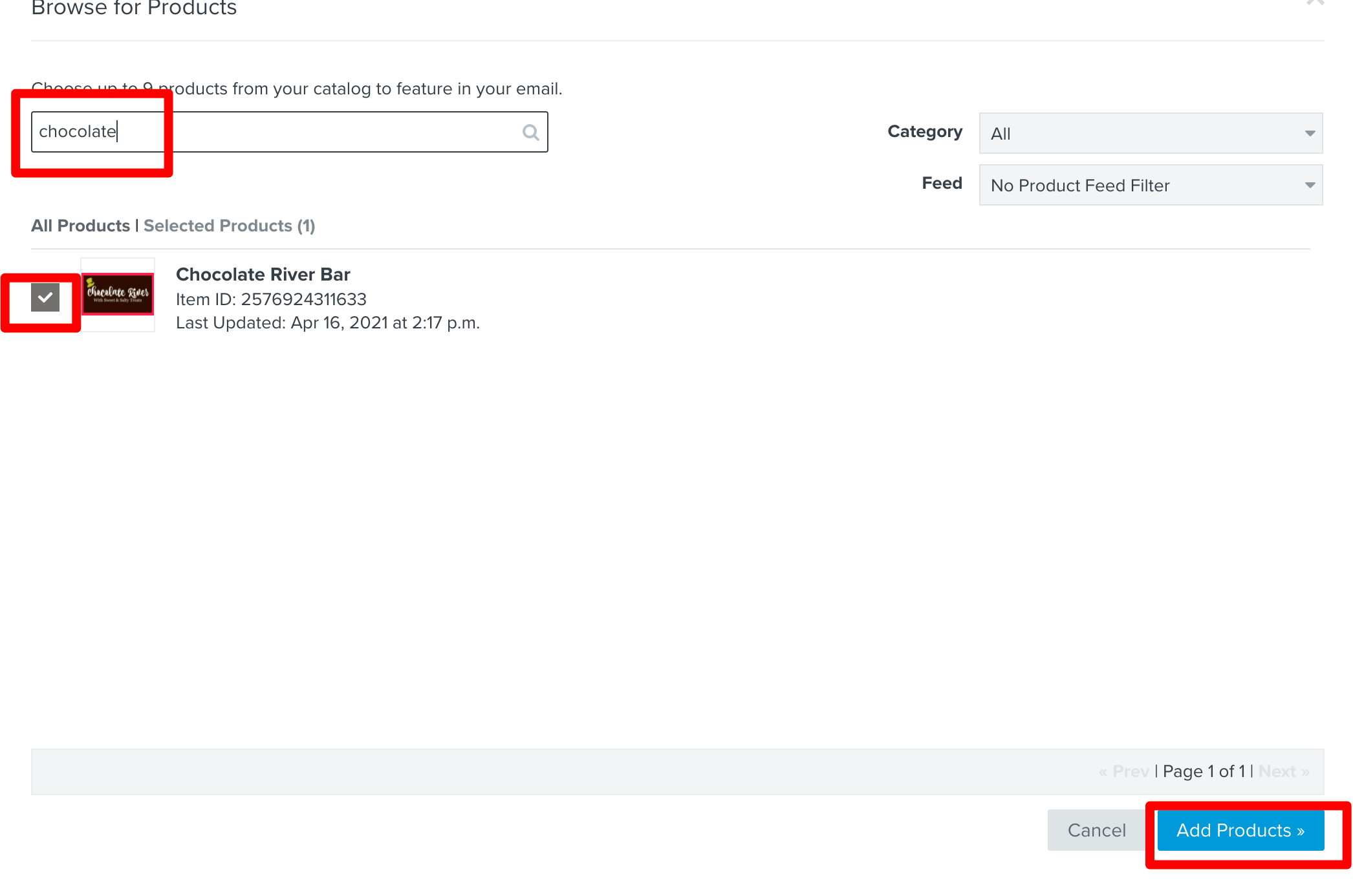
Apologies, since you already have existing items in the product block, first hover your mouse over the number “1”. You will see a little “x” icon appear over the number, click that to remove the item. Then do the same for the number 2. Repeat for any additional items in the product block that are missing images. Then re-add the same items by clicking on the “+” icon (on the right-hand side), typing in the name of the item with the missing image and re-selecting them. This will update the product block with the new product images.
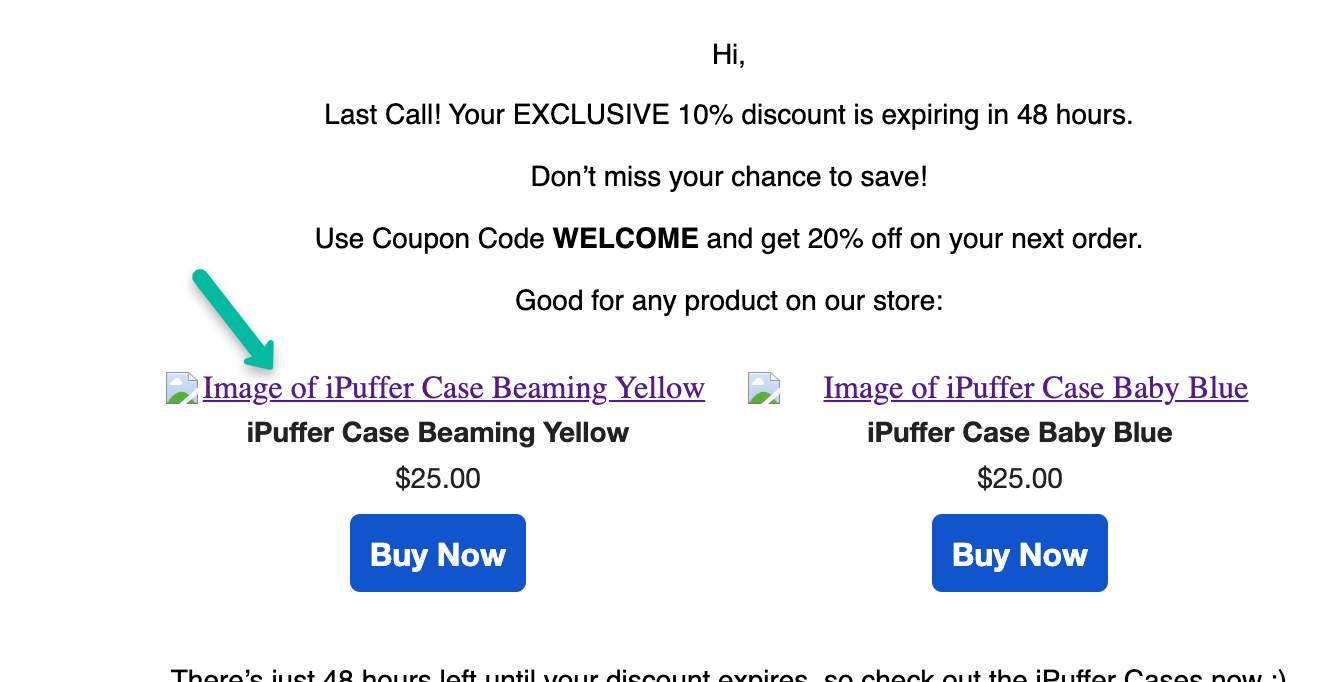
I can see that the particular image you’ve highlighted in your screenshot hasn’t been updated since January 14th. Typically this error happens if you’ve updated the image recently, the image URL has changed and a catalog sync hasn’t ran since that change. I’d first wait for the catalog sync to complete and re-check that particular item to see if that resolved the issue (you should see an updated “Last Updated” date). If this doesn’t resolve, more likely than not, there is an issue with the image URL itself which a sync would not fix on its own. You would need to check the validity of the image URL from your ecommerce platform, once that’s verified and corrected, re-run the catalog sync.
With respect to your point on the broken image, is that occurring only for certain images or all images? Also. you may want to verify that your email is not being clipped which can sometimes impact images displaying on Gmail specifically. Also when you’re testing, are you sending a test email or simply previewing within the editor? Any more details here would be helpful.
Hi, I think Klaviyo could improve a bit this process, and automatically update the product's image in the product block as our Shopify stores and klaviyo are integrated, it seems odd to not have this function active and having to go in and modify all the flows where I have products that have been updated.
I have a related issue. In addition to the image not populating in received emails, the beautiful “flow” emails” and opt-in confirmations with my Logo images do not populate either, unless I tell my email to show images. BUT, I receive images all the time in my inbox that I do not need to “allow.” So lots of work to make sure my branding is beautiful, and then dead on arrival. Two images attached. One without image, showing “display images below” and then what it is supposed to look like upon delivery. Please help! Thank you.
P.S. Same happens with my opt-in notifications, as well as Social logo images. All suppressed.
Also, two more images (opt-in confirmation) also showing the persistent problem of the text not being the color I select consistently (white). Thanks again.