



Shopify Back In Stock Link Placement
Hi There,
I’m using the Focal Shopify Theme and having trouble getting the Back In Stock Notifications to anchor to the Sold Out button.
The script we’ve implemented:
<!-- Start Klaviyo Back in Stock Script -->
<script src="https://a.klaviyo.com/media/js/onsite/onsite.js"></script>
<script>
var klaviyo = klaviyo || [];
klaviyo.init({
account: "XiSX8Q",
platform: "shopify"
});
klaviyo.enable("backinstock",{
trigger: {
product_page_text: "Notify Me When Available",
product_page_class: "btn",
product_page_text_align: "center",
product_page_margin: "0px",
replace_anchor: false,
},
modal: {
headline: "{product_name}",
body_content: "Register to receive an email when this item comes back in stock.",
email_field_label: "Email",
button_label: "NOTIFY ME",
subscription_success_label: "You're signed up! We'll let you know when this one is back in stock.",
footer_content: '',
additional_styles: "@import url('https://fonts.googleapis.com/css?family=Helvetica+Neue');",
drop_background_color: "#000",
background_color: "#fff",
text_color: "#222",
button_text_color: "#fff",
button_background_color: "#272024",
close_button_color: "#ccc",
error_background_color: "#fcd6d7",
error_text_color: "#C72E2F",
success_background_color: "#d3efcd",
success_text_color: "#1B9500"
}
});
</script>
<!-- End Klaviyo Back in Stock Script -->
It’s anchoring under the price instead of the main button. We’re happy for the text to be below the Sold Out button, it doesn’t need to replace the button:
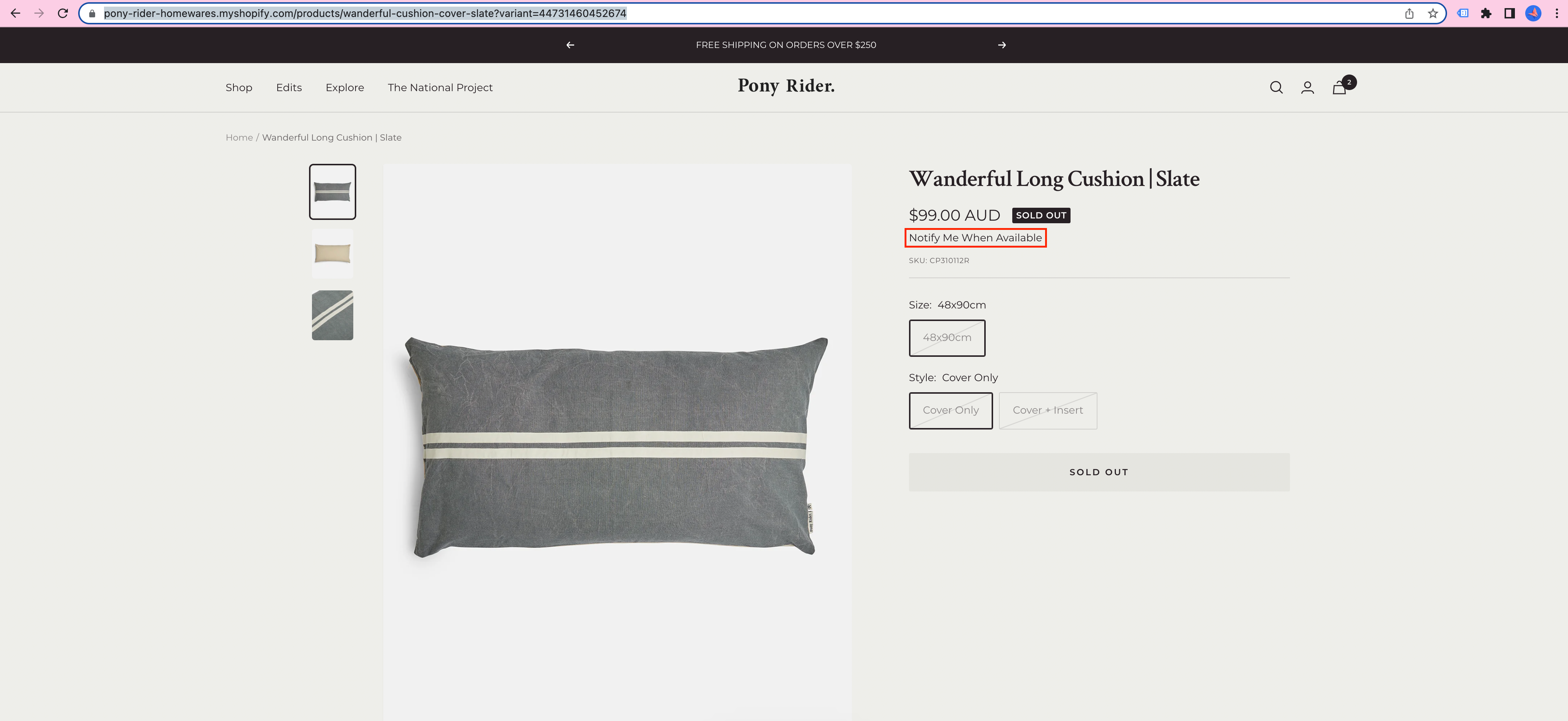
If you want to check out the site: https://pony-rider-homewares.myshopify.com/products/wanderful-cushion-cover-slate?variant=44731460452674
Password is pony to view as its currently in development.
Any help is much appreciated!!


