I have been trying to connect my shopify account with klaviyo for a long while now, please help me out as I'm tired now and frustrated. The integration wasn't successful, and I have been trying it over and over again
I’m sorry you’re having challenges getting your Klaviyo account integrated with Shopify. Can you describe some of the problems you’re running into?
Integrating Klaviyo with Shopify should be a fairly straight-forward process. For most Shopify merchants, you have to install the Klaviyo Shopify App, and configure a few Shopify Settings depending on what you want to do in the Integrations → Shopify → View Settings. This will then allow Klaviyo to pull all the basic Metrics from Shopify.
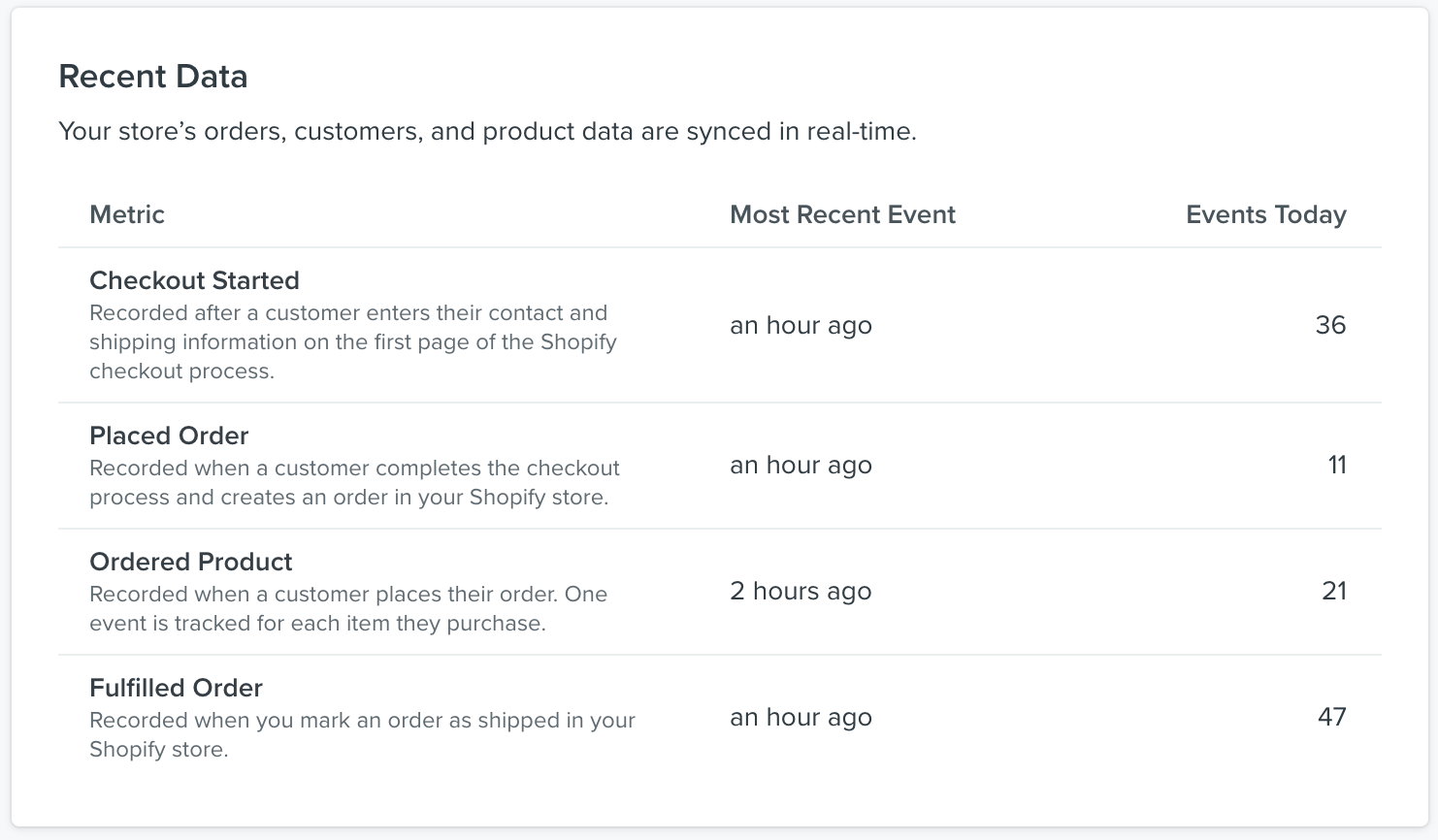
You can verify everything is working if you see results in the Recent Data panel like this:
Also, there’s a bunch of great starter documents here on Klaviyo if you need help:
I wanted to provide an update provided to us from the team regarding this issue with a new potential fix for this.
Apologies for any confusion regarding the error you are seeing pertaining to Klaviyo's onsite script not being installed properly. If you see http in the URL, please replace it with https and press the "Check my install" button again to resolve the error message:
If the error message does not get resolved, please note that it will not prevent you from publishing your Signup Form(s). As long as you have properly integrated your Klaviyo account with one of our pre-built eCommerce integrations, or if you have manually installed Klaviyo's onsite script on your website, then you can proceed to publish your Signup Form as desired. I recommend you use an incognito / private window of your web browser to navigate to your website and confirm that your Signup Form is showing as desired.
I hope this helps to get you going in the right direction!
You could use Skyvia for a no-code integration to connect Shopify with Klaviyo. Alternatively, try the native integration and double-check permissions. Make sure Shopify’s API rate limits aren’t exceeded or try a connector app.