

Contributor I
February 22, 2023
Solved

Split Block - Image Not Showing on One Side

  • February 22, 2023
  • 3 replies
  • 242 views

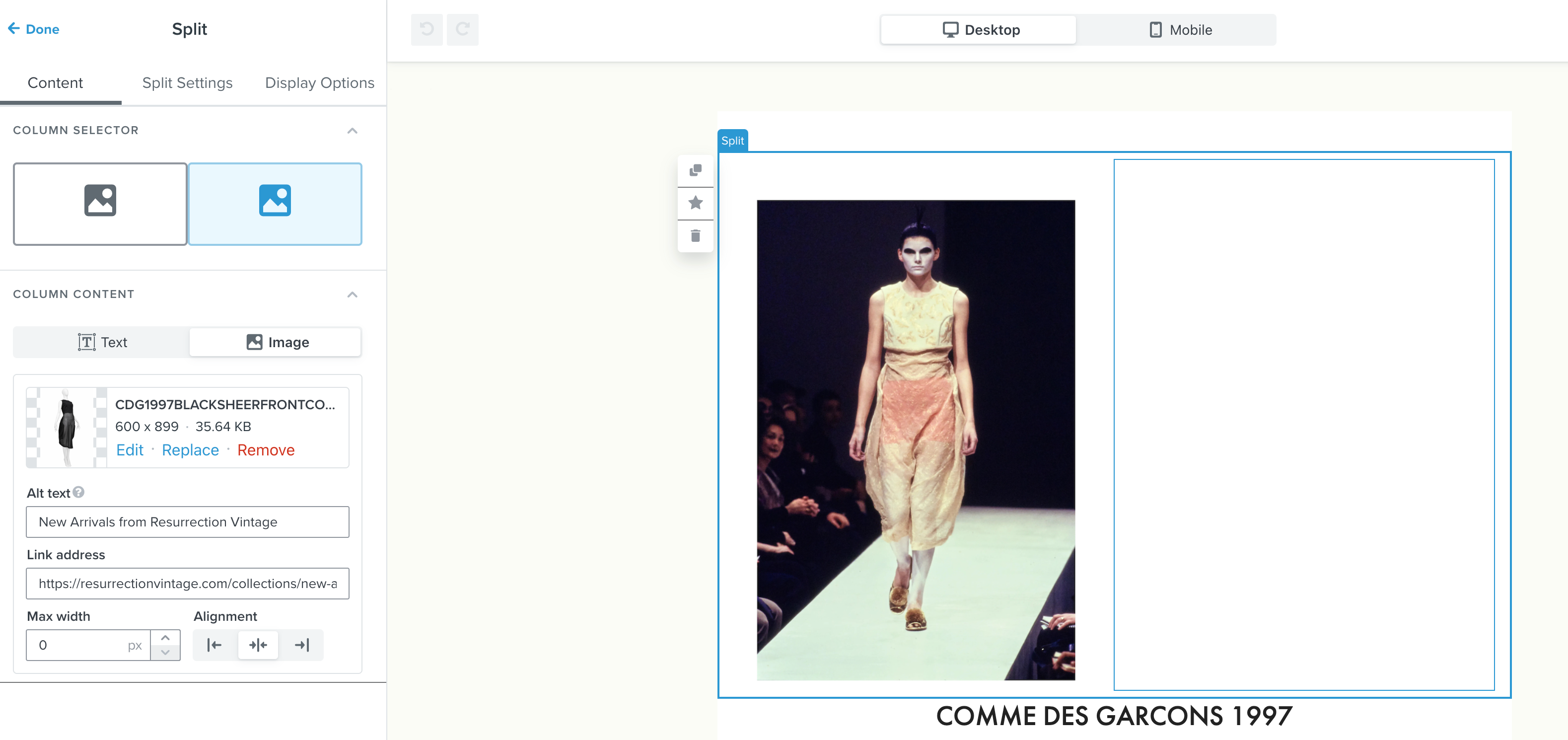
I am using a split block so I can add 2 side-by-side images. On one side, it shows the image has been successfully uploaded, but it’s not appearing in the body of the email. How can I fix this? 


    This topic has been closed for replies.
    Best answer by stephen.trumble

    Hey @crystalresurrection 

    Thank you so much for reaching out for help with your split block. Happy to help.

    From the image you shared, it looks like the max width of the image is set to 0 px, which would be why the image isn’t displaying. By default the max width of the template is 600 px, so try setting the max width of this column to 300 px, or you can use the same width as the image on the left that is being displayed properly. 

    Hope this helps!

    3 replies

    stephen.trumble
    Klaviyo Alum
    February 22, 2023

    Hey @crystalresurrection 

    Thank you so much for reaching out for help with your split block. Happy to help.

    From the image you shared, it looks like the max width of the image is set to 0 px, which would be why the image isn’t displaying. By default the max width of the template is 600 px, so try setting the max width of this column to 300 px, or you can use the same width as the image on the left that is being displayed properly. 

    Hope this helps!

    -Stephen
    Contributor I
    February 22, 2023

    Thank you @stephen.trumble ! 😊

    Contributor I
    November 30, 2023

    I adjusted the size, it shows correctly in the preview - but the email test (dark mode, gmail mobile) - the text and image are blacked out.


