Contributor I
November 8, 2024
Solved

Suppressed profile - how to extract with email address?

  • November 8, 2024
  • 4 replies
  • 105 views

Hello,

I have inherited from a veru populated database that I need to clean but struggling to clean the suppresed profile. Some of them we should keep and some other delete. How do I download the suppressed profile with including the email address?

Thanks for your answer,

Stéphanie

    This topic has been closed for replies.
    Best answer by ArpitBanjara

    Hey @Steph from Georganics 

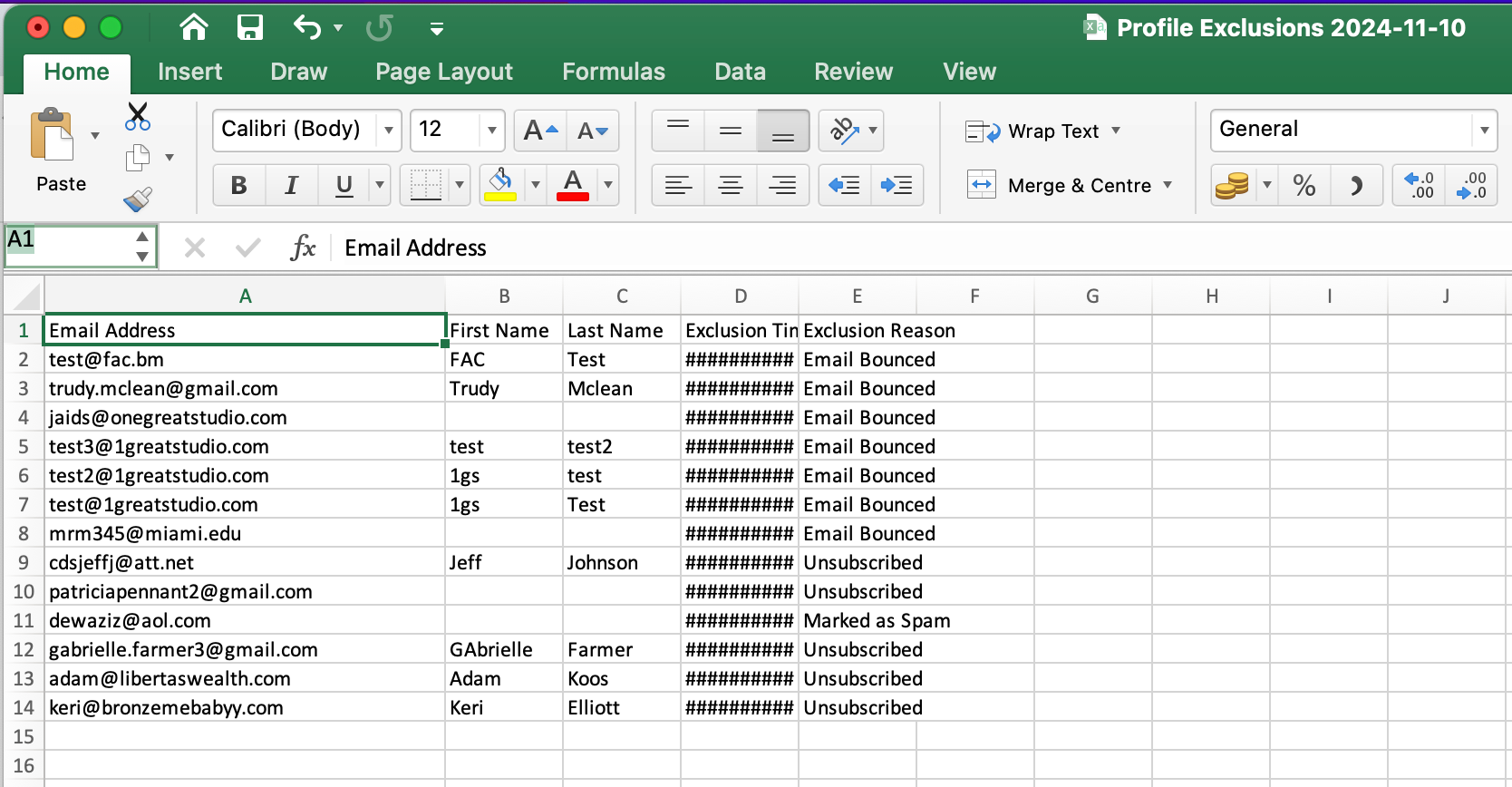
    Not sure what you did then, after you open the csv, the first column is literally the ‘email address’. check below 


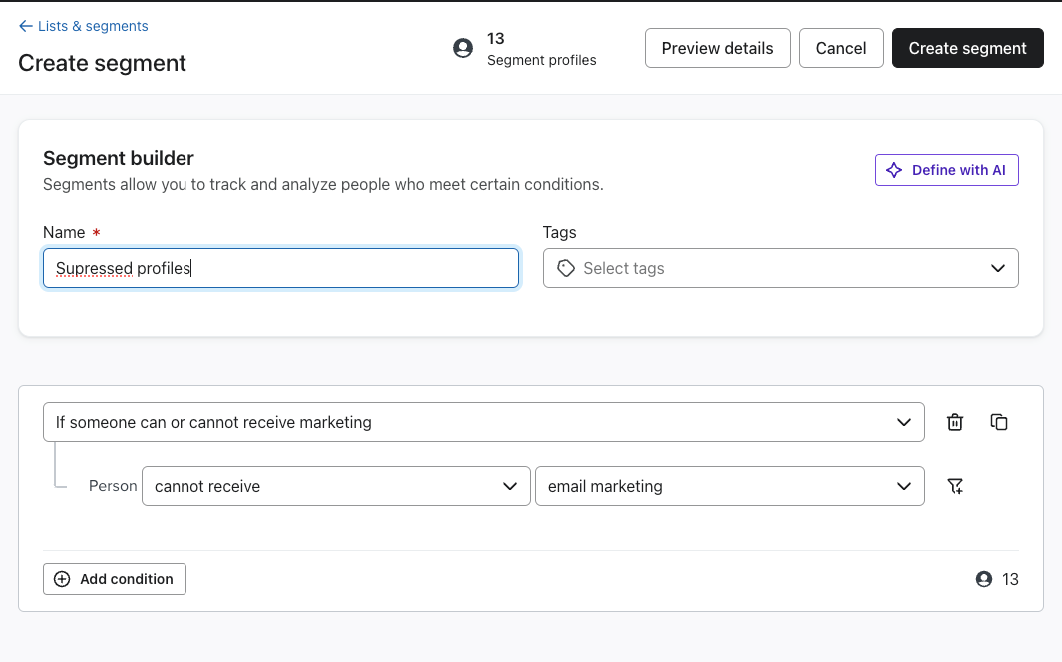
    another way - Have you tried creating a segment in Klaviyo? please see below

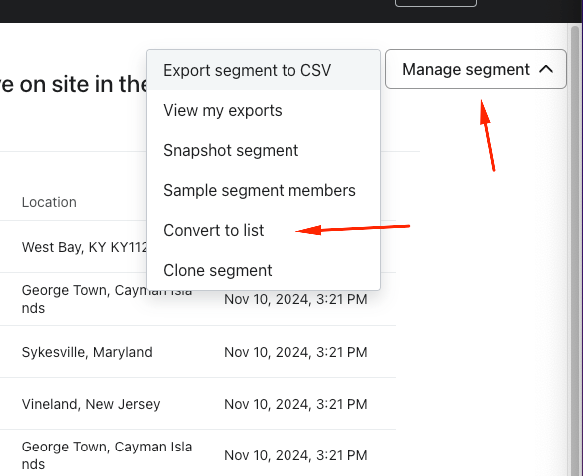
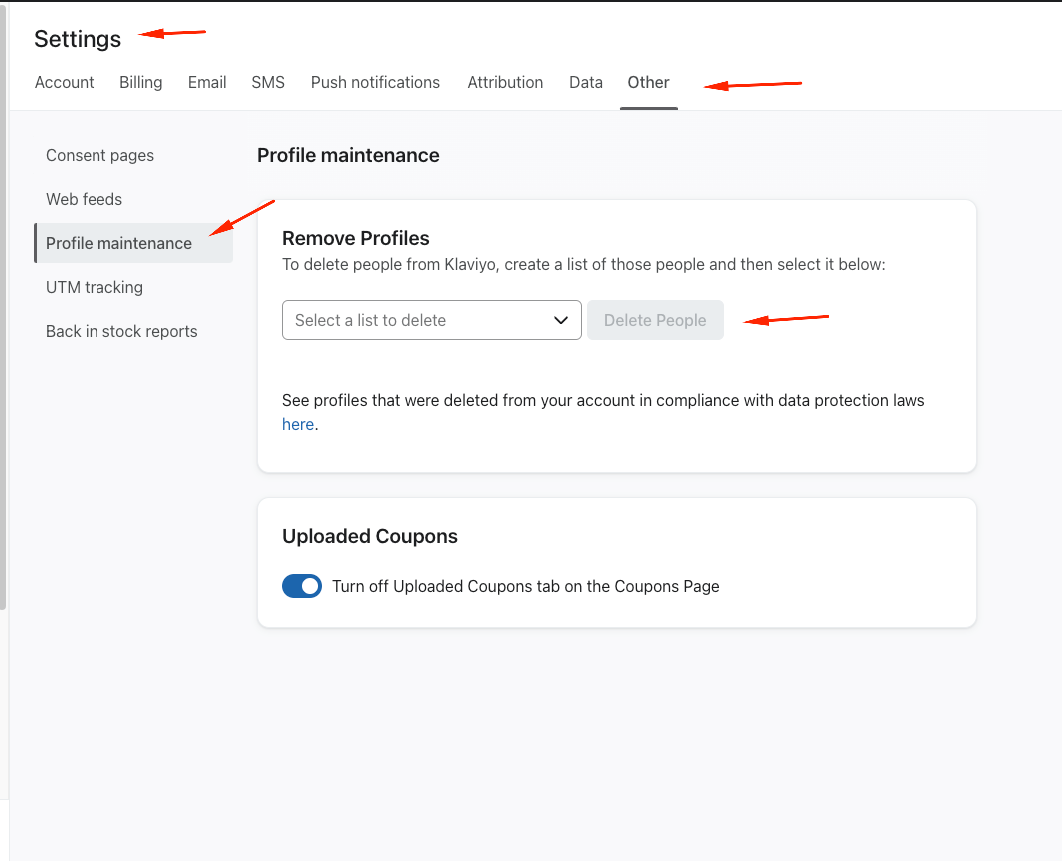
    Once you create this segment, you will have all the profiles that have not given you consent to email marketing or are now suppressed. you can export this segment and convert to a list and delete the list completely from klaviyo 

    Go to your segment» manage segment» convert to list

    I hope this helps and thank you for sharing your question here in the community.

    Cheers

    Arpit

    4 replies

    ArpitBanjara
    Principal User II
    Principal User II
    November 8, 2024

    Hey @Steph from Georganics 

    If you want to export a csv file of you suppresion list, you can go to Profiles» View Suppressed profiles» click on export csv 

    I hope this helps and thank you for sharing your question here in the community.

    Cheers

    Arpit

    Arpit Banjara - Lead Email Marketing Specialist at Flowium
    Contributor I
    November 10, 2024

    Thanks for your answer but by doing that I don’t have the people’s email address. I only have the names. And to import a file to create a segment to delete it I need the emails.


    I hope this is clear but basically I would like to delete a high number of suppressed profile and I have no clue how to do it.


    Thanks for your answer,
    Stéphanie

    ArpitBanjara
    Principal User II
    Principal User II
    November 10, 2024

    Hey @Steph from Georganics 

    Not sure what you did then, after you open the csv, the first column is literally the ‘email address’. check below 


    another way - Have you tried creating a segment in Klaviyo? please see below

    Once you create this segment, you will have all the profiles that have not given you consent to email marketing or are now suppressed. you can export this segment and convert to a list and delete the list completely from klaviyo 

    Go to your segment» manage segment» convert to list

    I hope this helps and thank you for sharing your question here in the community.

    Cheers

    Arpit

    Arpit Banjara - Lead Email Marketing Specialist at Flowium
    Contributor I
    November 13, 2024

    Thanks a lot for the very useful explanation it worked this time!