I am seeing the same thing on our account. I can’t believe a Klaviyo tech has not solved this problem for you after 8 days. There is no way in we will be staying with Klaviyo if we are expected to use a Source Code box for our text blocks.
Is there any update on a fix for this????????
I even created a new campaign from scratch and it has this Source Code only editor issue for text boxes so I know it is not our template issue.
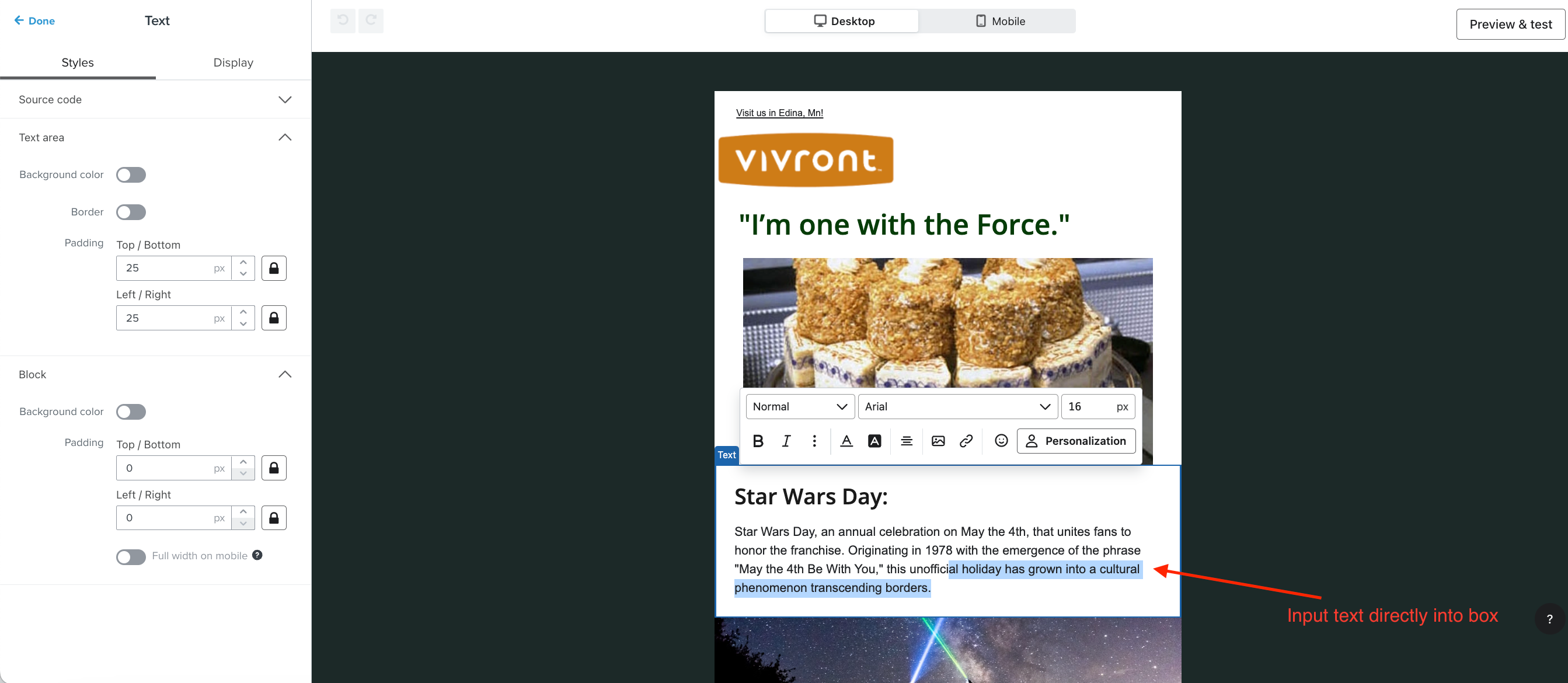
Nevermind, I should have read the comments closer. You just double click the box on the preview side (right hand side) to activate the rich text editor right in the preview side and edit it there.
Cool concept Klaviyo. Its handy that you can edit both HTML and WYSIWYG at the same time.
But Really spastic UX implemenation!
That little advice popup needs to link to aa giude or explain what the UX update actuall was and how to use it. Without knowing you have to DOUBLE CLICK the text box to open the editor, my entire team of 3 seasoned Klaviyo veterans have been stumpped for hours and resorted to editing everything in source code view.
OR Just make the act of single click show the WYSIWYG menu bar?