


iftekhirul
Contributor I
Contributor I
May 24, 2024
Solved

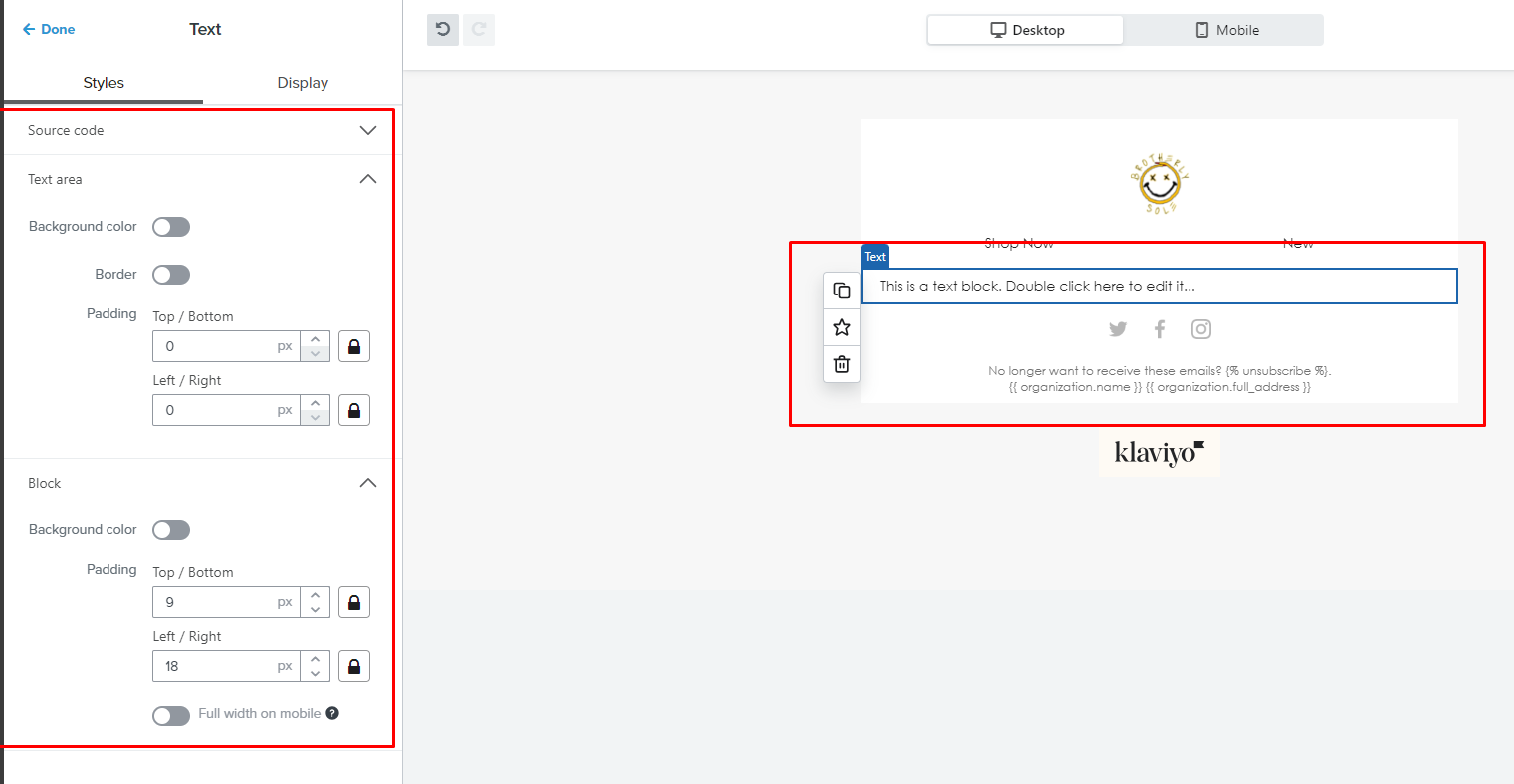
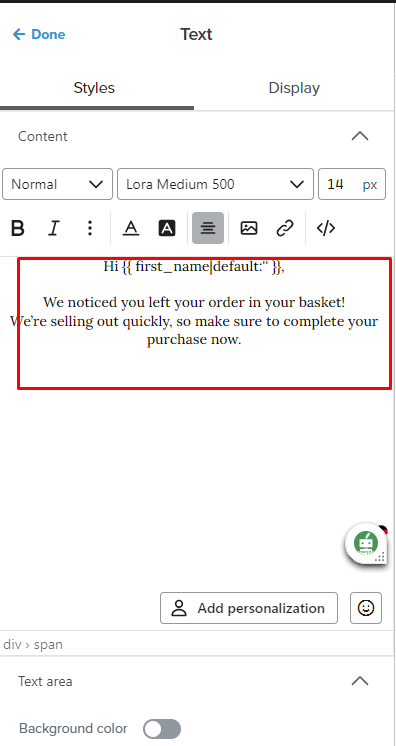
Text content area is not showing up on my client's Klayvio account. I have added a screenshot of the client account and my other account for your understanding.
  • May 24, 2024
  • 2 replies
  • 169 views


    This topic has been closed for replies.
    Best answer by bluesnapper

    Welcome to the community @iftekhirul 

    The first screenshot is showing a Klaviyo update that rolled-out recently. You now edit the content within the text block itself by double clicking it. There is no longer a seperate visual editor panel on the left, though the HTML source code editor is still there.

    Looks like one of your accounts has the new look and the other does not.

    Regards

    Andy


    2 replies

    AlexandraPalau
    Partner - Silver
    2025 Champion
    May 24, 2024

    Hello @iftekhirul!

    Thank you for your question.

    There is a new feature in that you have to double click in the text area to edit. It will no longer appear on the left side. 


    Hope that helps!

    Thank you for being part of the community.

    Alexandra :) 

    - Alexandra Palau, Klaviyo Partner & Community Champion. Website: allaboutemailmarketing.com
    bluesnapper
    Partner
    Champion & Partner
    May 24, 2024

    Welcome to the community @iftekhirul 

    The first screenshot is showing a Klaviyo update that rolled-out recently. You now edit the content within the text block itself by double clicking it. There is no longer a seperate visual editor panel on the left, though the HTML source code editor is still there.

    Looks like one of your accounts has the new look and the other does not.

    Regards

    Andy


    https://bluesnapper.com - Klaviyo Champion '24 & Partner


