


Contributor IV
March 3, 2023
Solved

timestamp formats customization

  • March 3, 2023
  • 4 replies
  • 686 views

Hei guys 
that’s my first question to the comunity hope you can help. So I ve a doubt that I m not able to solve. 

I m using an external no code platform from which I m taking data as Customer Property into Klavyio. My company is working on the telemedicine and I ask patient to book doctor appointments.

Example is: 
Patient is booking a slot time and then I want to confirm him/her that his booking is confirmed (same day email) and I want to remember them at a later time that he will have the visit. 

I m taking data from the app and specifically I am grasping the slot time and the date picked by the patient.

The date is coming as follows: MM/DD/YYYY HH:MM:SS am/pm

Now I am able to transfer this info in Klavyio and I am able to write this data also in as a customization in the email I ll send them. As you can imagine this is not optimal. How can I compress the data into only MM/DD/YYYY?
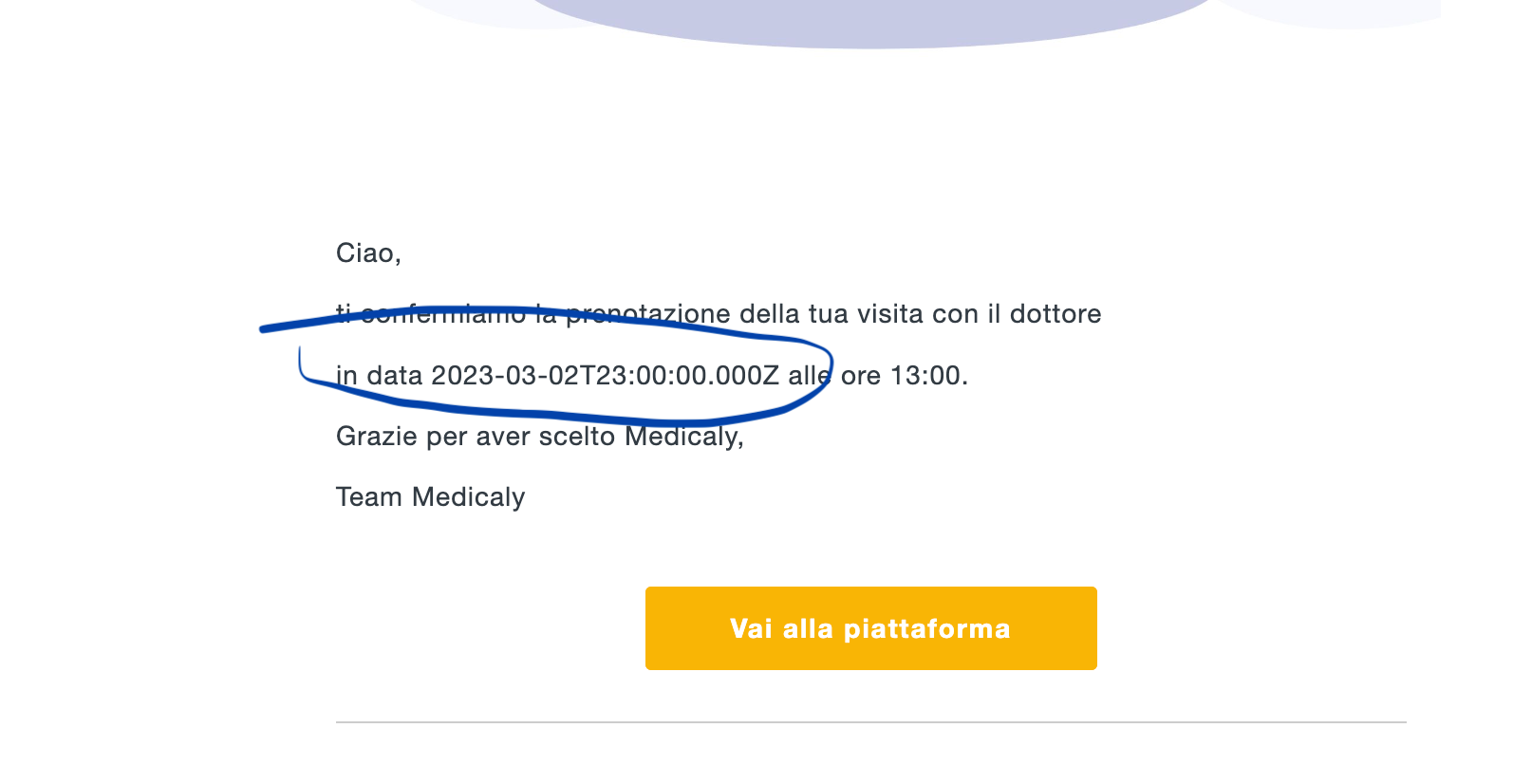
    This topic has been closed for replies.
    Best answer by retention

    Hi @Gb1996, welcome to the community!

    Within Klaviyo templates, you can use something called “Filters” which lets you do some basic string manipulation for a given variable such as your custom property for the booking slot time. There’s a specific Filter called “format_date_string” that does exactly that, take one format of a Date and converts it to another.

    Here’s an example you can try:

    {{ your_variable|format_date_string|date:'n/j/y' }}

    This should present the date in a m/dd/yy format.

    You can see other options or learn more about the date format filter in this documentation:

    Hope this helps and let us know if it worked!

    4 replies

    retention
    Partner - Platinum
    retentionAnswer
    2025 Champion
    March 3, 2023

    Hi @Gb1996, welcome to the community!

    Within Klaviyo templates, you can use something called “Filters” which lets you do some basic string manipulation for a given variable such as your custom property for the booking slot time. There’s a specific Filter called “format_date_string” that does exactly that, take one format of a Date and converts it to another.

    Here’s an example you can try:

    {{ your_variable|format_date_string|date:'n/j/y' }}

    This should present the date in a m/dd/yy format.

    You can see other options or learn more about the date format filter in this documentation:

    Hope this helps and let us know if it worked!

    Joseph Hsieh // retentioncommerce.com // X: @retention
    Gb1996Author
    Contributor IV
    March 4, 2023

    Heiiii it worked perfectly! 
    Thank you so much for the quick response :) You are the best

    Gb1996Author
    Contributor IV
    March 4, 2023

    I ve an additional question to that. 
    How do I make it in another language that “march”? I would love to place the italian language there :) 


    stephen.trumble
    Klaviyo Alum
    March 8, 2023

    Hey @Gb1996 

    One idea would be to build in an if/else statement I.E. if March, then [Italian version]. Alternatively, you could also just have that date come through as a text format with the italian version already written out to reference.

    -Stephen

