Contributor I
June 20, 2022
Solved

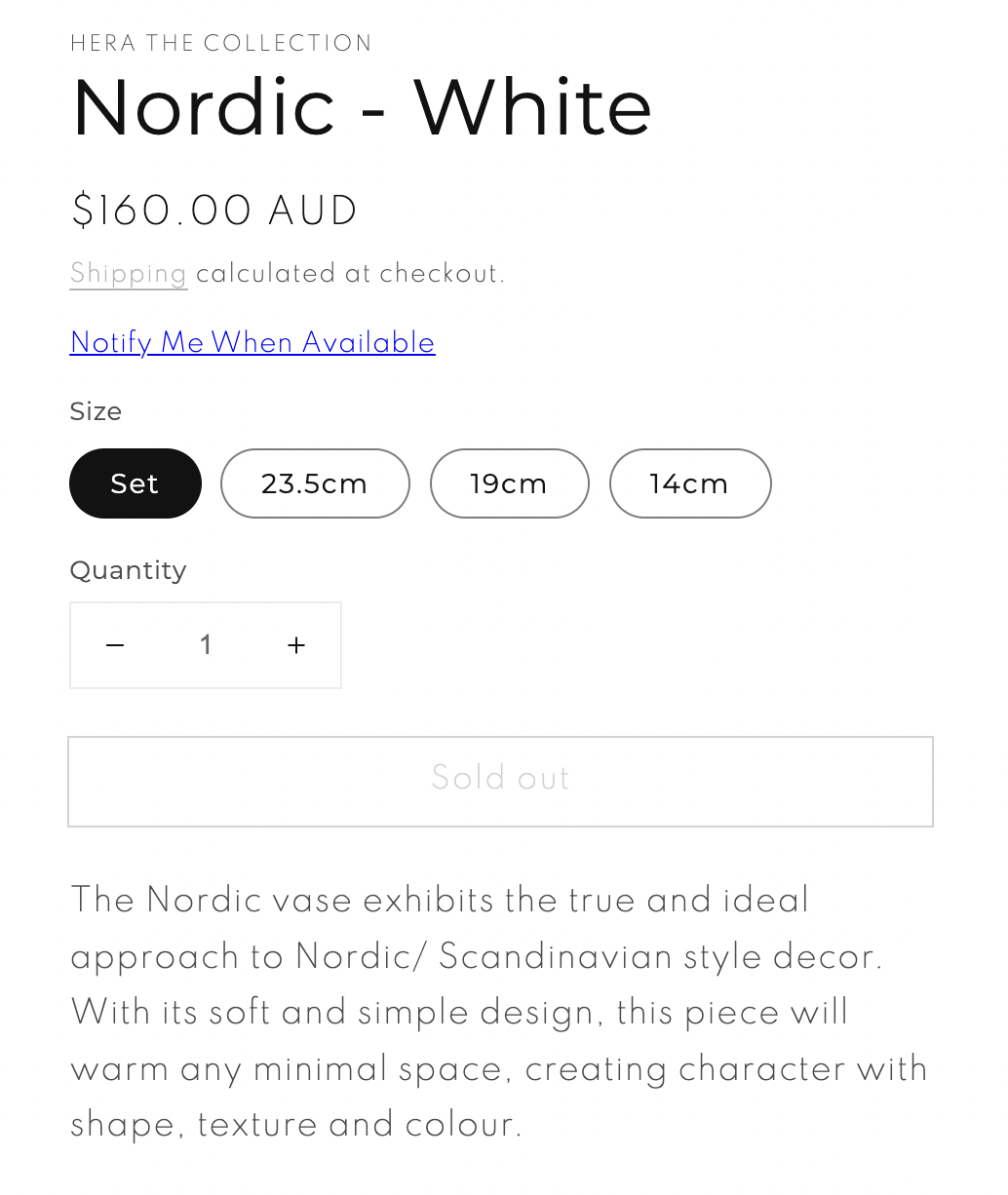
Why does the Back in Stock 'Notify me' shows as link not button?

  • June 20, 2022
  • 2 replies
  • 252 views

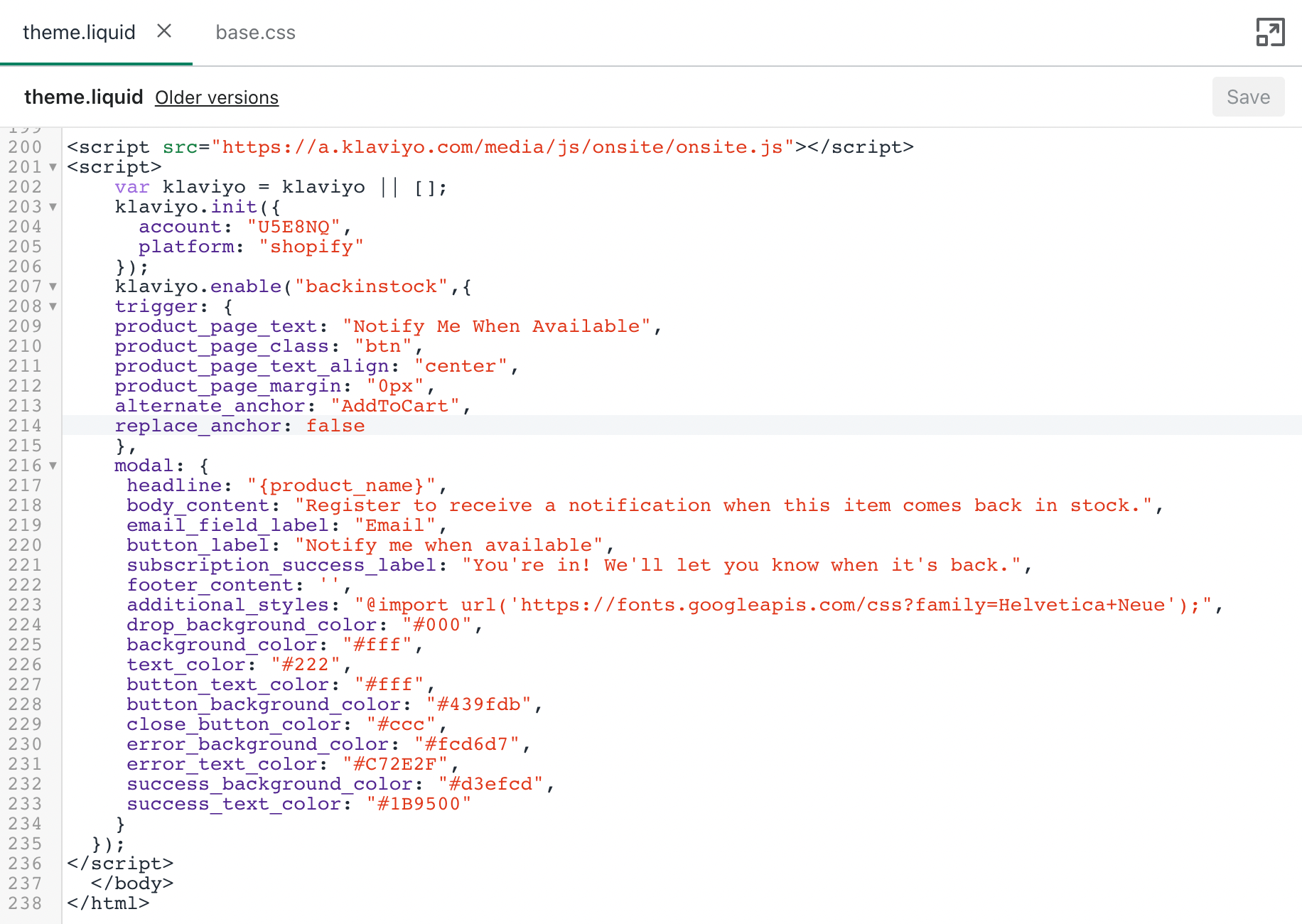
My 'Back in stock' coding is working properly. There is no 'Back in stock' button, however a link appears. How do I fix this to appear as a button underneath the 'Sold Out' button?

Thank you.


    Best answer by Taylor Tarpley

    Hi there @Hera


    Welcome to the Community!


    If you have installed the BIS code into your site and have successfully have the link performing, yet the button still isn’t displaying, I would recommend investigating your code again and going through it with a fine-tooth code for any additional or missing spaces or letters. You should be able to customize the location of BIS button  by inserting a bit of code, as stated in our documentation. However, if this still does not fix the issue, in my experience, I have also seen additional plug-ins or non-Klaviyo ‘Back in Stock’ apps that are already integrated with platforms ,such as Shopify, or some kind of conflict in your CSS to be the culprit here. 


    Unfortunately, if you are using a custom theme neither Support nor Community can help troubleshoot this further if it is a custom theme as we can’t advise custom coding.


    If that’s the case, I’d reach our and connect with one of our partners who would gladly help you set this up for you. 


    Thanks for participating in the Community!

    -Taylor

    2 replies

    Taylor Tarpley
    Community Manager
    Community Manager
    June 21, 2022

    Hi there @Hera


    Welcome to the Community!


    If you have installed the BIS code into your site and have successfully have the link performing, yet the button still isn’t displaying, I would recommend investigating your code again and going through it with a fine-tooth code for any additional or missing spaces or letters. You should be able to customize the location of BIS button  by inserting a bit of code, as stated in our documentation. However, if this still does not fix the issue, in my experience, I have also seen additional plug-ins or non-Klaviyo ‘Back in Stock’ apps that are already integrated with platforms ,such as Shopify, or some kind of conflict in your CSS to be the culprit here. 


    Unfortunately, if you are using a custom theme neither Support nor Community can help troubleshoot this further if it is a custom theme as we can’t advise custom coding.


    If that’s the case, I’d reach our and connect with one of our partners who would gladly help you set this up for you. 


    Thanks for participating in the Community!

    -Taylor

    Contributor I
    May 12, 2025

    Hi there,

    I had the same problem. The Notify Me When Available was a link not a button, we use the Prestige theme. I added this code below and the button appeared.

    Switch this code: 

        product_page_class: "button",

    FOR this:

     product_page_class: "ProductForm__AddToCart Button Button--primary Button--full",