Contributor I
October 31, 2024
Solved

Why is the Text section in Email Editor only providing me with a source code?

  • October 31, 2024
  • 5 replies
  • 145 views

 In past the email editor provided me with the option of just entering text now i only see the source code.

This topic has been closed for replies.
Best answer by retention

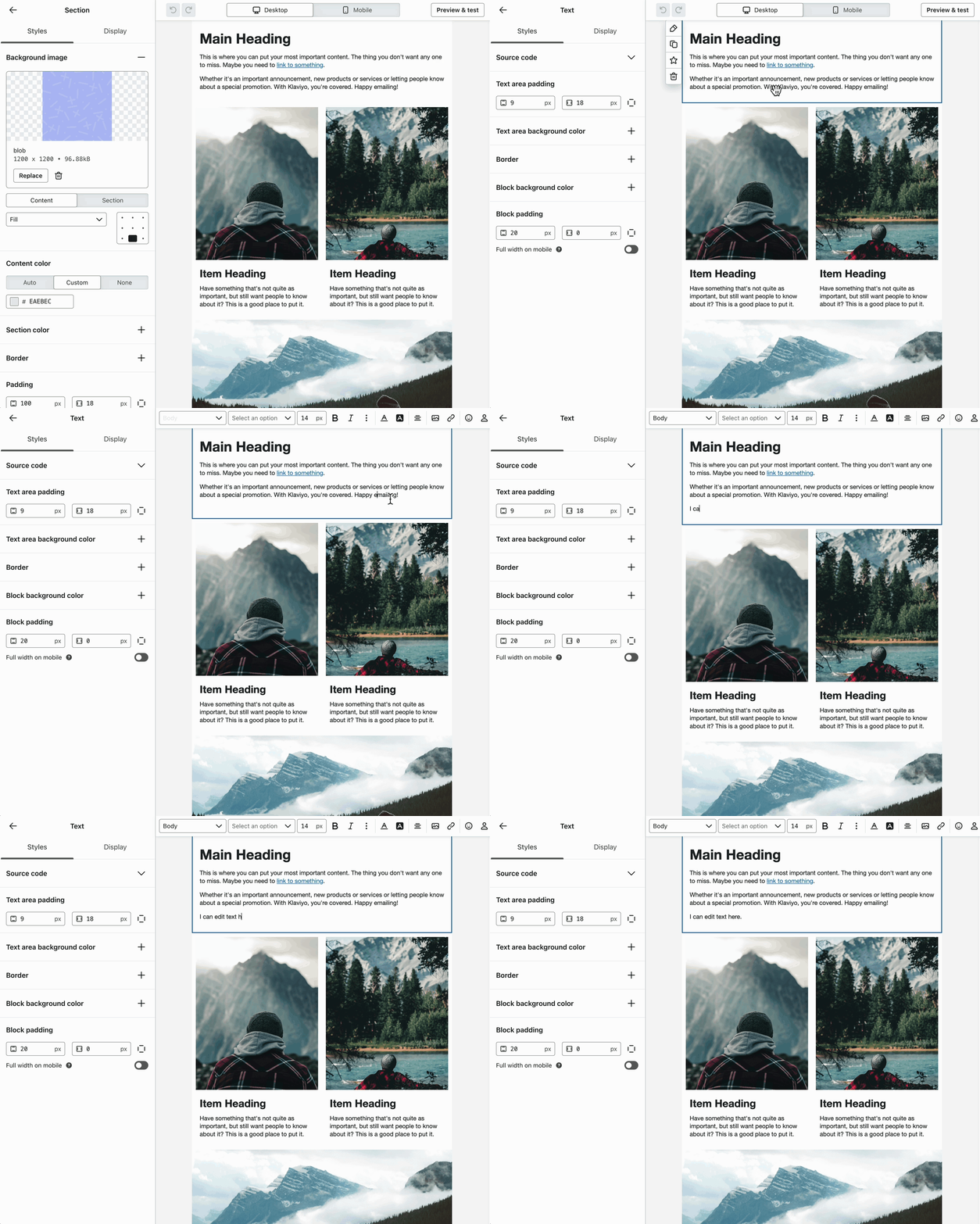
Hi @Sheilad - you can actually edit the text inline if you double click into the text block. 

See here:


5 replies

SheiladAuthor
Contributor I
October 31, 2024

I figured it out as to why its only providing just source code as you can not change text right in the email content itself!

retention
Partner - Platinum
retentionAnswer
2025 Champion
October 31, 2024

Hi @Sheilad - you can actually edit the text inline if you double click into the text block. 

See here:


Joseph Hsieh // retentioncommerce.com // X: @retention
SheiladAuthor
Contributor I
October 31, 2024

thank you!!!

Mike-H
Problem Solver II
Problem Solver II
October 31, 2024

Yeah, lol I had the same issue about two months ago.  👍

E-Commerce Operations & Automation Consultant
ali786
Expert Problem Solver I
November 1, 2024

Just select your text, and you'll see the text editor bar on top, as shown in the screenshot. On the left side, you can see the Source Code section and padding-related settings. You can adjust text formatting using the header bar.

~Ali

ali raza -🔎www.aliXemail.com