Contributor III
February 29, 2024
Solved

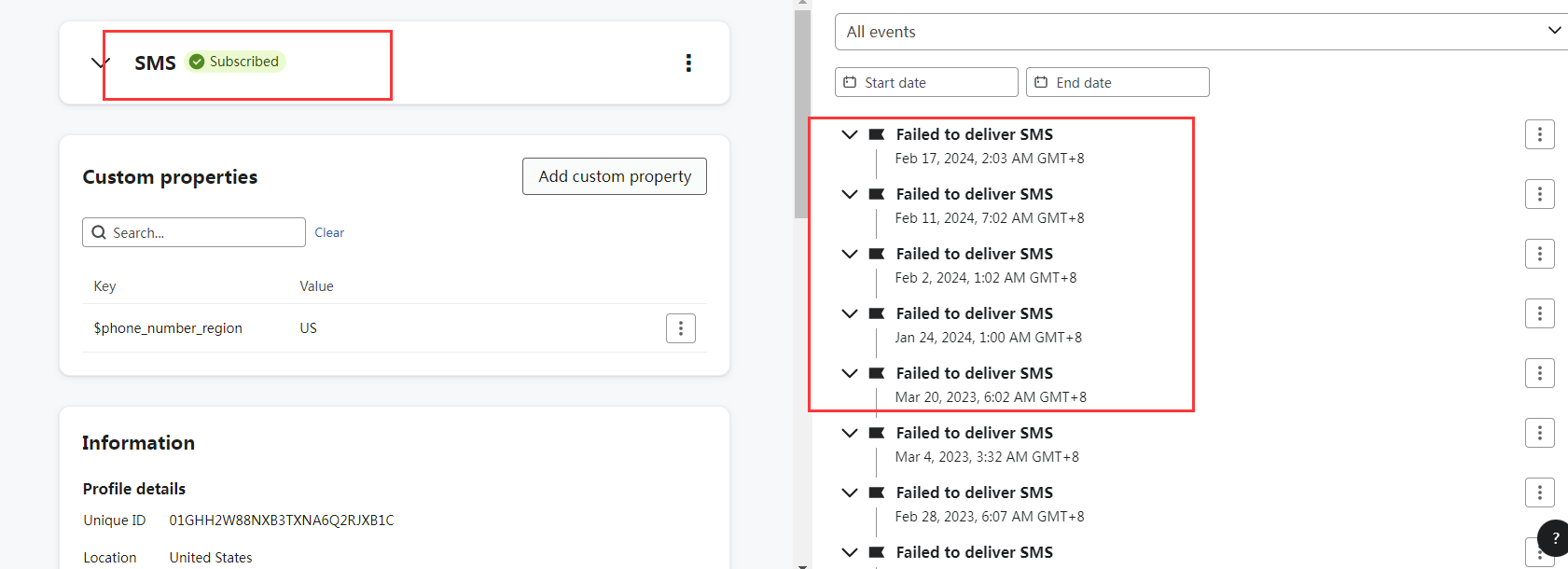
why it keep showing "Failed to deliver SMS"?

  • February 29, 2024
  • 3 replies
  • 207 views


    This topic has been closed for replies.
    Best answer by StefanUE

    @Alipearl Thanks for following up!

    So in terms of “device unreachable”, it can be any of the following: recipient’s device is not in a service area, not accepting messages, or the device is off and cannot receive SMS. It’s not immediately clear from your screenshot which of these reasons is applicable, but the “not accepting messages” one would be the most common. It can happen for various reasons, such as power saving mode turned on, filters and blocks switched on for SMS, etc.

    Regarding the segment you wanted to create, THIS Help article will provide you with a detailed overview of what that’s supposed to look like. 

    Hope this helps! Happy to chat further

    3 replies

    StefanUE
    Expert Problem Solver III
    Champion & Partner
    February 29, 2024

    Hey there!

    It would be good to see the event unfurled so we can actually see the details for at least one of those messages (you’d press the little arrow to the left of the event name to unfurl it).

    But even without knowing these details, the answer as to why your message failed should be one of the ones listed in this article on Klaviyo Help: https://help.klaviyo.com/hc/en-us/articles/360039239172

    They list stuff such as message blocked, device unreachable, carrier violation, device disconnected, sender ID not approved, and others.

    Important note: if more than 10% of your SMS failed deliveries are “unknown” it might be a good idea to reach out to Klaviyo support.

    Happy to chat further!

    Get in touch at https://www.linkedin.com/in/stefan-milicevic-706331137/
    AlipearlAuthor
    Contributor III
    March 1, 2024

    Hi,

    1. I don’t understand what  "Device unreachable" mean?  
    2. If we want to set a segment which includes the audiences always/most of the time come out "Failed to deliver SMS", how do we set the definition?


    StefanUE
    Expert Problem Solver III
    StefanUEAnswer
    Champion & Partner
    March 1, 2024

    @Alipearl Thanks for following up!

    So in terms of “device unreachable”, it can be any of the following: recipient’s device is not in a service area, not accepting messages, or the device is off and cannot receive SMS. It’s not immediately clear from your screenshot which of these reasons is applicable, but the “not accepting messages” one would be the most common. It can happen for various reasons, such as power saving mode turned on, filters and blocks switched on for SMS, etc.

    Regarding the segment you wanted to create, THIS Help article will provide you with a detailed overview of what that’s supposed to look like. 

    Hope this helps! Happy to chat further

    Get in touch at https://www.linkedin.com/in/stefan-milicevic-706331137/