Contributor I
July 26, 2022
Solved

Wrong Product Variant Image On Order Confirmation
  • July 26, 2022
  • 9 replies
  • 826 views


We are using Shopify. When order confirmation emails are sent the feature image is being shown and not the variant image (when those cases arise). What is the proper placeholder code to display the variant image?


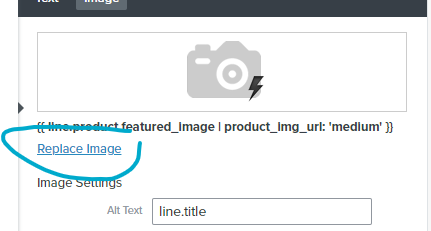
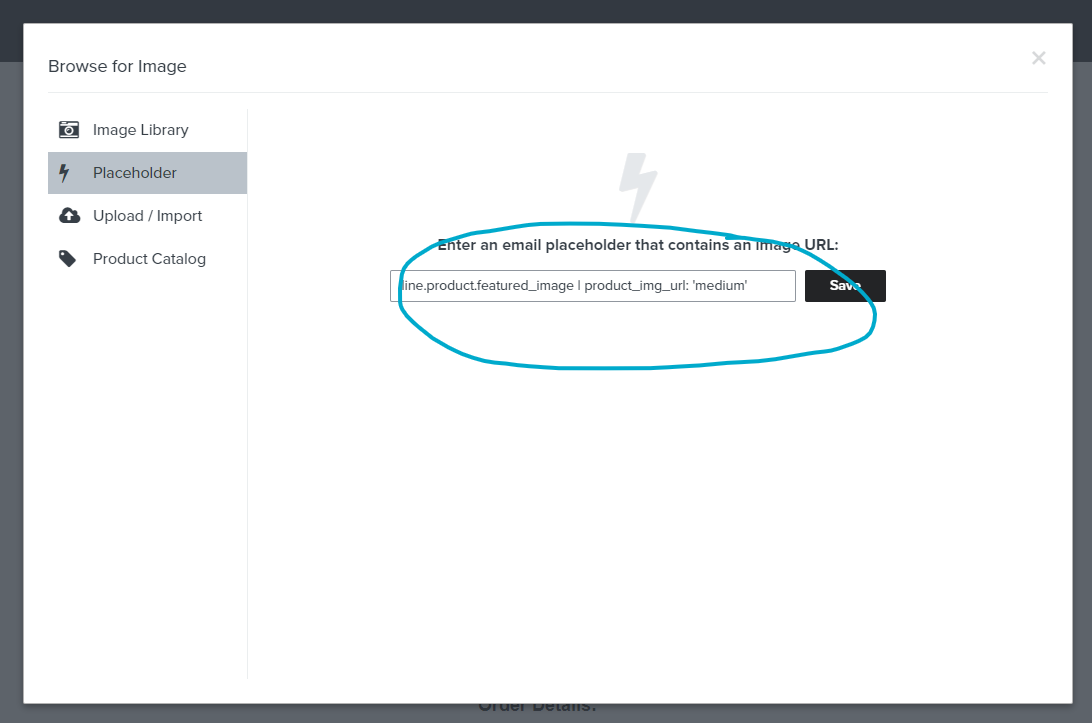
The current is line.product.featured_image | product_img_url: 'medium'.


Thanks in advance!

    This topic has been closed for replies.
    Best answer by stephen.trumble

    Hey @buildwithrise!

    Welcome to the Klaviyo Community! So glad you came here for some help with variable images in your Shopify order confirmations.

    This script is specific to Shopify, but can be altered per integration. When Variant images are available in the event data for a metric, you can use this if statement to display the variant image. If the product does not contain variant images, the standard default image will display.

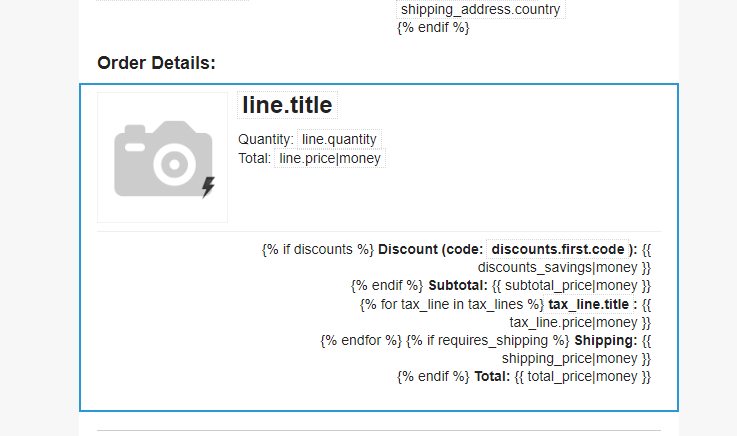
    Here's how you add the line for Shopify's Order Confirmation email. Take note that these are different as the Order Confirmation template is for importing into Shopify.
     

    1. Use the following line for the image placeholder: 
    2. image2018-3-22_10-3-43.png?version=1&modificationDate=1521727427170&cacheVersion=1&api=v2&width=808&height=400

    reference: https://ecommerce.shopify.com/c/ecommerce-design/t/adding-product-image-to-confirmation-email-108094

    Table Blocks documents: 
    https://help.klaviyo.com/hc/en-us/articles/360019921772-Insert-Recently-Viewed-Items-into-an-Email
    https://help.klaviyo.com/hc/en-us/articles/115005082447-The-Email-Template-Editor#table-blocks7


    Hope this helps!

    9 replies

    stephen.trumble
    Klaviyo Alum
    July 26, 2022

    Hey @buildwithrise!

    Welcome to the Klaviyo Community! So glad you came here for some help with variable images in your Shopify order confirmations.

    This script is specific to Shopify, but can be altered per integration. When Variant images are available in the event data for a metric, you can use this if statement to display the variant image. If the product does not contain variant images, the standard default image will display.

    Here's how you add the line for Shopify's Order Confirmation email. Take note that these are different as the Order Confirmation template is for importing into Shopify.
     

    1. Use the following line for the image placeholder: 
    2. image2018-3-22_10-3-43.png?version=1&modificationDate=1521727427170&cacheVersion=1&api=v2&width=808&height=400

    reference: https://ecommerce.shopify.com/c/ecommerce-design/t/adding-product-image-to-confirmation-email-108094

    Table Blocks documents: 
    https://help.klaviyo.com/hc/en-us/articles/360019921772-Insert-Recently-Viewed-Items-into-an-Email
    https://help.klaviyo.com/hc/en-us/articles/115005082447-The-Email-Template-Editor#table-blocks7


    Hope this helps!

    -Stephen
    Contributor I
    July 27, 2022

    Thanks for the warm welcome Stephen!

    Could you please repost the image & steps as this is what we can see as the response?


    Contributor I
    August 3, 2022

    Hi Stephen,


    Would you be able to upload the image again as the link is currently broken?


    stephen.trumble
    Klaviyo Alum
    August 3, 2022

    My apologies,  lets try this again! 


    -Stephen
    Contributor I
    October 27, 2022

    Hi Stephen,


    This is working for Order Confirmations but does not work for Order Shipped, Order Out For Delivery and Order Delivered notifications.


    Any idea why it would work for the Order Confirmation but no others?

    stephen.trumble
    Klaviyo Alum
    November 2, 2022

    Hey @buildwithrise 

    Are your transactional emails being sent from Klaviyo or Shopify? The template tags and syntax provided here are meant to be exported into Shopify and may vary slightly based on the event data. If you try to use the same tags in Klaviyo they will not function as expected. You can send transactional emails from Klaviyo however you will have to have them approved by our deliverability and compliance team to make sure they don’t contain any marketing. 

    -Stephen
    Contributor I
    November 2, 2022

    All emails are sent through Shopify (export code like you mentioned). The image appears as it should on the Order Confirmation, but the preview (within Shopify once the code has been pasted), shows broken images for Shipped, Out For Delivery and Delivered emails. We’ve toyed with removing images on the latter 3 images, though customers prefer to see an image.

    Contributor III
    February 7, 2023

    Hello @stephen.trumble !


    We are having the same exact issue as @buildwithrise 

    Can you help with the correct statements for other post transactional emails?: Order ShippedOrder Out For DeliveryOrder Delivered, and Order Cancellation notifications


    Many thanks!

    Adam

    Contributor I
    April 10, 2024

    Hi, did anyone find a solution for displaying the correct variant image in the shipping confirmation emails?


    Thanks!