


Klaviyo release: Composer goes GA, SQL arrives in Klaviyo Data Platform, and more
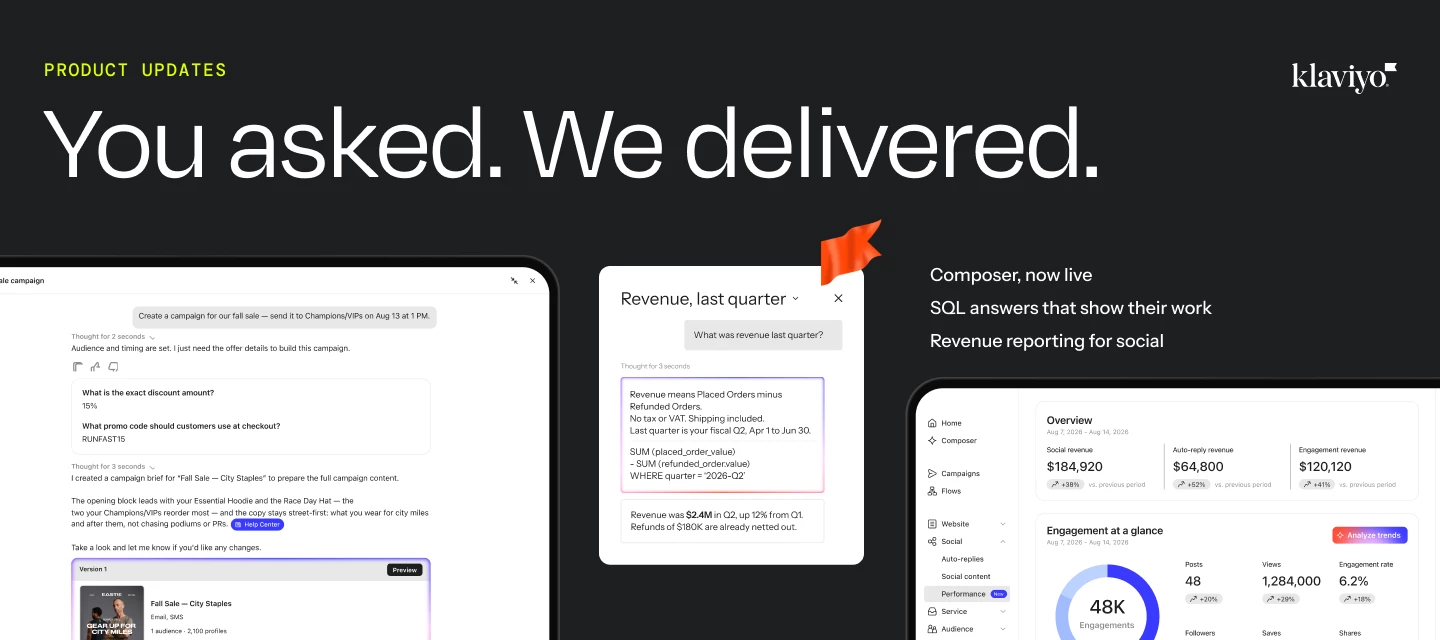
“You asked, we delivered.” Here are some updates y’all have been waiting for 👀
Hey Community!
A lot of product news has gone out lately and it’s easy to get overwhelmed. So here’s the useful version: what’s new, what it changes in the work you’re already doing, and where I’d start experimenting. The short version is that this release is less about one shiny feature and more about connecting analysis, execution, onsite experiences, service, social, and segmentation.
Where to start/pay attention
- Composer — Start here if you’re redoing the same audit or analysis by hand every week. Matters most if you’re managing one account solo, or standardizing a process across several client accounts with Skills.
- SQL in Klaviyo Data Platform — Start here if your team keeps asking an analyst the same kind of question. Matters most once Composer’s existing skills no longer cover what you need to know.
- Social Performance — Start here if you run Instagram and can’t yet prove it drove revenue. Matters most heading into a budget conversation about your social spend.
- Customer Agent multi-geo — Start here if you already run Customer Agent on Shopify Markets. Matters most if you’re selling in more than one country or currency.
- Customer Hub in flows — Start here if you already have Customer Hub set up. Matters most if you’re running welcome, browse, or post-purchase flows you want to carry onto the site.
- Multiple RFM models — Start here if your RFM groups feel wrong for part of your business. Matters most if you’re running subscriptions alongside one-time purchases, or more than one distinct product line.
What does Composer do now that it’s generally available?
As of October 6, Composer is out of preview and available to every Klaviyo account, and it does a meaningfully wider range of work than the version most of you tried earlier this year. It can now reason across more of your customer, marketing, and commerce data, show you the sources behind its answers with visible citations, and compare your results against industry benchmarks collected across more than 205,000 customers. It can also run on a schedule instead of waiting for you to open it: tell it to review your top flows every Monday and flag anything slipping, or compare lifecycle performance across markets on the first of the month, and it runs in the cloud whether you’re logged in or not.
So the audits you’ve been doing by hand on a recurring basis (the weekly flow check, the monthly benchmark comparison) can move onto a schedule instead of living on your to-do list. It’s available on both a free plan and a paid plan; current plan details live at klaviyo.com/pricing.
Join our live Community Town Hall on October 22 to see what's new in Klaviyo, get practical tips from the product team, and ask your questions live. Register now.
What can SQL in Klaviyo Data Platform answer that Composer couldn’t before?
SQL in Klaviyo Data Platform is live now too. It’s the engine behind Composer’s “more intelligent” upgrade above, and it closes a real gap: until this release, Composer could only answer questions its pre-built skills already covered (flow audits, campaign performance, segment analysis, form analysis). Ask it something outside that list, like what share of customers never come back for a second order, and it would tell you it couldn’t help.
Now it can. Klaviyo translates a plain-language question into a SQL query using its own definitions of terms like revenue, runs it against your account’s own data, and hands back the answer along with the definition it used and the actual query that produced it. That matters because an AI guessing at what “revenue” means (gross or net, refunds in or out) can give you a different answer to the same question in two different chats. This is built to return the same answer every time, and to show its work so someone on your team can check it.
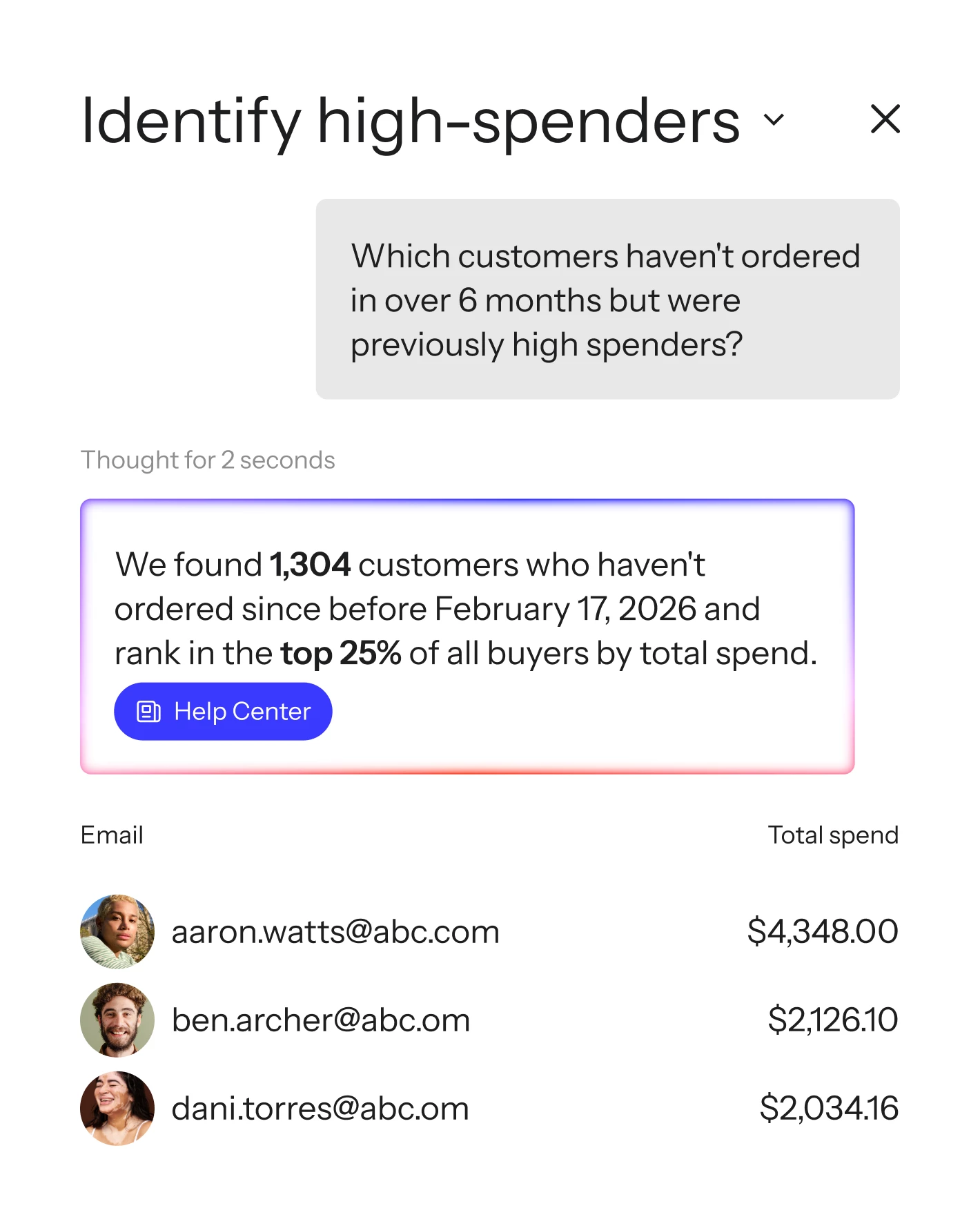
You can ask it directly in Composer, or over the Klaviyo MCP server from whatever AI tool you already connect to Klaviyo (Claude, ChatGPT, or an agent you built yourself). This is brand new, so I’d treat early answers the way you’d treat any new reporting tool: check it against a number you already trust before you lean on it for something that matters.
How do you actually see revenue tied to social?
Klaviyo now has a built-in way to connect social activity to revenue: Social Performance, a report inside Social › Analytics. It connects a qualifying social action on Instagram (a comment, a DM, a tag, or an Auto Reply subscribe) to the Klaviyo profile behind it and that profile’s purchase history, then reports the resulting orders and revenue. It’s tracked separately from Klaviyo Attributed Value, so the two numbers won’t get tangled together.
Most social reporting stops at reach, impressions, and engagement rate, right where the budget conversation starts. This gives you an actual order value to bring into that conversation instead.
What changes for Customer Agent if you sell in more than one country?
Customer Agent can now automatically detect which Shopify Market a shopper is in and recommend products from that market’s catalog, at that market’s price and currency, instead of defaulting to your home market. This only applies if you’re already using Shopify Markets. If you are, Customer Agent reads the market Shopify already has configured for that shopper and uses it across web chat, email, SMS, and WhatsApp.
A shopper in Canada gets Canadian pricing and currency instead of your default USD. A shopper in the UK doesn’t get recommended a product that isn’t even available there. One agent now covers multiple markets instead of needing a separate setup per region.
Can you bring your website into the same flow as email and SMS now?
Yes. Customer Hub content blocks can now go inside flows, the same way they’ve worked in campaigns, so your web content can run on the same trigger logic as email, SMS, and WhatsApp instead of needing a separate workflow.
Say a new subscriber gets a welcome offer by email. A Customer Hub block in that same flow can reinforce that offer when they land back on your site, so the experience carries across the inbox and the storefront instead of stopping at the inbox. It’s included with Customer Hub, no separate setup required.
What do multiple RFM models fix that one model couldn’t?
You can now run up to 4 separate RFM models in one account instead of scoring your entire customer base against a single set of thresholds.
This matters for anyone whose business has more than one real buying pattern underneath it. A high-value customer who buys twice a year can look “At Risk” when scored against people who buy monthly, even though they’re actually a great customer. Multiple models let you score, say, subscription orders separately from one-time purchases, each with its own recency, frequency, and monetary thresholds, and the resulting groups work directly in your segments and flows. You’ll need Personalization (formerly Marketing Analytics) or Advanced Klaviyo Data Platform to use it, plus RFM analysis already set up, at least 500 customers with a placed order, and an ecommerce integration or Placed Order events coming through the API.
What to watch out for
A few of these aren’t universal yet, and I’d rather say that outright than have you go looking for a setting that isn’t there for your account:
- Multiple RFM models and the richer side of Social Performance both depend on specific plans or integrations, not every account.
- Customer Agent’s multi-geo support only works if you’re already on Shopify Markets. No Shopify Markets, no change yet.
- SQL in KDP is new enough that I’d spot-check its answers against a number you already trust before you quote it to anyone else.
Missed last month's recap? Here's September’s updates.
What else is new?
A straightforward recap of smaller updates you might have missed:
- Owned Social Insights: Review daily insights on your best formats, topics, and posting times in the social content library — see what drives Instagram engagement without digging through data yourself.
- In-App Review Banner Expanded: A quick in-app prompt now sends customers to your WooCommerce, BigCommerce, Wix, PrestaShop, or Square app marketplace listing to share their Klaviyo experience in a few clicks.
- Pay in Canadian Dollars: New Canadian customers can now see pricing, sign contracts, pay, and get invoices in CAD.
- Customer Hub Attributed Value: Query the daily aggregate table in Snowflake to analyze Customer Hub revenue in your own data warehouse, using the same attribution logic as the in-app dashboards.
- Onsite Preview: Test and refine your Customer Hub setup before publishing, so you can see exactly how shoppers will experience it first.
- Customer Hub Editor Redesign: Find controls faster with a familiar Klaviyo layout — universal left navigation, one in-context panel for content and integrations, consistent Content and Targeting tabs.
What are you trying first?
If you’ve already gotten into SQL in KDP, I want to know the first question you asked it. And if Social Performance just went live on your account, has it told you anything about your social activity that actually surprised you?
Drop it in the comments. I’ll be in this thread all week, and the answers help shape what we ask Klaviyo to show us next.