


Klaviyo Social Marketing is here: what it is, what's free, and where to start
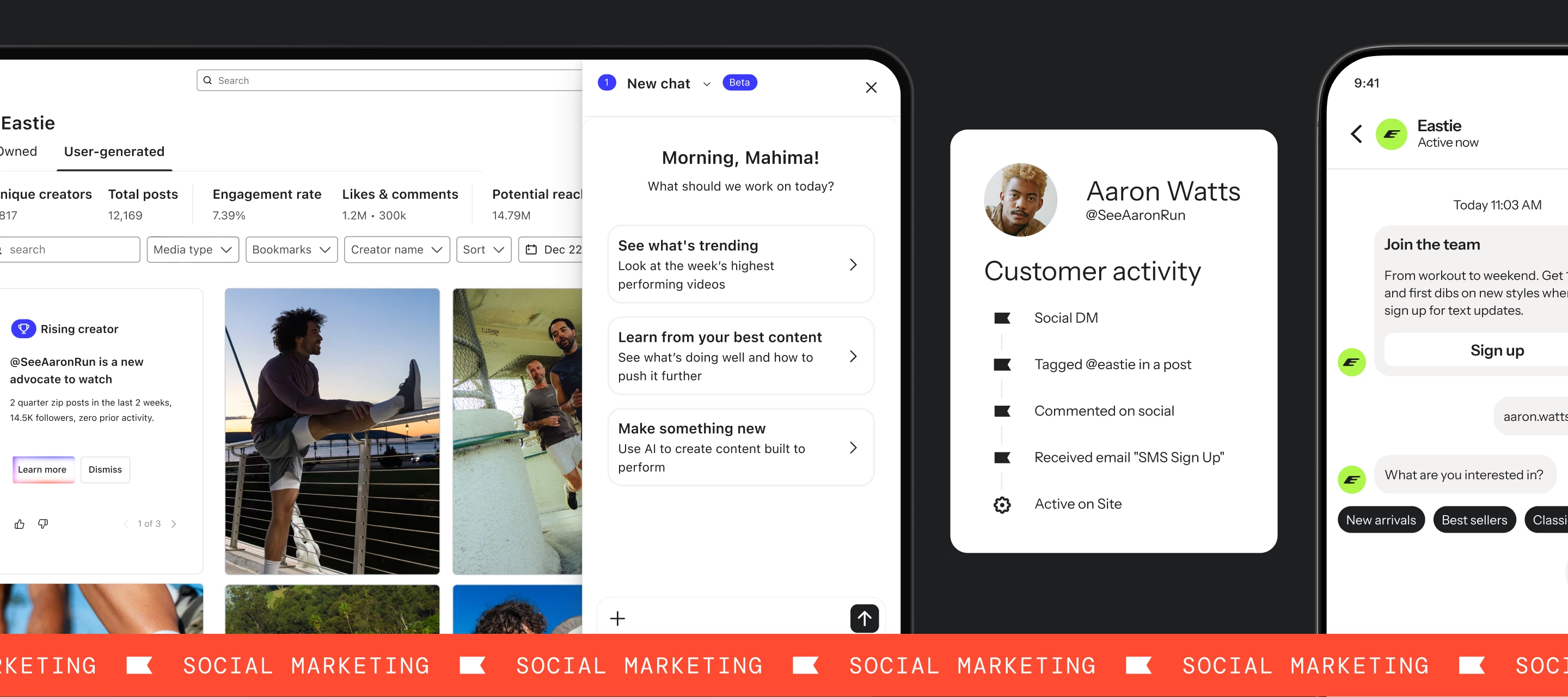
Klaviyo Social Marketing is now generally available. If you've heard the name but aren't sure what it actually does, or whether it changes anything for your current set-up, this is the breakdown. Short version: there's a useful free tier you can activate today, and a paid tier that connects social engagement data to your existing flows and segments. Neither requires rebuilding anything you already have running.
What is Klaviyo Social Marketing and what problem does it solve?
Your Instagram followers aren't in your marketing system. They see your posts, comment on your launches, DM you about products and then disappear back into a platform you don't own. Klaviyo Social Marketing is built to close that gap.
The core mechanic is simple: a follower comments or DMs a keyword you've set (say, "DEAL" or "ACCESS"), Klaviyo automatically replies, and in that exchange captures their email address, phone number, or both (with consent), and creates or updates their profile in Klaviyo. From there, they're in your flows, your segments, and your owned channels, reachable on terms you control.
This isn't a separate tool or a new channel to manage. Klaviyo Social Marketing connects directly to the customer profiles, lists, and flows you already have.
Learn how Kulani Kinis is using K:Social in their community Fireside Chat.
What's included in the free tier?
Social Auto-Replies is the free tier of Klaviyo Social Marketing, and it's available to all Klaviyo customers right now — no plan upgrade required.
Here's how it works: you set a keyword and configure an auto-reply sequence in Klaviyo. When a follower DMs or comments that keyword on Instagram, Klaviyo sends the reply and collects their contact info. You can collect email addresses, phone numbers for SMS, and WhatsApp opt-ins in a single Auto-Reply exchange. A few things worth knowing about how it behaves:
- Keywords use fuzzy matching: So small typos, extra characters, and emojis won't break the trigger. They're also not case sensitive, so Access," "ACCESS," and "access" all work the same way.
- Comments always trigger a DM reply, not a comment reply. If you're listening for keywords in comments, Klaviyo sends the auto-reply as a DM. Best practice is to enable both comments and DMs. Comment auto-replies can time out, and having DMs open means a follower can restart by re-sending the keyword.
- Profiles are created or enriched automatically. Once a follower completes the exchange, their profile is created or updated in Klaviyo with new Instagram properties that refresh every time they DM your brand.
- Instagram message settings can gate delivery: If a follower has their messages set to "No one," Klaviyo can't deliver the auto-reply. This is worth knowing so you're not troubleshooting your Auto-Reply set-up when the issue is actually in the follower's Instagram privacy settings.
To get started, you'll navigate to Social in the left nav and select Auto-Replies. Your first auto-reply comes pre-configured with the keyword "access," which works well for Instagram bio promotions and evergreen campaigns.
What does the paid tier include?
The paid Klaviyo Social Marketing plan adds 4 capabilities on top of the free Auto-Replies foundation.
Engagement events.
Once a follower has come through an Auto-Reply, the paid tier lets you track their ongoing Instagram activity through 3 event types: Posted UGC, Social Comment, and Social DM. These behave like standard Klaviyo events — you can use them as flow triggers, build segments from them, and layer them into your existing automation logic.
Social Content Library.
This surfaces every Instagram Post, Story, and Reel where your brand has been tagged, organized in a grid with engagement metrics. It's designed for reviewing UGC, bookmarking content, and understanding what's resonating. One important caveat: the Social Content Library requires Facebook Login to populate. If your Instagram is connected via Instagram Login, you'll see the tab but no content will flow in. You'll need to re-authenticate with Facebook Login to access the library. Also worth noting: UGC cannot be downloaded or exported from Klaviyo today.
Custom Questions.
On the paid plan, you can add up to 5 custom questions to your Auto-Reply sequence. This lets you collect additional profile data — preferences, categories, purchase intent — directly inside the Instagram DM exchange.
1:many Instagram-to-Klaviyo workspace support.
If you manage multiple regional Klaviyo accounts, the paid tier lets you connect the same Instagram account across all of them. To be precise about what this means: it's one Instagram account connected to multiple Klaviyo workspaces, not multiple Instagram accounts connected to one Klaviyo account.
Pricing: The paid plan starts at $50/month, based on your Active Profile count. There's a 14-day free trial, and a 25% early adopter discount is available through September 30, 2026.
How do I get started?
If you haven't set up Social Auto-Replies yet, the path is:
- Connect your Instagram account to Klaviyo (see Connect Instagram to Klaviyo for the full set-up guide)
- Go to Social in the left nav and select Auto-Replies
- Configure your first keyword and auto-reply sequence
- Choose which list you want new subscribers added to and whether you're collecting email, SMS, WhatsApp, or a combination
- Publish your keyword somewhere like your Instagram bio is the most common starting point
If you're already using Social Auto-Replies and want to evaluate the paid tier, the question is whether you'd use the Engagement events or Social Content Library in practice. If you're already thinking about triggering flows or segmenting based on Instagram activity, the paid tier gives you the events to do it. If list growth is the main goal, the free tier is likely enough.
A few things to keep in mind
Instagram only, for now. At GA, Klaviyo Social Marketing connects to Instagram. No other platforms are supported at this time.
The Social Content Library requires Facebook Login. This is worth double-checking if your Instagram is already connected. If it's on Instagram Login, you'll need to re-authenticate via Facebook Login to access the UGC library. The Use the Social Content Library help article walks through what's different between the two connection types.
UGC can't be exported. You can view, filter, and bookmark tagged content inside Klaviyo, but there's no download or export option today.
The paid tier is a separate add-on. It's billed by Active Profiles and priced separately from your core Klaviyo plan. You can review pricing inside your account by going to Billing > Change plan.
Admin access to your Instagram Business Account is required to connect and configure Social Auto-Replies.
If you've been sitting on this or waiting to see what GA actually looked like, this is a good place to start. The free tier is useful on its own, and the set-up is lighter than you might expect.
Have you set up Social Auto-Replies yet?
If so, what keyword are you using and is it in your bio, tied to a campaign, or something else? Drop it below.