Contributor I
July 23, 2025
Solved

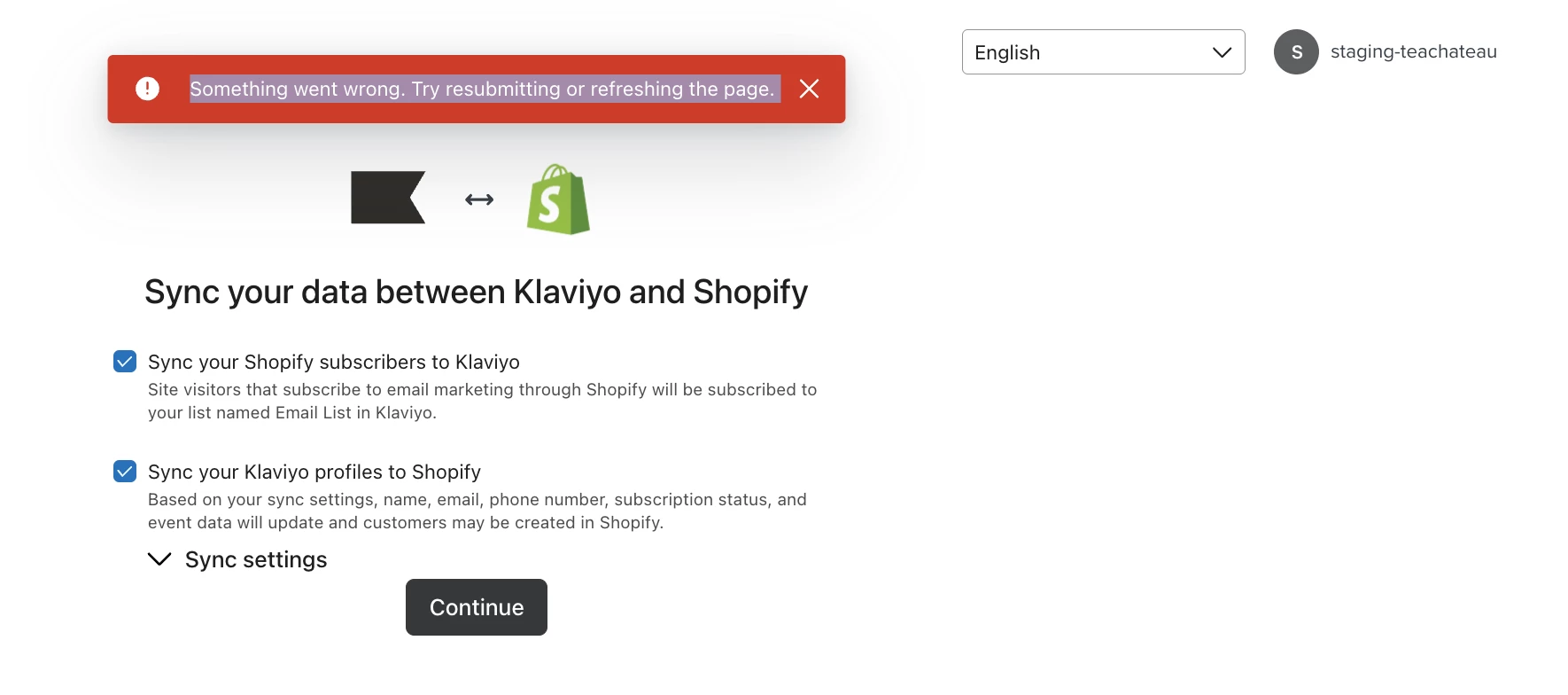
Failed to sync data between Klaviyo and Shopify

  • July 23, 2025
  • 4 replies
  • 163 views

Hello, 

We have another Shopify account which would like to link with Klaviyo, however it failed.

And when we login and tried to sync data with Shopify, I get this error: “Something went wrong. Try resubmitting or refreshing the page.”
 

I have tried again for several times today. I’ve refreshed the page, logged out and back into my Klaviyo account, and cannot figure out how to get past this.


Any ideas? Thanks so much!


Best,
teachateau
 

    Best answer by whereisjad

    @teachateau Currently, it is only possible to link one Shopify store to a single Klaviyo account. To connect multiple Shopify stores, you would need to create additional Klaviyo accounts.

    4 replies

    whereisjad
    Expert Problem Solver IV
    Expert Problem Solver IV
    July 23, 2025

    @teachateau Currently, it is only possible to link one Shopify store to a single Klaviyo account. To connect multiple Shopify stores, you would need to create additional Klaviyo accounts.

    — Jad A | Klaviyo + Shopify + API Integrations Specialist • 7+ Years' Experience Helping with new setups, seamless integrations, and API connections—happy to connect. http://ja-technical-consulting.xyz/
    Contributor I
    July 24, 2025

    @whereisjad yes, we have created another account to link with Klaviyo, however it still failed, could you help check?

    whereisjad
    Expert Problem Solver IV
    Expert Problem Solver IV
    July 24, 2025

    @teachateau have you opened a Klaviyo Support ticket to help troubleshoot this issue? Otherwise I would have to see a clip or work with you on a web call to get to the bottom of it

    — Jad A | Klaviyo + Shopify + API Integrations Specialist • 7+ Years' Experience Helping with new setups, seamless integrations, and API connections—happy to connect. http://ja-technical-consulting.xyz/
    emma.owens
    Community Manager
    Community Manager
    July 25, 2025

    Hi ​@teachateau ! 

    I just wanted to check in to see if you were able to resolve the above issue? Let me know if not and I can look into this further!