A few ways to do this, you can obviously just scroll back in your Campaign Overview and look at the “Placed Order” (or other Metric). If you’re not seeing Revenue values in your Campaign Overviews, make sure to set your Conversion Metric to something like “Placed Order.”
Alternatively, you can setup a Dashboard Analytics Card, or for more detail create a Custom Report and export that data as a CSV.
Dashboard Analytics Card
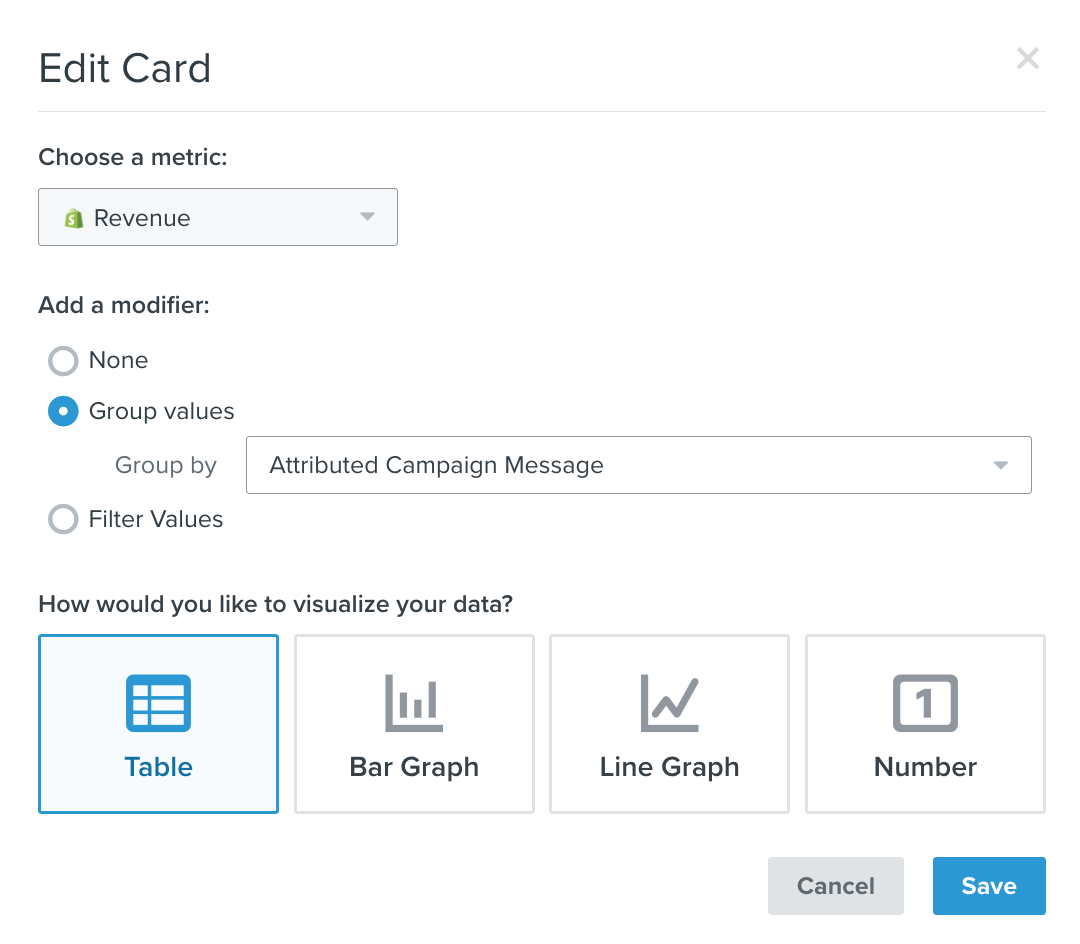
Create a “Dashboard” card in the Analytics section (Dashboard → Analytics).
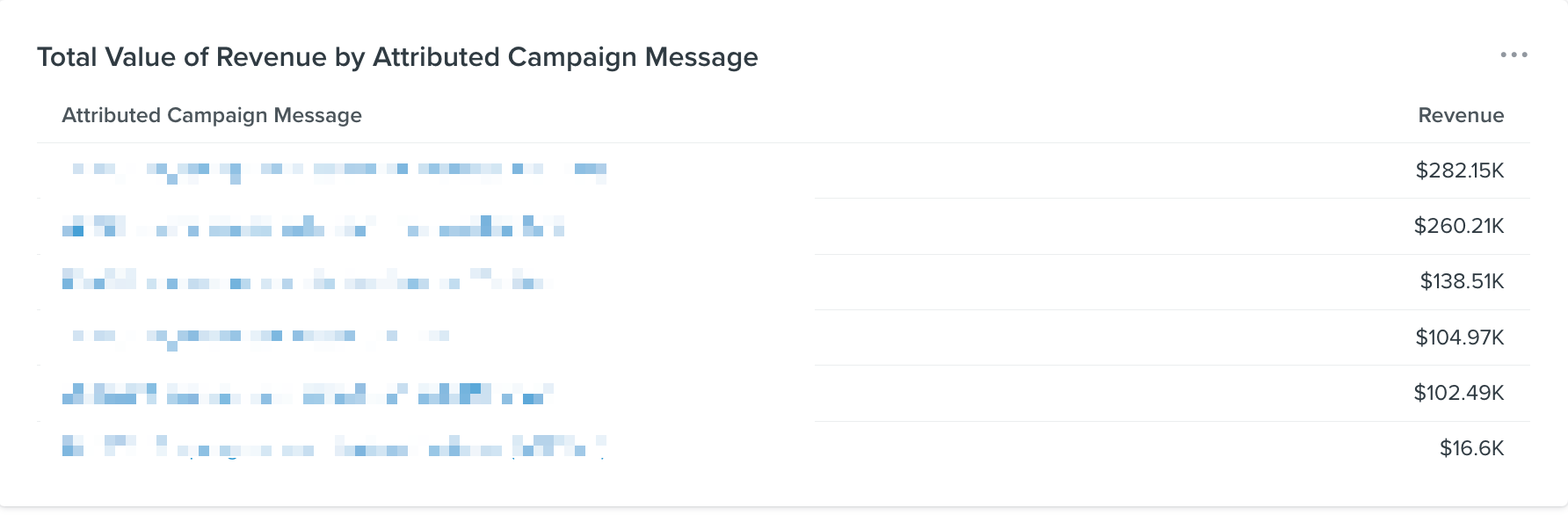
Create a card that shows Total Value of Revenue by Attributed Campaign Message and it’ll show your top performing Campaigns within the time frame you select. Note, it only shows you the Top 10 or so Campaigns as the Dashboard is meant to be the “highlights” of your account.
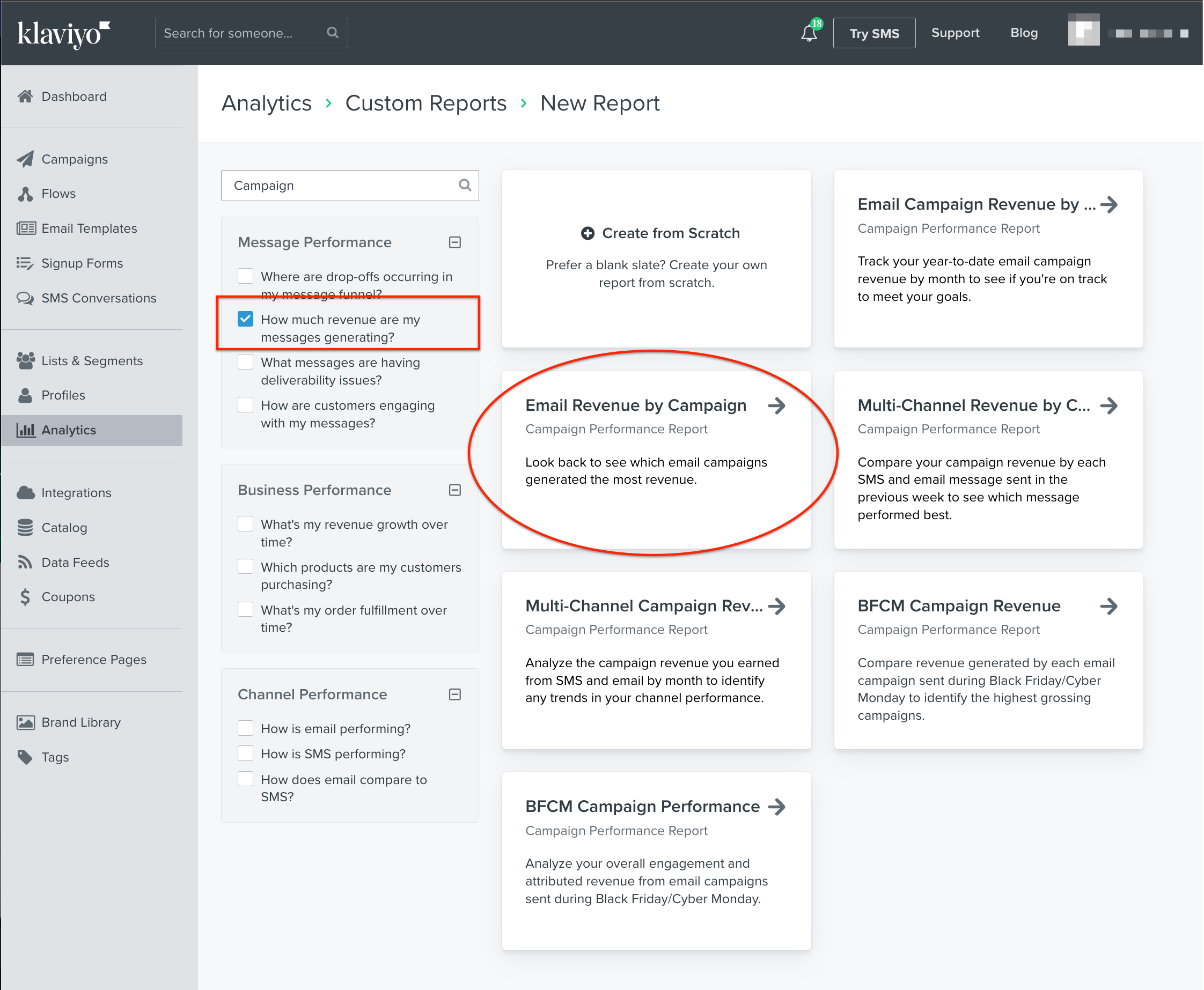
To get all the revenue of Campaigns, you can create a “Custom Report” in the Analytics (Sidebar Link) → Custom Report. Klaviyo has a few pre-built reports from the Reports Library you can use. I recommend using the “Email Revenue By Campaign” - See here:
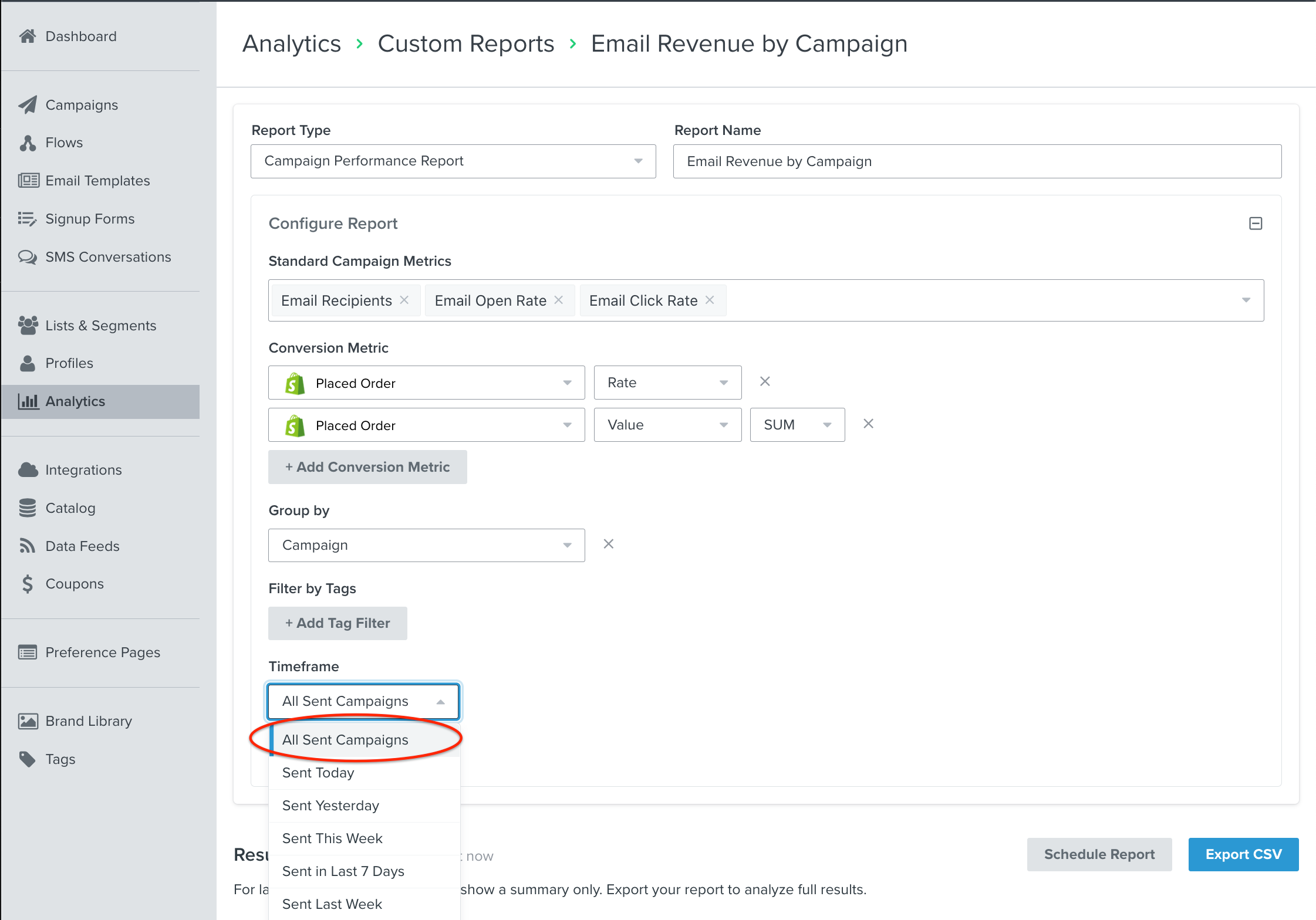
Just remember to select a timeframe to “All Sent Campaigns”
Then click on “Export CSV” and open up the file in Google Spreadsheets or Excel (or whatever spreadsheet tool) to look at the results.
Hope this helps!
Joseph Hsieh // retentioncommerce.com // X: @retention
A few ways to do this, you can obviously just scroll back in your Campaign Overview and look at the “Placed Order” (or other Metric). If you’re not seeing Revenue values in your Campaign Overviews, make sure to set your Conversion Metric to something like “Placed Order.”
Alternatively, you can setup a Dashboard Analytics Card, or for more detail create a Custom Report and export that data as a CSV.
Dashboard Analytics Card
Create a “Dashboard” card in the Analytics section (Dashboard → Analytics).
Create a card that shows Total Value of Revenue by Attributed Campaign Message and it’ll show your top performing Campaigns within the time frame you select. Note, it only shows you the Top 10 or so Campaigns as the Dashboard is meant to be the “highlights” of your account.
To get all the revenue of Campaigns, you can create a “Custom Report” in the Analytics (Sidebar Link) → Custom Report. Klaviyo has a few pre-built reports from the Reports Library you can use. I recommend using the “Email Revenue By Campaign” - See here:
Just remember to select a timeframe to “All Sent Campaigns”
Then click on “Export CSV” and open up the file in Google Spreadsheets or Excel (or whatever spreadsheet tool) to look at the results.
Hope this helps!
Joseph Hsieh // retentioncommerce.com // X: @retention