Hi, I’m wondering if there’s a way for me to see the placed order value for a certain list for like the past month or 3 months, etc. Currently I only found Klaviyo article about the average 30 day order amount per order for each list, but not the total revenue.
One option is to analyze the revenue by source. By default, the source name in the chart will align with the name of the Klaviyo sign-up form. This will give you the revenue per sign-up form source.
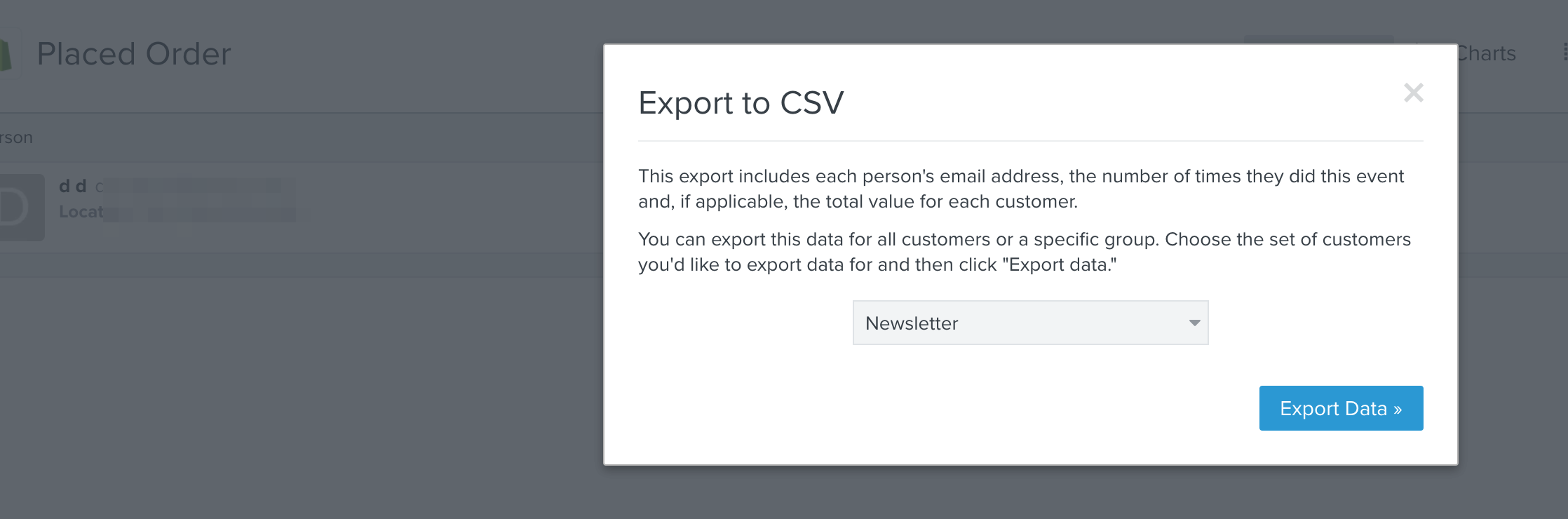
Alternatively, if you navigate to Analytics > Metrics > Placed Order > Best People and then click "Export to CSV", then you will see a modal window where you can select your list for export from the dropdown. This will generate a .csv file of everyone in that list with a column for revenue. However, the caveat in this situation is that it wouldn’t be in the last 3 months, it would display revenue over all time for these users.
One option is to analyze the revenue by source. By default, the source name in the chart will align with the name of the Klaviyo sign-up form. This will give you the revenue per sign-up form source.
Alternatively, if you navigate to Analytics > Metrics > Placed Order > Best People and then click "Export to CSV", then you will see a modal window where you can select your list for export from the dropdown. This will generate a .csv file of everyone in that list with a column for revenue. However, the caveat in this situation is that it wouldn’t be in the last 3 months, it would display revenue over all time for these users.
Apologies to hear that this wasn’t adequate for you. This is a feature that has been requested by other customers so we're hoping we'll be able to offer it in the future. I'll be happy to submit product feedback on your behalf.
Unfortunately, the timeframe is hard-coded on this engagement report. I'll pass your insight to our Product Team.
If you use Shopify, I found a way to do this outside of Klaviyo. In Shopify, go to Analytics → Reports → Sales by Customer Name. On this report, filter by the desired date range of orders. You can export this to give you a complete list of customers who ordered during this period of time, with their corresponding # of orders and revenue in that period of time.
I’m assuming you have an XLS or CSV of your original group of customers. You can export this from Klaviyo if your list is in Klaviyo. You’ll need their email address in the file. Take the original list of customers, and VLOOKUP the appropriate values in the exported file from Shopify.
A bit of a clunky solution, but it worked very well for me.
One thing I’ll add to this thread for Klaviyo’s consideration - I wish there was more support in customer care and community Q&A on how to do things in Shopify when it pertains to Klaviyo. I think Klaviyo has excellent customer support (perhaps the best I’ve worked with), but I find this can sometimes be a gap. I’m guessing most Klaviyo customers use Shopify, and I find that solutions for more complex problems often overlap between the platforms.
Why isn’t the most obvious answer stated in this thread. You just export the list and select the metrics you want to be downloaded with the list. Total revenue is in there among many other metrics.
Why isn’t the most obvious answer stated in this thread. You just export the list and select the metrics you want to be downloaded with the list. Total revenue is in there among many other metrics.
There is no “Total Revenue” option on the metrics list when you export a list.
You can export the contacts lifetime value, but this skews the results a little because, if someone who has spent £100 is added to that list by means of newsletter subscription or something, suddenly the value of that list is £100. I think what we want is how much was made from people on this list who received X campaign too.