Contributor I
November 15, 2022
Solved

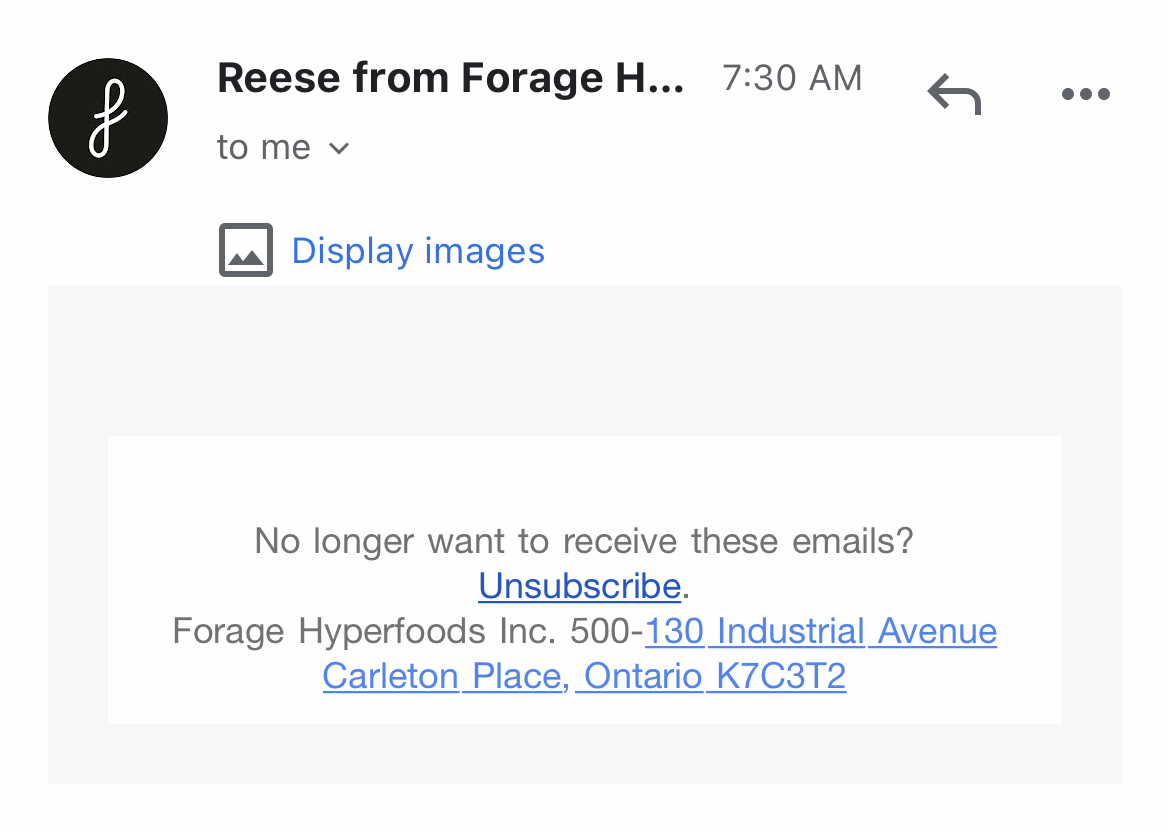
Klaviyo Email Requiring 'Display Image' in Email to Customers
  • November 15, 2022
  • 1 reply
  • 301 views

Hello, 

We have this popup from customers where the images aren’t showing. Unsure how to fix it. Is there anything I’m missing or is this a security feature on Gmail? 

    This topic has been closed for replies.
    Best answer by Jakub

    It’s a default behavior for Gmail you cannot force that in Klaviyo. The best way is combination of images and html text so the email will be readable even without images, second option is to add alt text to images like: allow display images to see whole message to convince customer to change the settings.


    gmail support page about it: https://support.google.com/mail/answer/145919?hl=en&co=GENIE.Platform%3DDesktop

    1 reply

    Jakub
    Partner - Silver
    JakubAnswer
    Partner - Silver
    November 15, 2022

    It’s a default behavior for Gmail you cannot force that in Klaviyo. The best way is combination of images and html text so the email will be readable even without images, second option is to add alt text to images like: allow display images to see whole message to convince customer to change the settings.


    gmail support page about it: https://support.google.com/mail/answer/145919?hl=en&co=GENIE.Platform%3DDesktop

    -=JB=-