Contributor I
January 31, 2024
Solved

Client Issue: Line Breaks in Klaviyo Product Titles

  • January 31, 2024
  • 4 replies
  • 482 views

Hi all,

Working with a client who's facing an issue in Klaviyo: their product titles contain line breaks (<br>), showing up via {{ item.product.title }} and messing up email formatting.

With hundreds of products, renaming isn't an option for them.

Any workarounds or experiences dealing with this without manual edits?

Would appreciate any advice!

Thanks!

    This topic has been closed for replies.
    Best answer by retention

    Hi @Ulrick, this one is a bit tricky to fix, but this might work.

    Assuming that the <BR> tag is exactly how it is in all Titles (no spaces, and all caps), then you can try this tag:

    {{ item.product.title | split:"<BR>" | join:" " }}

    If you get syntax error, make sure the spacing and cases is exactly as it is show above.  And, you are pasting that in the “source code” mode of the Text Block.  

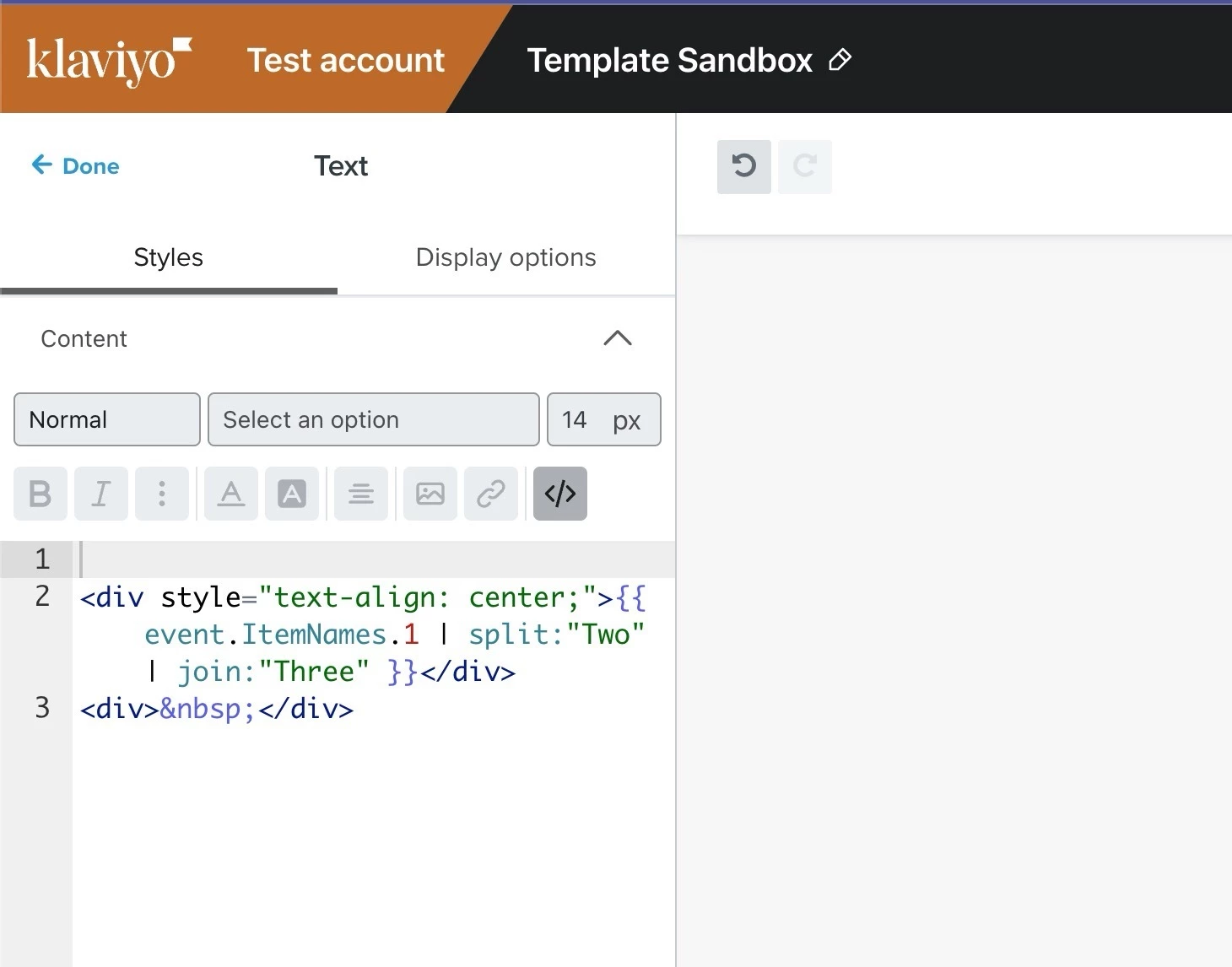
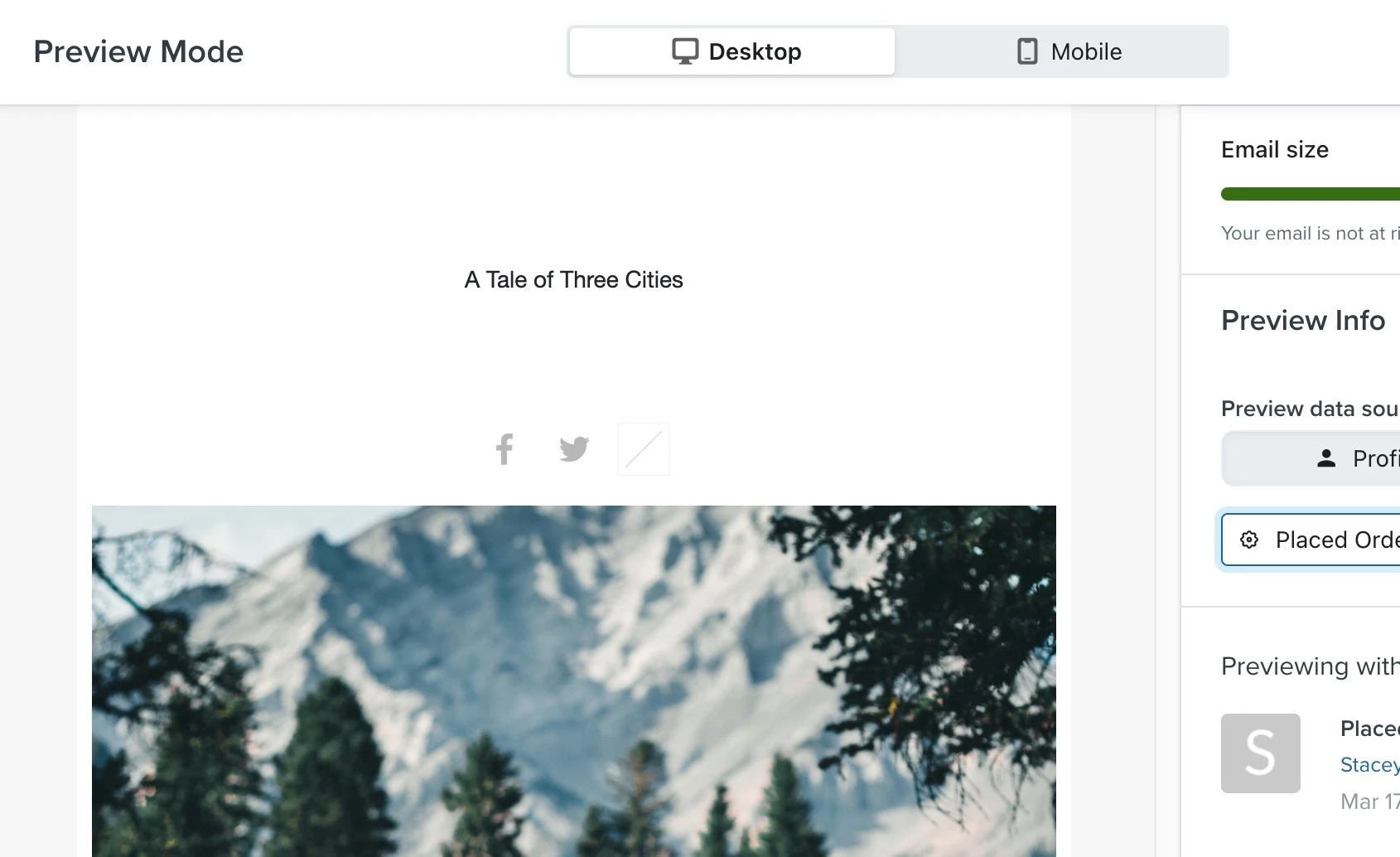
    I tested a slightly modified version in my template and it works:

    Here I placed any occurrence of “Two” with “Three” similiar to how you want to replace “<BR>” with “ “ (space).  


    Give that a try and let me know if it works!


    4 replies

    Taylor Tarpley
    Community Manager
    Community Manager
    February 1, 2024

     Hi there @Ulrick


    Welcome to the Community! 


    You’re correct, as the <br> line break is pulling your product title into the dynamic variable, this must mean that essentially this code is being added in the backend of your store, not an issue with Klaviyo adding the code Klaviyo itself.


    My normal troubleshooting suggestion would be to update the product title backend of your store as typically a <br> can be accidentally  added when you hit ‘Enter’ in a text box. However, as you’ve stated that this has affected hundred of products in your store, I’ll circle back with my team to see if there is any automatic way to do this. 


    I wonder if any of our fellow Champions have ever experienced this or know of any strategies to use in the meantime? @retention @Omar @Kylie W @In the Inbox 


    Thank for participating in the Community! 

    -Taylor 

    retention
    Partner - Platinum
    2025 Champion
    February 1, 2024

    Hi @Ulrick - thanks for the mention @Taylor Tarpley!

    You can try using the “strip tags” filter in Klaviyo that will remove any HTML coding within a string of characters. Assuming there aren’t other HTML tags that you still need/want to have, that should do the trick. 

    So try this:

    {{ item.product.title | striptags }}


    You can learn more about other useful Filters in Klaviyo’s Tempates here:

    Let me know!

    Joseph Hsieh // retentioncommerce.com // X: @retention
    UlrickAuthor
    Contributor I
    February 2, 2024

    Hi @retention,

    Thanks for the suggestion on the “strip tags” filter! It does help with HTML in text, but it seems to jumble product titles together, making them hard to read.

    Without “strip tags” filter : 

    With “strip tags” filter : 


    Is there an alternative approach to avoid this?

    Appreciate your help!

    retention
    Partner - Platinum
    retentionAnswer
    2025 Champion
    February 6, 2024

    Hi @Ulrick, this one is a bit tricky to fix, but this might work.

    Assuming that the <BR> tag is exactly how it is in all Titles (no spaces, and all caps), then you can try this tag:

    {{ item.product.title | split:"<BR>" | join:" " }}

    If you get syntax error, make sure the spacing and cases is exactly as it is show above.  And, you are pasting that in the “source code” mode of the Text Block.  

    I tested a slightly modified version in my template and it works:

    Here I placed any occurrence of “Two” with “Three” similiar to how you want to replace “<BR>” with “ “ (space).  


    Give that a try and let me know if it works!


    Joseph Hsieh // retentioncommerce.com // X: @retention