


Contributor IV
January 11, 2023
Solved

Klaviyo webhooks...for Klaviyo

Hi, i’ve recently read a case study where a webhook was used in a flow to send data from Klaviyo to Klaviyo. This was done to enrich data inside customer profiles and update profile properties.

Quoting the user who did this:

“One example is to take the Abandoned Cart URL from the metric and copy it to the profile. This enables us to add a conditional block to every email saying:
Remember we have saved your cart. Retrieve it right here:”

Now, i’m trying to replicate this but i don’t understand how to do it.


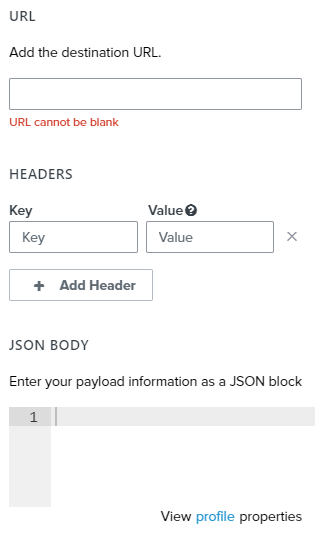
Which is the correct destination URL for Klaviyo? Also, should i put a public key and a private key respectively inside the “Key” and “Value” fields? I’m reading the documentation but i can’t understand how i can change custom properties indise a profile.


Thank you!


    This topic has been closed for replies.
    ezraAnswer
    Klaviyo Employee
    January 12, 2023

    Hi, it’s difficult to see the correct JSON format in the screenshot from the blog post, so I suggest you review the documentation for “POST example JSON object” here: https://developers.klaviyo.com/en/v1-2/docs/identify-api-reference#post

    The changes you will need to make are to add your Public API Key (you can find it at https://www.klaviyo.com/account#api-keys-tab) as “token”, nest email into properties, and prepend email with $ (so “$email”).

    {
      "token" : "<your Public API Key / Site ID>",
      "properties" : {
        "$email" : "matt.kemp@klaviyo-demo.com",
        "Test" : "Prova"
      }
    }

    Are you now able to get it working as expected?

    5 replies

    January 11, 2023


    Contributor IV
    January 12, 2023

    Hi, thank you for your reply! i have tried the following:


    i also tries using the https://a.klaviyo.com/client/profiles Destination URL, but it won’t update my “Test” property to the “prova” value (i’m trying with a fixed, hard-coded value here)


    This is the Json i’ve been using:

    {
        "email": "matt.kemp@klaviyo-demo.com",
        "properties": {
            "Test": "prova"
        }
    }


    What am i doing wrong?

    ezraAnswer
    Klaviyo Employee
    January 12, 2023

    Hi, it’s difficult to see the correct JSON format in the screenshot from the blog post, so I suggest you review the documentation for “POST example JSON object” here: https://developers.klaviyo.com/en/v1-2/docs/identify-api-reference#post

    The changes you will need to make are to add your Public API Key (you can find it at https://www.klaviyo.com/account#api-keys-tab) as “token”, nest email into properties, and prepend email with $ (so “$email”).

    {
      "token" : "<your Public API Key / Site ID>",
      "properties" : {
        "$email" : "matt.kemp@klaviyo-demo.com",
        "Test" : "Prova"
      }
    }

    Are you now able to get it working as expected?

    Contributor IV
    January 13, 2023

    Hi @ezra, it worked, thank you everyone! :)