Solved

Popup Fields Not Showing Properly on Website

  • September 3, 2025
  • 3 replies
  • 41 views

Forum|alt.badge.img

Hello everyone,

I created a signup popup in Klaviyo that should display two fields: First Name and Email Address.
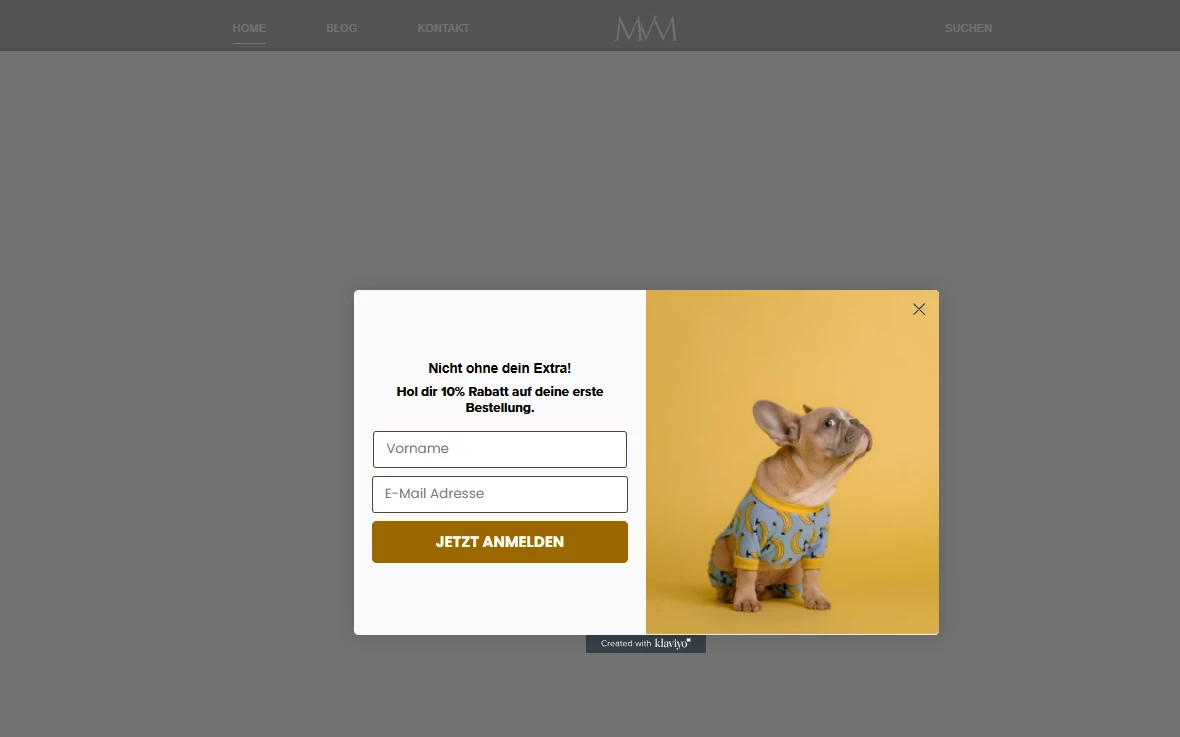
In the backend editor everything looks fine – the fields are labeled correctly.

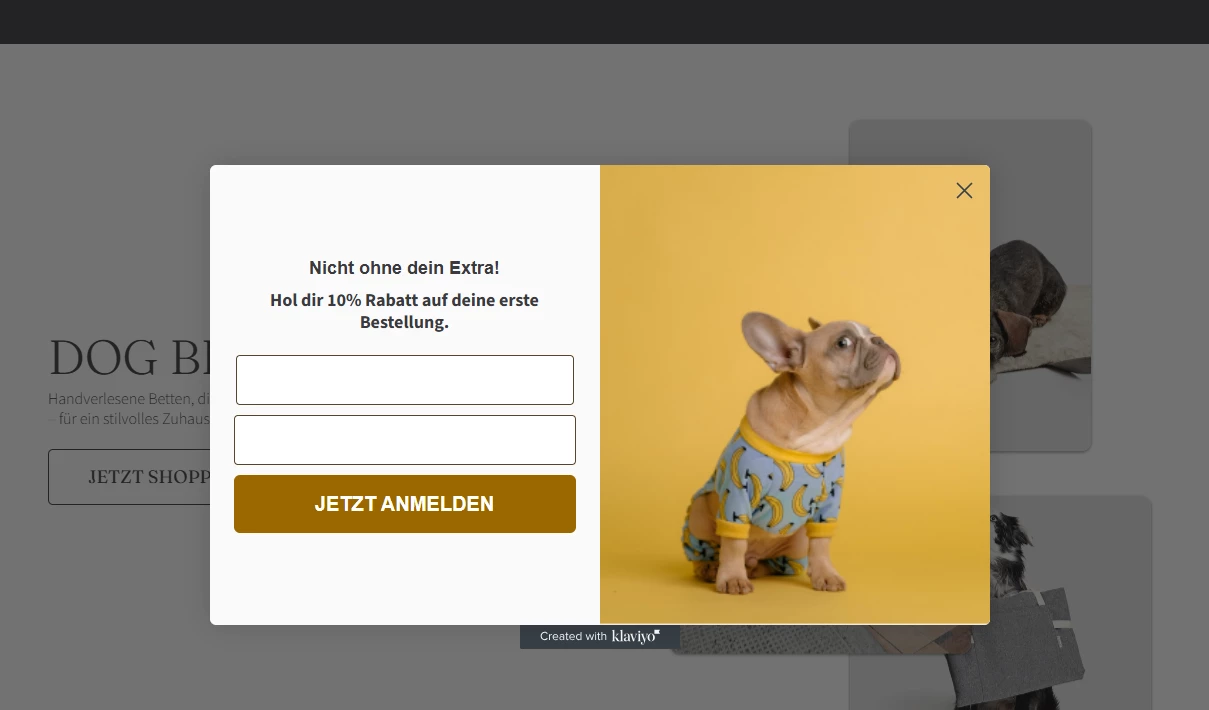
However, on the live website the popup only shows empty white fields without labels, so visitors don’t know what to enter.

Has anyone experienced this issue before or knows what might be causing it? Could it be a CSS/theme conflict, or is there a setting I missed in Klaviyo?

Any help or advice would be greatly appreciated! 🙏 
 

Best answer by LRVandD

Hi Miri,


I think a theme/CSS conflict. First step: check with Inspect Element whether the labels are present but hidden. If they are, it’s a CSS conflict. If not, it’s a setting inside Klaviyo.Sometimes the site’s CSS hides the labels (e.g. display:none or white text). Use Inspect Element in your browser to see if the labels are in the DOM but just invisible.


Best regards,

David

3 replies

Forum|alt.badge.img
  • Contributor I
  • Answer
  • September 3, 2025

Hi Miri,


I think a theme/CSS conflict. First step: check with Inspect Element whether the labels are present but hidden. If they are, it’s a CSS conflict. If not, it’s a setting inside Klaviyo.Sometimes the site’s CSS hides the labels (e.g. display:none or white text). Use Inspect Element in your browser to see if the labels are in the DOM but just invisible.


Best regards,

David


Forum|alt.badge.img
  • Author
  • Contributor I
  • September 3, 2025

Hi David,
thank you so much for your quick reply 🙏 I’ll test it right away with Inspect Element to check if it’s a CSS issue.

Best regards,


Forum|alt.badge.img
  • Contributor I
  • September 3, 2025

Hi Miri,


You're welcome! Good luck with testing, hope it will be resolved and your form works as should.😊


Best regards,

David