


Contributor I
August 9, 2025
Solved

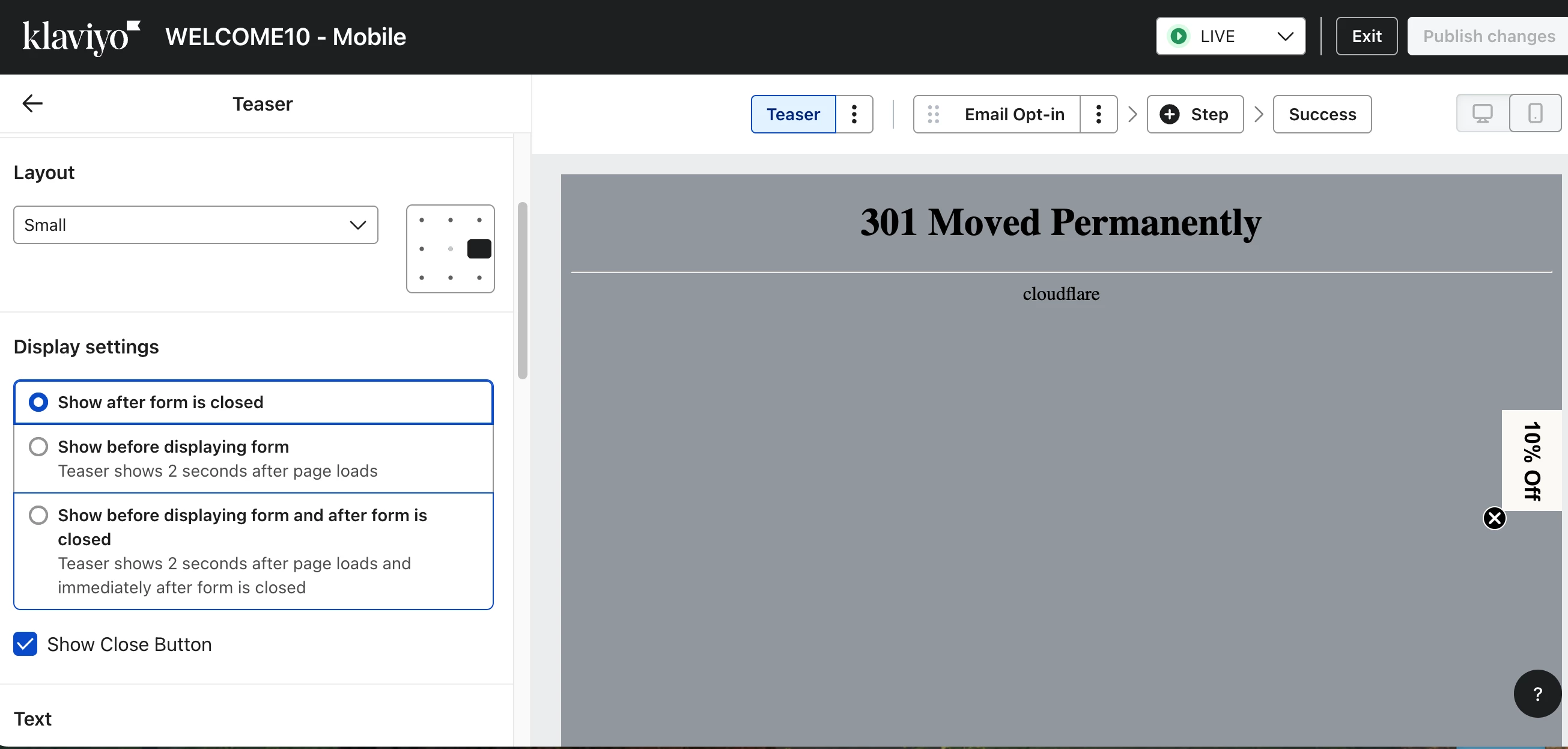
301 Moved Permanently

  • August 9, 2025
  • 3 replies
  • 172 views

I’m hoping for some insight into why this error started appearing a few months ago on my POPUP form. I’m not sure if it’s affecting the form’s performance, since it only appears in the teaser on mobile.

Thanks in advance for any assistance.


    Best answer by bluesnapper

    Just to confirm ​@Byrne C response, I had the same issue with the cloudflare 301 on forms and the culprit was http in the org settings. Changing to https cleared it.

    Regards

    Andy 

    3 replies

    Byrne C
    Community Manager
    Community Manager
    August 11, 2025

    Hi ​@twlex23,

    This background appears when we’re not able to generate a background using your website, but it doesn’t actually have an effect on whether the form appears on your actual site, nor does it affect form performance. 

    We’ve seen this issue in situations where the customer’s website URL in their Organization settings starts with http: rather than https:, so changing your URL in your settings to https: might fix it. That being said, your form should still work as normal!

    twlex23Author
    Contributor I
    August 11, 2025

    I was actually able to correct this with an email sent this weekend by your support desk.  Thank you!

    bluesnapper
    Partner
    Champion & Partner
    August 14, 2025

    Just to confirm ​@Byrne C response, I had the same issue with the cloudflare 301 on forms and the culprit was http in the org settings. Changing to https cleared it.

    Regards

    Andy 

    https://bluesnapper.com - Klaviyo Champion '24 & Partner
