Solved

Abandon Care Flow Design Change

  • January 20, 2026
  • 1 reply
  • 18 views

Forum|alt.badge.img+3

Hello

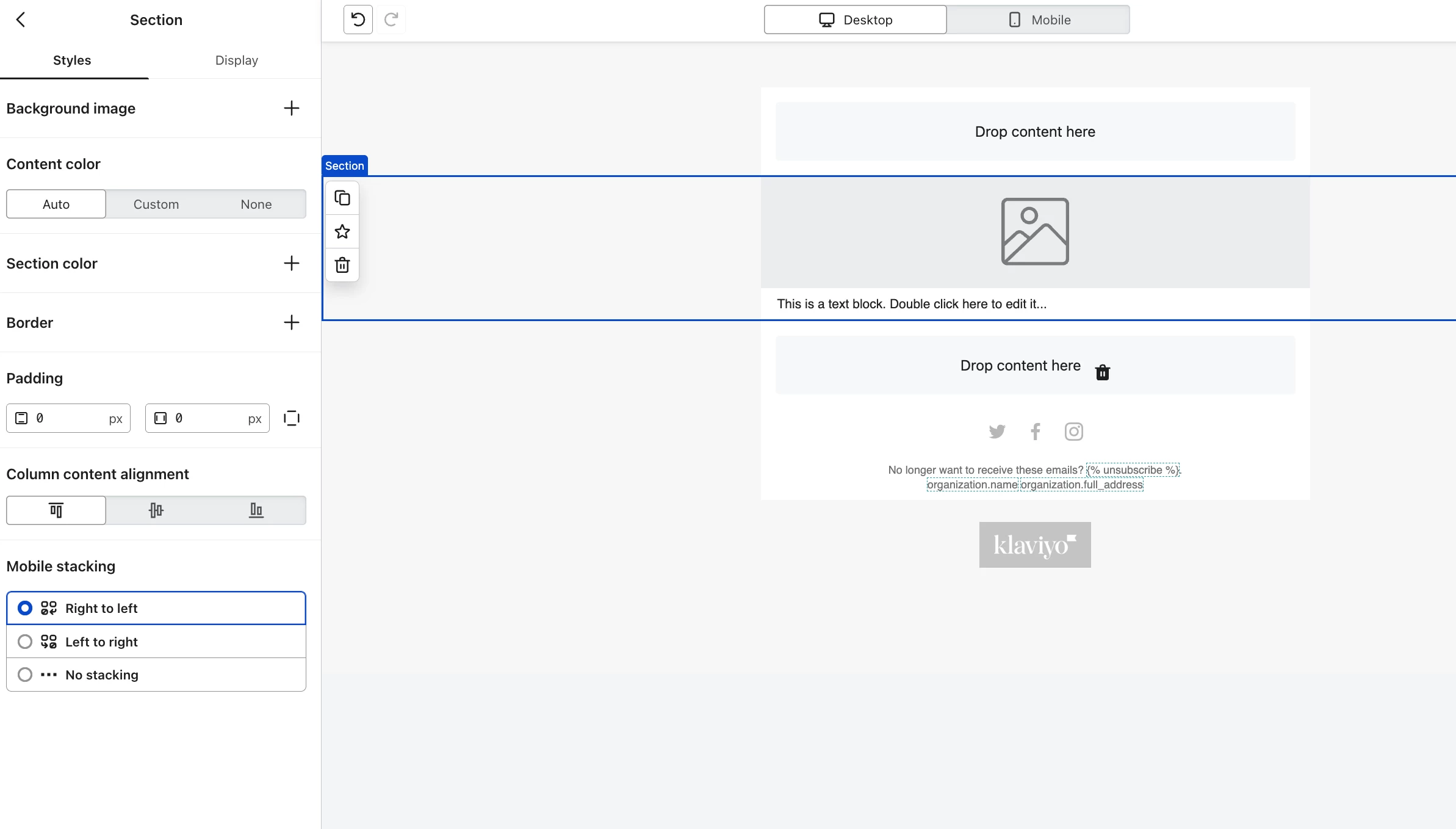
I want to change the look of our abandon cart emails, I want to move the text from the dynamic feed to underneath the image instead of to the side? However its in a table and it feel like it just cant be moved to row innstead of column

I’ve attached an image of the area I mean. 
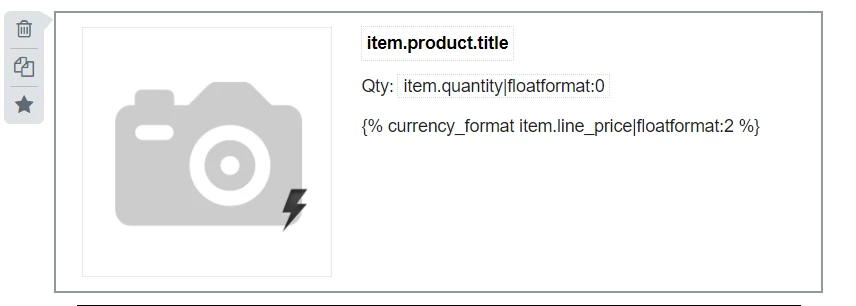
I saw that this had been answered 5 years ago but wanst relevant to todays klaviyo platform and assistance would be much appreciated

Best answer by Byrne C

Hi ​@FionaM,

This is possible, and I’m happy to show you how!

  1. Add a new section to your template. In the section, put an image block above a text block.


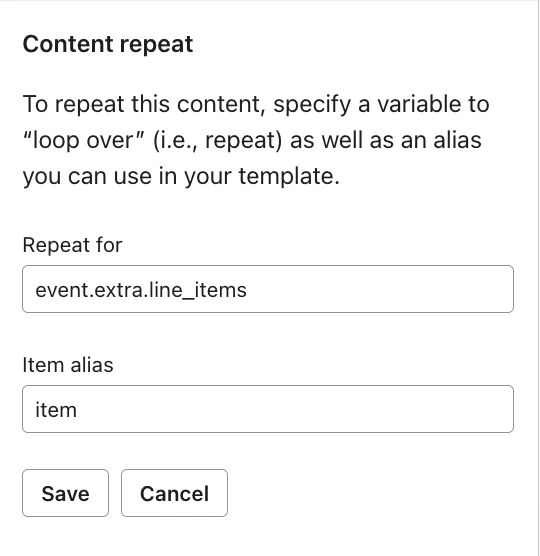
  2. Click the Display settings for the section, and add content Repeat. The “Repeat for” and “item alias” should match the “row collection” and “alias” for your dynamic table.
  3. Save the content repeat rules. After that, add the same information into your section that you had in your table. Copy the image and image URL from your table into the image in the new section, and do the same for the text portion.
  4. Click into a different section to save. Now, you have an image above text, that should repeat for each item in your event.


Let me know if you have any questions, or if this doesn’t work!

1 reply

Byrne C
Community Manager
Forum|alt.badge.img+28
  • Community Manager
  • Answer
  • January 21, 2026

Hi ​@FionaM,

This is possible, and I’m happy to show you how!

  1. Add a new section to your template. In the section, put an image block above a text block.


  2. Click the Display settings for the section, and add content Repeat. The “Repeat for” and “item alias” should match the “row collection” and “alias” for your dynamic table.
  3. Save the content repeat rules. After that, add the same information into your section that you had in your table. Copy the image and image URL from your table into the image in the new section, and do the same for the text portion.
  4. Click into a different section to save. Now, you have an image above text, that should repeat for each item in your event.


Let me know if you have any questions, or if this doesn’t work!