Contributor I
November 21, 2023
Solved

Abandoned Cart Flow not working

  • November 21, 2023
  • 3 replies
  • 177 views

Hi,


Our abandoned cart flow was set up by an outside developer at the time, however I am not sure it is working correctly.


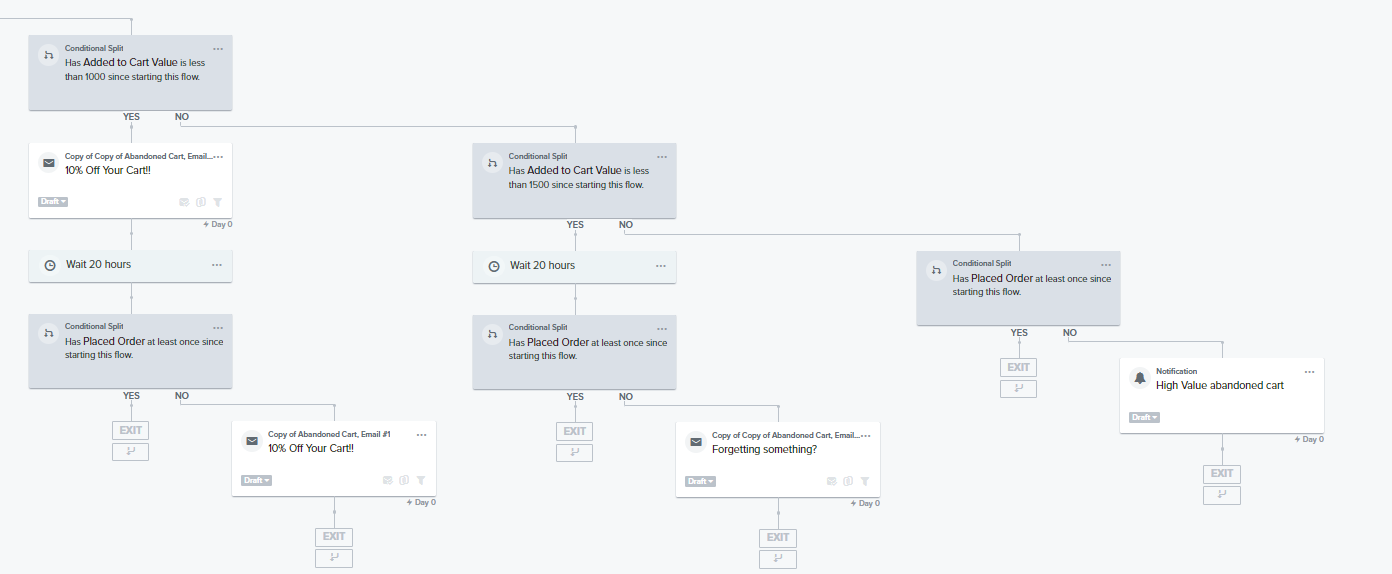
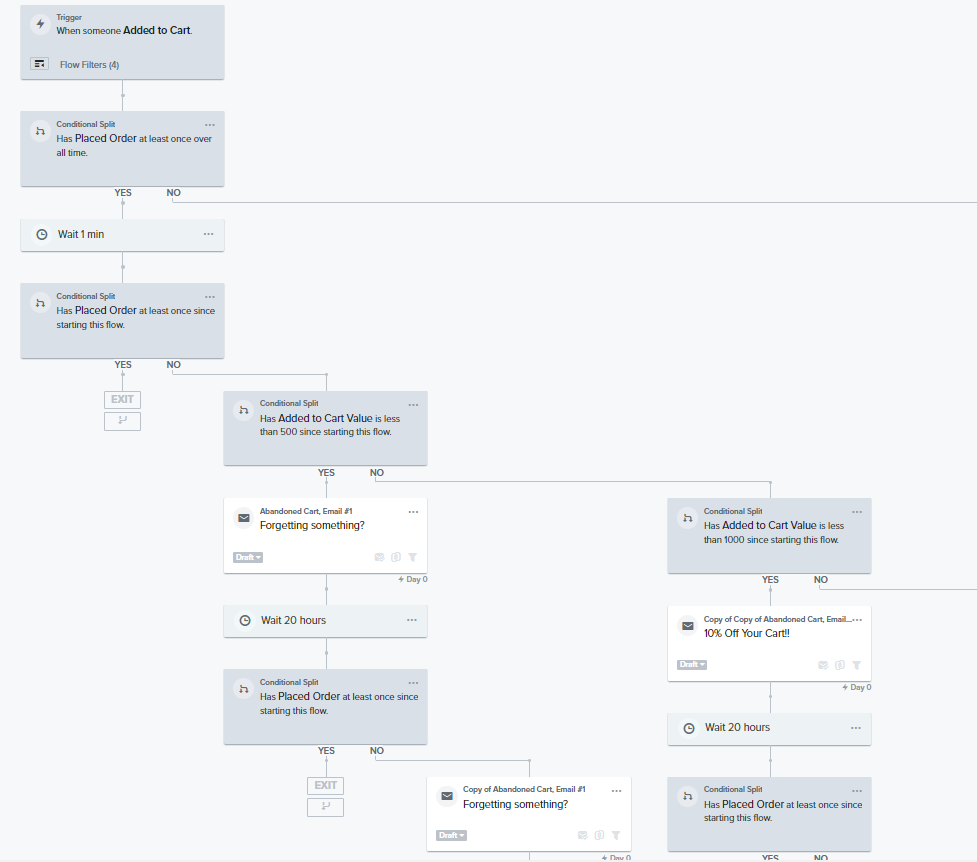
We are supposed to get notifications for high level carts but have never received these? Example below of our current flow set up for Placed order - no 


Any help would be appreciated to get this working efficiently 


    This topic has been closed for replies.
    Best answer by Akers Digital

    Makes sense @cityhonda ,

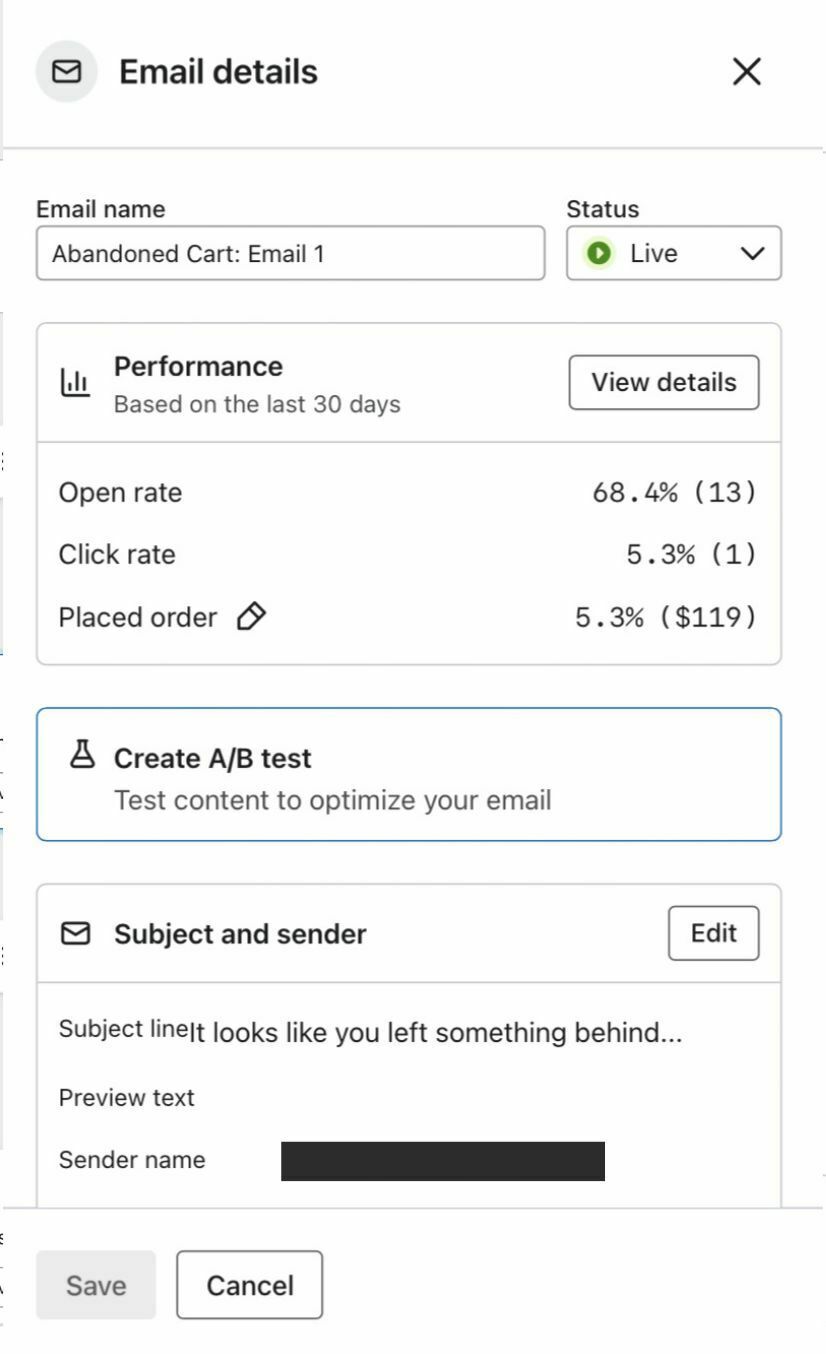
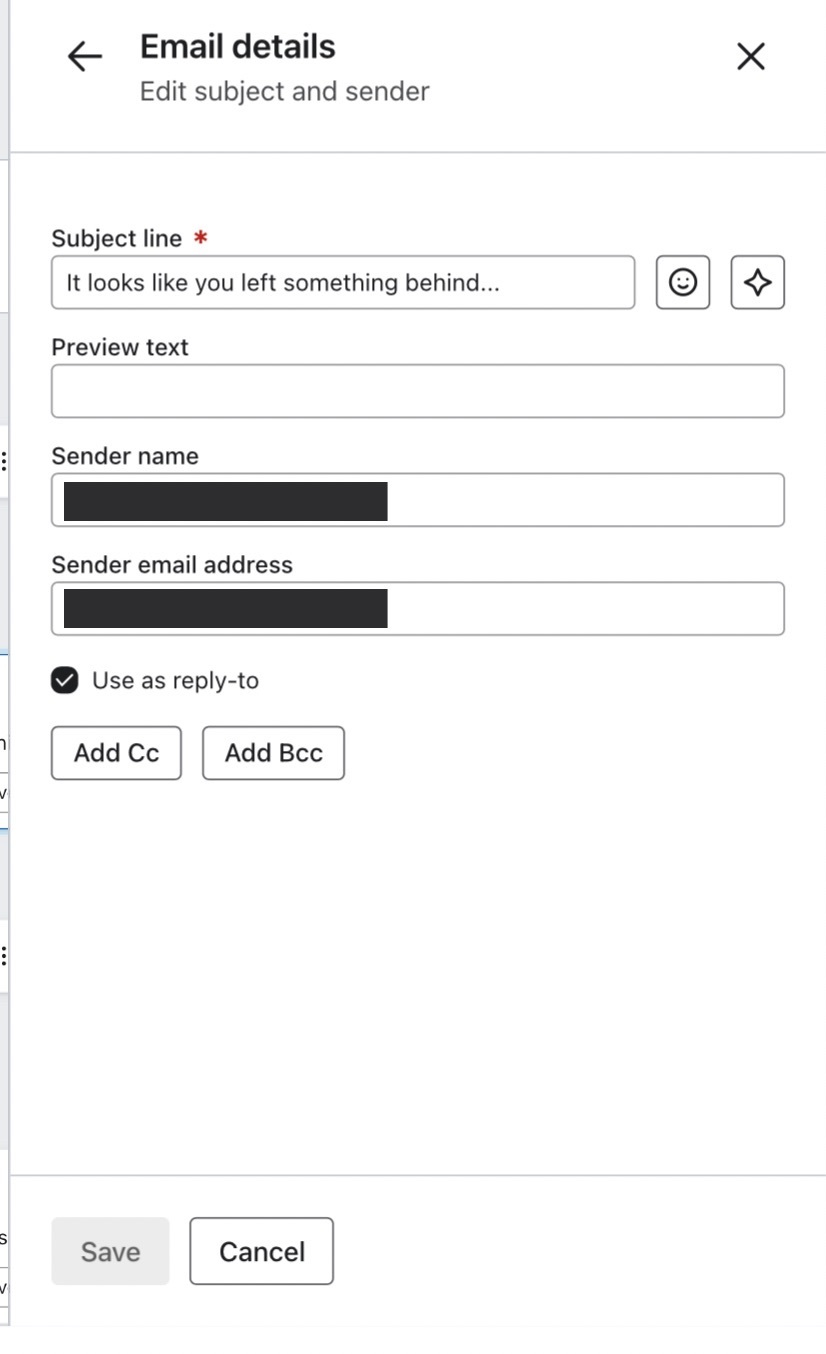
    If you go into each email, you should see “Subject & Sender” section, hit edit. Then you’ll see “Add CC” or “Add BCC”. You can click that and make sure your email is listed. I’m guessing this section is blank!


    3 replies

    Akers Digital
    Partner - Silver
    Partner - Silver
    November 21, 2023

    Hey @cityhonda ,

    This might be an easy one! Looking at the screenshot, all of the emails are set to draft. This means the emails are not sending. You can click on each email where it says “draft” and change it to “live” or you can hit the button in the upper right hand corner (not shown in your screenshot) that says to update the statuses in bulk. I forget the exact copy of that button, but hopefully you can find it!

    This is an interesting setup for an a banded cart flow, but it should work!

    cityhondaAuthor
    Contributor I
    November 21, 2023

    Hi - forgot to mention this one was a clone of the Original 


    The original is live and seems to be working - however we still haven’t received any abandoned cart emails! 


    Akers Digital
    Partner - Silver
    Partner - Silver
    November 21, 2023

    Makes sense @cityhonda ,

    If you go into each email, you should see “Subject & Sender” section, hit edit. Then you’ll see “Add CC” or “Add BCC”. You can click that and make sure your email is listed. I’m guessing this section is blank!