


Active Contributor I
July 19, 2021
Solved

Adding new drag n drop functionality to an existing template

  • July 19, 2021
  • 12 replies
  • 711 views

Hi there,

I saw a couple of answers that almost hit on this topic, but not exactly. I need to add some custom code to an existing KL d-n-d template. When I do it by adding this into my custom code where I want the editable text:

<table border="0" cellpadding="0" cellspacing="0" width="100%">
<tbody>
<tr>
<td align="center" data-klaviyo-region="true" data-klaviyo-region-width-pixels="600">
<div class="klaviyo-block klaviyo-text-block">
<h2 class="col-subhead" style="margin-top:0;margin-bottom:12px;font-family:Arial,sans-serif;font-weight:bold;">Subhead Description Text</h2>
</div>
</td>
</tr>
</tbody>
</table>

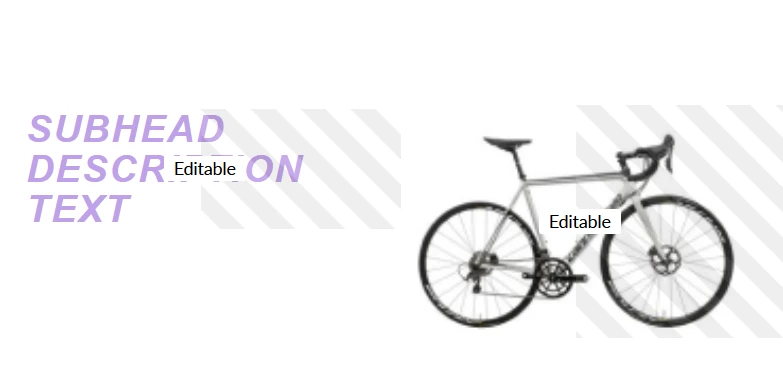
I get something that looks like this (below) which, while editable, is only slightly better than raw HTML, especially the image. I’m assuming that the ENTIRE template needs to be imported from new html and the KL tags added after. (When I do that, the editables act the same as KL templates). Thanks!
Don

 

    This topic has been closed for replies.
    Best answer by David To

    Hey @Don,

    Really appreciate you sharing your goal of wanting to build a custom HTML template and incorporating Klaviyo’s drag-and-drop editor functionality to it to make it easier for non-coders to edit. I believe such a feature would be great and can certainly be leveraged by a number of our wonderful members who are content creators to share some of their more custom templates with others. I’ll share this feedback with our product team!

    At present though, you have the capability of applying Klaviyo’s drag-and-drop editor functionality to a custom HTML template, when applying this to an existing elements of the HTML template, you are only given limited editing capabilities from the Klaviyo editor. This would not cause the element which you’ve added the drag-and-drop functionality to have the native Klaviyo drag-and-drop capabilities. Instead, by being able to incorporate the drag-and-drop capability to your custom HTML template; this offers you the functionality to drag in any of the native Klaviyo block elements to your custom HTML template such as product or table blocks.

    I hope this helps answers some of the confusion! Thanks for being a Klaviyo Community member and sharing your feedback! 

    David

    12 replies

    David To
    Klaviyo Employee
    David ToAnswer
    Klaviyo Employee
    July 27, 2021

    Hey @Don,

    Really appreciate you sharing your goal of wanting to build a custom HTML template and incorporating Klaviyo’s drag-and-drop editor functionality to it to make it easier for non-coders to edit. I believe such a feature would be great and can certainly be leveraged by a number of our wonderful members who are content creators to share some of their more custom templates with others. I’ll share this feedback with our product team!

    At present though, you have the capability of applying Klaviyo’s drag-and-drop editor functionality to a custom HTML template, when applying this to an existing elements of the HTML template, you are only given limited editing capabilities from the Klaviyo editor. This would not cause the element which you’ve added the drag-and-drop functionality to have the native Klaviyo drag-and-drop capabilities. Instead, by being able to incorporate the drag-and-drop capability to your custom HTML template; this offers you the functionality to drag in any of the native Klaviyo block elements to your custom HTML template such as product or table blocks.

    I hope this helps answers some of the confusion! Thanks for being a Klaviyo Community member and sharing your feedback! 

    David

    DonAuthor
    Active Contributor I
    July 27, 2021

    Thanks, David. That aligns with what I thought was going on. Disappointed to get confirmation, but good to get it resolved!


    Don