Contributor I
June 3, 2021
Solved

Back in Stock Button Not Working

  • June 3, 2021
  • 19 replies
  • 5076 views

Hello,

Is there anyone out there that might be able to help me out with this issue?

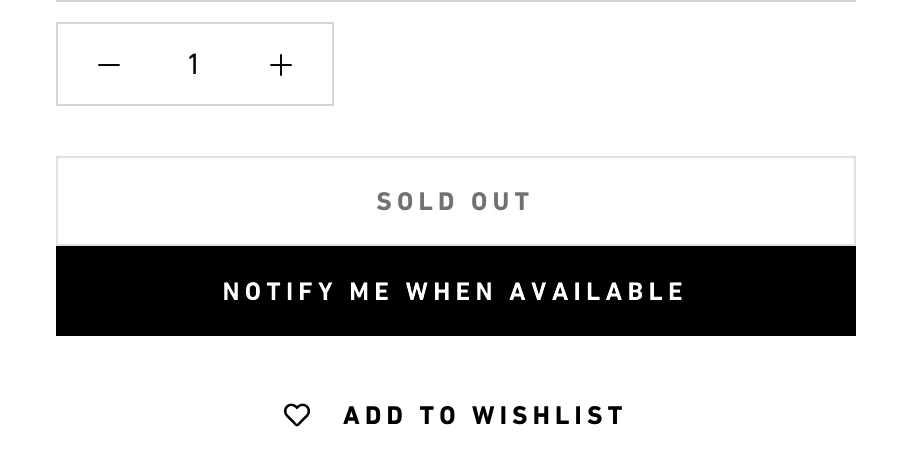
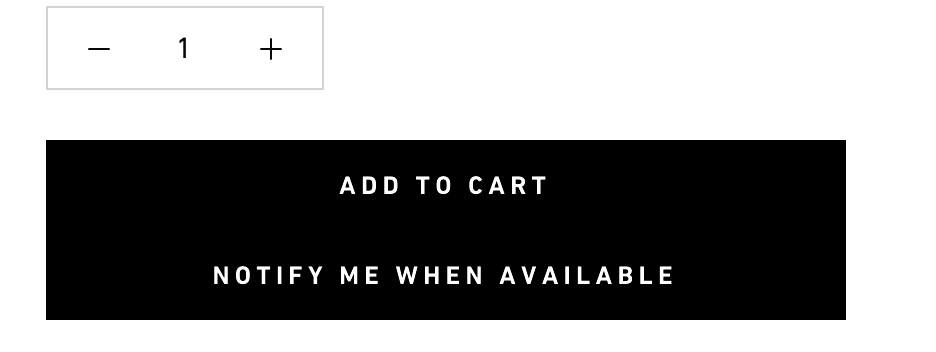
Problem: When selecting a product that is sold out - #1 the notify me when back in stock button is not showing up. #2 But, when the product page is refreshed it does show up - #3 however it will show up even for products that are in stock (right under the add to cart button)

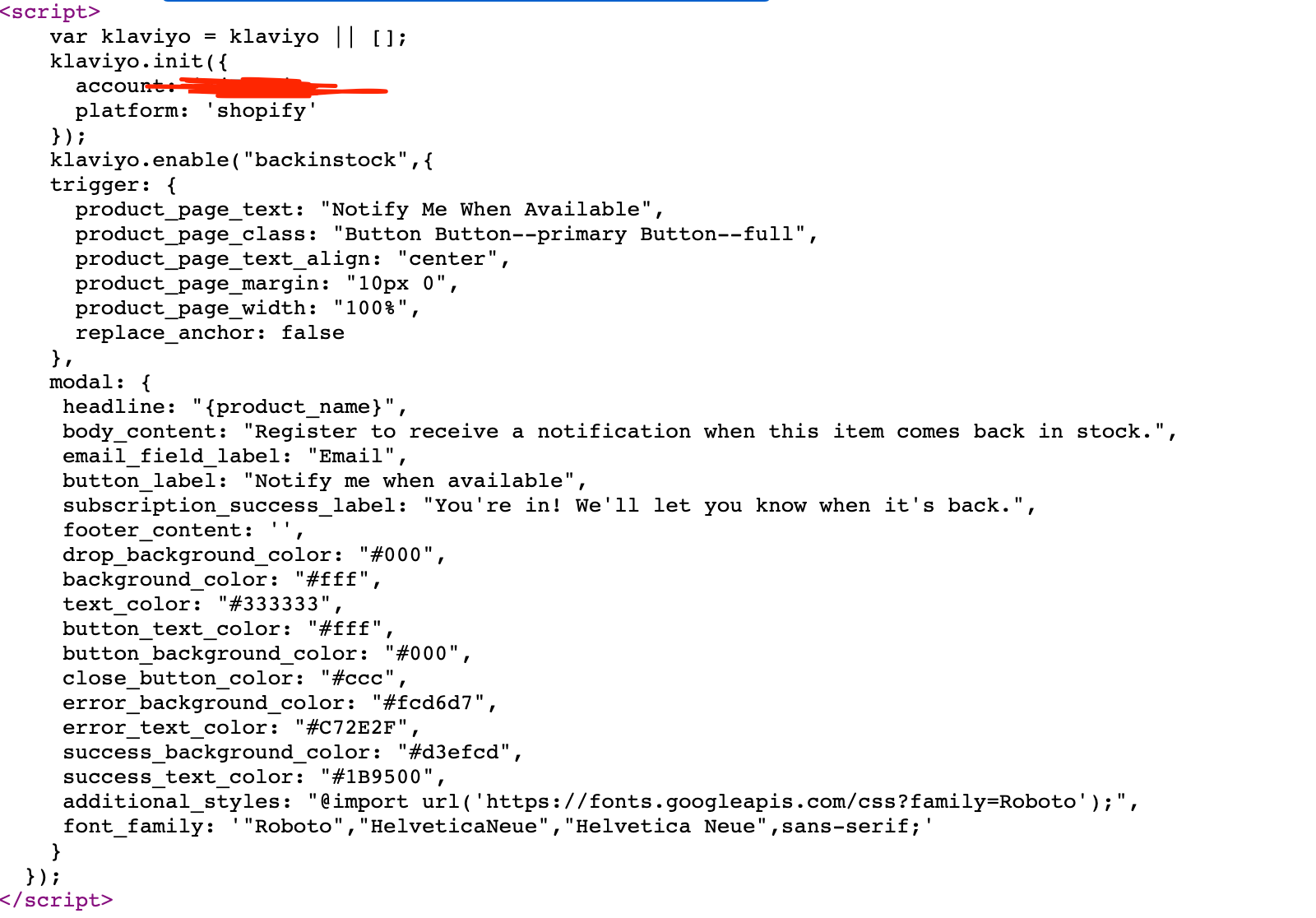
I attached a few screen shots of the code and what the buttons looks like. 1,2,3

If someone has experienced this and can help me out it would be super helpful. Thanks in advance!
 

    Best answer by klaviyojad

    @TOMWOLFE thanks for the reply.  So you are saying that the page only displays “Selected Variant” once when the page is loaded and that it doesnt print anything new when you keep changing variants?

    So after page loads, change to a different variant and then to another different variant, no new output from Klaviyo?

    This would be an indication that the Backbone JS application is not recognizing the variant changes  

    19 replies

    Contributor II
    April 11, 2022

    @kbromz could you please work with support as outlined here ?

    For the protection of our customers we do not allow exposing of customer related details like product page links.

    As for your example I could not reproduce what you were seeing and I was using the Chrome browser

    Just in case someone else has the issue with not seeing the “Notify Me  When Available” button in Chrome Browser and are using the DuckDuckGo plugin.

    I had the same issue in Chrome Browser where the “Notify Me When Available” button was only seen in Incognito mode. Turns out to be an issue with DuckDuckGo plugin with site privacy enabled. Once I turned off site privacy to my store in DuckDuckGo setting, the button appeared and is working. 

    Contributor II
    October 13, 2023

    @TOMWOLFE @Nicholas @kbromz 

    I think I had the same issue, with the Turbo theme from Out of the Sandbox. The button does not automatically show/hide when you switch variants or colors on products, requiring a hard refresh of the page. Another thing I noticed is with multiple out-of-stock products, the modal includes a dropdown for all the products, I don't think there is an easy way to auto select the variant, but I don’t think we can change this behavior without help from Klaviyo.

    To show hide products when you switch variants, you’ll need to make changes to assets / sections.js.liquid. look for the following lines of code:

    $('.add_to_cart', $product).removeClass('disabled').removeAttr('disabled').find('span').text($('.add_to_cart', $product).data('label'));
    $('.shopify-payment-button', $product).show();
    $('.add_to_cart', $product).addClass('disabled').attr('disabled', 'disabled').find('span').text(message);
    $('.shopify-payment-button', $product).hide();

    And add the following to show / hide the Klaviyo modal trigger button, with the “klaviyo-bis-trigger” class:

    $('.add_to_cart', $product).removeClass('disabled').removeAttr('disabled').find('span').text($('.add_to_cart', $product).data('label'));
    $('.klaviyo-bis-trigger').hide();
    $('.shopify-payment-button', $product).show();
    $('.add_to_cart', $product).addClass('disabled').attr('disabled', 'disabled').find('span').text(message);
    $('.klaviyo-bis-trigger').show();
    $('.shopify-payment-button', $product).hide();

    I hope this helps everyone.

    This seems to have worked perfectly in my Turbo Theme. Thanks so much Scott, life saver!

    Contributor I
    October 8, 2024

    Hi, I'm experiencing the same issue while using the Prestige theme on Shopify. Is there a solution available for my theme as well?

    Contributor I
    October 9, 2024

    It seems that the back-in-stock button problem is back.


    We have the same problem on Focal, also from Maestroo (same software house of Prestige theme) the Klaviyo Javascript it no longer works since the last update.


    The cause is this:

    • Shopify on 15 of sempeter has updated/changed the way it handles product variants;
    • Latest theme update from Maestroo (Impact, Focal, Prestige themes) adapts to this Shopify change; 
    • Klaviyo's javascript no longer works fine. It only works if a product is 100% sold out but there are some variants available and some are not, in this case the script is not loading when a sold out variant is selected).

    Contacting Klaviyo support they say the problem is with the theme. Contacting Maestroo support they say the problem is Klaviyo's script. In fact, testing the script on the Dawn theme (latest version) works fine but the problems seems “in the middle”.

    I tried asking Maestrooo if they fix to the problem, since so many of their customers are also Klaviyo customers. 

    I hope they will get back to me. If you have any updates, let's keep in touch.

    Problem Solver I
    November 19, 2024

    It seems that the back-in-stock button problem is back.


    We have the same problem on Focal, also from Maestroo (same software house of Prestige theme) the Klaviyo Javascript it no longer works since the last update.


    The cause is this:

    • Shopify on 15 of sempeter has updated/changed the way it handles product variants;
    • Latest theme update from Maestroo (Impact, Focal, Prestige themes) adapts to this Shopify change; 
    • Klaviyo's javascript no longer works fine. It only works if a product is 100% sold out but there are some variants available and some are not, in this case the script is not loading when a sold out variant is selected).

    Contacting Klaviyo support they say the problem is with the theme. Contacting Maestroo support they say the problem is Klaviyo's script. In fact, testing the script on the Dawn theme (latest version) works fine but the problems seems “in the middle”.

    I tried asking Maestrooo if they fix to the problem, since so many of their customers are also Klaviyo customers. 

    I hope they will get back to me. If you have any updates, let's keep in touch.

    Hi, did you get an update on this topic? we are using focal theme too and experience the same problem.

    Contributor I
    July 16, 2025

    Hi, stumbled upon this thread for Klaviyo back in stock button to replace the sold out button. 


    I have an issue of the following scenarios:


    1. Product is sold out and is a single variant - Notify me button doesnt show up
    2. Product has multiple variants and all variants are sold out - notify me button doesn’t show up
    3. Product has multiple variants and not all are sold out - notify me button shows up on the sold out variants

    My theme is very old...from 2016 but that would mean all of this should or shouldn’t work, but it behaves inconsistently.  

    This is very strange and I followed the instructions Klaviyo posted about BIS online.  Anybody have something similar and figured it out?  I’m fairly technical so just know where to look.  

    Byrne C
    Community Manager
    Community Manager
    July 17, 2025

    Hey everyone!

    I just read over this thread, and it seems like we’re having a variety of different problems with implementing Back in Stock on different themes. Thanks for sharing your experiences with this, and for the solutions provided. We just came out with an update that’s hopefully going to make implementing Back in Stock quite a bit easier on most Shopify themes (this is also available for BigCommerce).

    Moving forward, you can create Back in Stock forms from within Klaviyo, just like how you design regular sign up forms. You can create one form per account, and can collect email and SMS marketing consent through this form. Once this form is published, it should automatically appear on product pages when that product goes out of stock, on most Shopify themes. Manually adding code to your store will no longer be necessary, so we also recommend following the steps in this article to remove the code snippets you added if you’d like to install Back in Stock via the new method.

    Note that if your store’s set to “Continue selling when out of stock” for certain products, those product will always appear as available, so the Notifiy Me button and the form will not appear. Additionally, if you’re using the Retina theme, which comes with a built-in Notify Me button, you’ll need to disable this default button for Back in Stock via Klaviyo to work.

    Contributor I
    July 17, 2025

    Actually Byrne, let me clarify.  My problem is from removing the original hard code snippets and using the BIS forms within Klaviyo, and following the instructions in the link you posted.  

    Byrne C
    Community Manager
    Community Manager
    July 21, 2025

    @AKC Got it! When following the instructions, were you able to successfully remove the old snippet, and the issue you’re seeing is related to when the new Back in stock form does and doesn’t show up? Can you confirm that the products that the button isn’t showing up for don’t have “Continue selling when out of stock” set?