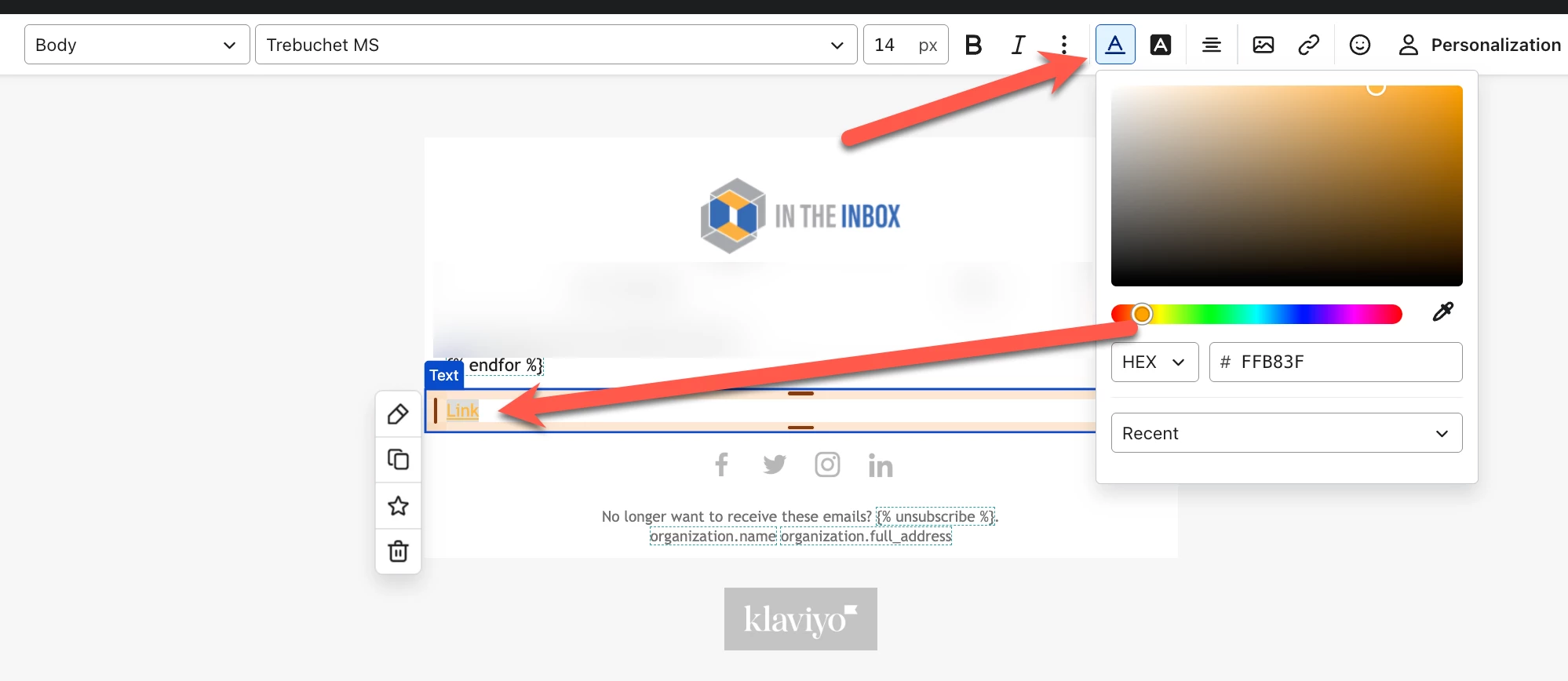
Thank you for posting your question in the community. If you’d like to adjust the color of a link in your email, there are two ways you could approach this. If you wanted to change the color for one specific URL, then you can highlight the hyperlink in the editor, and then select the color icon:
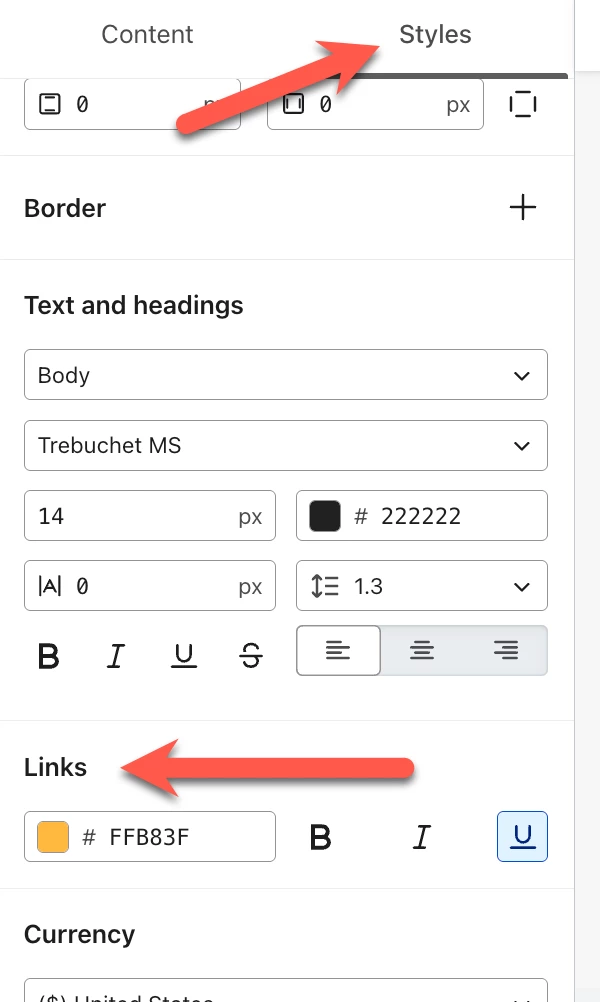
Or, if you want to adjust the color for all links in your email, go to the Styles tab in the editor on the left menu, scroll down to the links section, and you can adjust the URL color there as well. Any adjustments here will be universal for all content in that email.
I hope this helps! Please let us know if you have any additional questions.
Thanks,
@In the Inbox
Bryan Richey // Klaviyo Champion & Email Strategist at In the Inbox // https://intheinbox.co/
Thank you for posting your question in the community. If you’d like to adjust the color of a link in your email, there are two ways you could approach this. If you wanted to change the color for one specific URL, then you can highlight the hyperlink in the editor, and then select the color icon:
Or, if you want to adjust the color for all links in your email, go to the Styles tab in the editor on the left menu, scroll down to the links section, and you can adjust the URL color there as well. Any adjustments here will be universal for all content in that email.
I hope this helps! Please let us know if you have any additional questions.
Thanks,
@In the Inbox
Bryan Richey // Klaviyo Champion & Email Strategist at In the Inbox // https://intheinbox.co/