September 11, 2021
Solved

Deleted Button Text in Subscribe Page Builder

  • September 11, 2021
  • 3 replies
  • 61 views

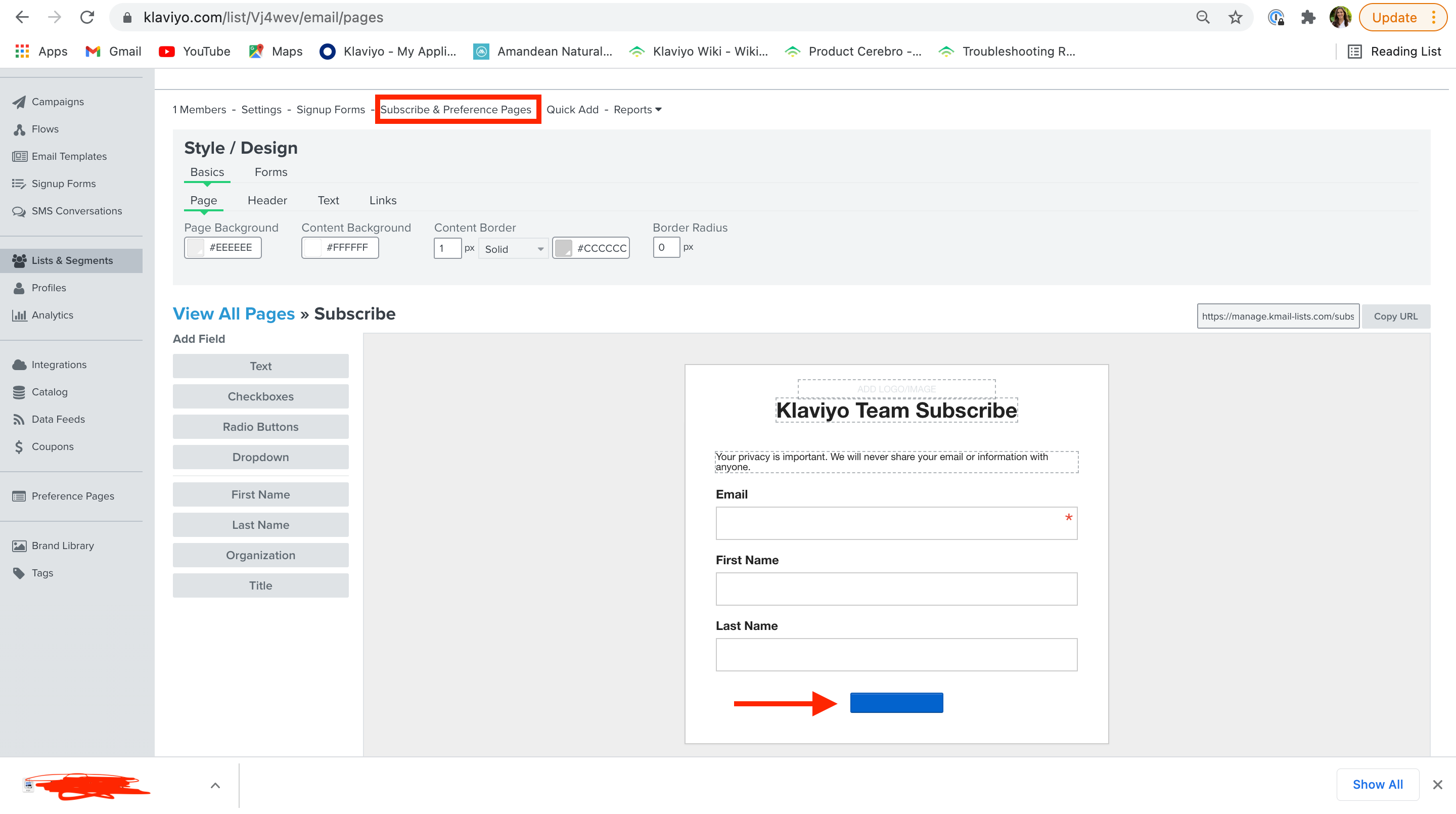
I accidentally deleted the Subscribe code on the Subscribe Page Builder. Where would I find it? Or how do I reset the form so it can regenerate? Thanks!

    This topic has been closed for replies.
    Best answer by Taylor Tarpley

    Hi @bmiller


    Welcome to the Klaviyo Community! We are so happy to have you here and thank you for sharing your question with us! 


    If I understand correctly, it seems like you may have deleted the word ‘Subscribe’ from the blue button on the ‘Subscription Confirmation’ email you receive if a List is set to Double Opt-in? If not, would you mind sending a screenshot of what you’re referencing? 


    If this is what you’re referencing, then you have not deleted the button or any code, but rather the text inside the button. It is impossible to delete the subscribe button altogether. I would refresh your page and clicking the button once. This should bring you to the button’s Editor box, where you can refill the button with the text you want. Don’t forget to save your changes and your problem should be fixed! 


    Thank you for being a part of our Community! 


    -Taylor 

    3 replies

    Taylor Tarpley
    Community Manager
    Community Manager
    September 13, 2021

    Hi @bmiller


    Welcome to the Klaviyo Community! We are so happy to have you here and thank you for sharing your question with us! 


    If I understand correctly, it seems like you may have deleted the word ‘Subscribe’ from the blue button on the ‘Subscription Confirmation’ email you receive if a List is set to Double Opt-in? If not, would you mind sending a screenshot of what you’re referencing? 


    If this is what you’re referencing, then you have not deleted the button or any code, but rather the text inside the button. It is impossible to delete the subscribe button altogether. I would refresh your page and clicking the button once. This should bring you to the button’s Editor box, where you can refill the button with the text you want. Don’t forget to save your changes and your problem should be fixed! 


    Thank you for being a part of our Community! 


    -Taylor 

    September 13, 2021

    Thanks Taylor! I was clearly over thinking this, the edit box is just for the text… Billy

    Taylor Tarpley
    Community Manager
    Community Manager
    September 13, 2021

    @bmiller


    No problem at all! There is a lot to learn and you’re doing great! This is why the Community exits.


    Best,

    Taylor