I wanted to understand if there's an option to add different images for desktop and mobile version? We're creating our email flows and want mobile users to see a different version of our images than desktop users, is there an option to create this? I only see "mobile optimisation" and "image stacking" options.
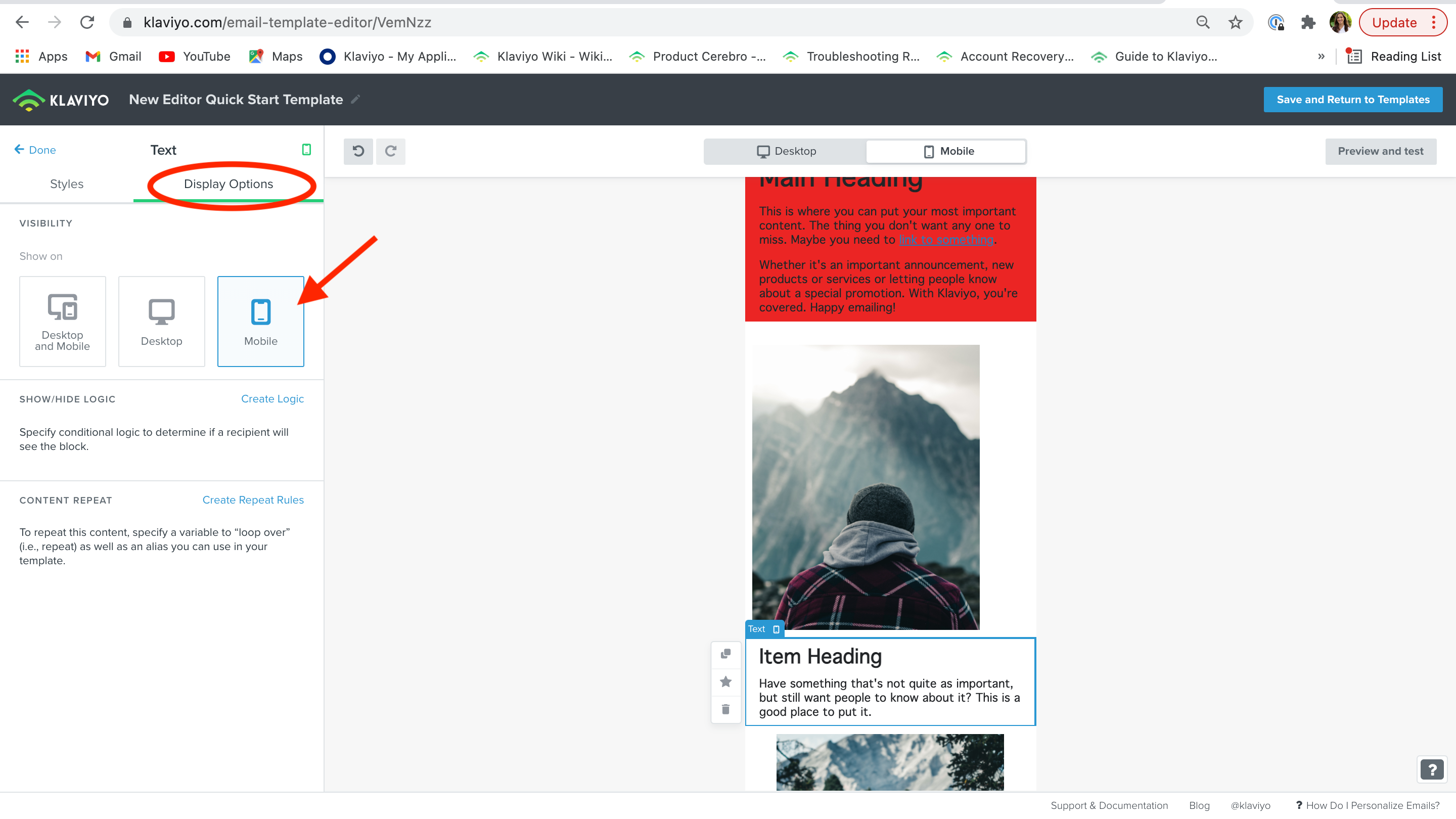
If you open the block with the image you should have various tabs, one being display options. Here you can select on which devices you want to show that image.
p.s. We try to not use this because it can cause issues where if more people are working on emails and don't know about different images one of the versions (mobile or desktop) doesn't get changed or seen when crafting new emails based on the same template. Also this adds to the size of the email potentially causing clipping so we always try to find a way without using this.
If you open the block with the image you should have various tabs, one being display options. Here you can select on which devices you want to show that image.
p.s. We try to not use this because it can cause issues where if more people are working on emails and don't know about different images one of the versions (mobile or desktop) doesn't get changed or seen when crafting new emails based on the same template. Also this adds to the size of the email potentially causing clipping so we always try to find a way without using this.