



dynamic data for Woocommerce Reorder not working
This is for Woocommerce.
I am trying to set up a flow where every month they receive an email to encourage them to reorder their previous purchases.
Problem:
Not pulling the product image
Not pulling the ordered products product page url..
What is working:
Pulls the product name, price etc
The weird thing is I have an abandoned cart flow which already works. (pulls image, name data etc correctly).
When I tried the same setup, it would not work. I assume, since the add to cart event pushes slightly different properties.
I have the following setup:
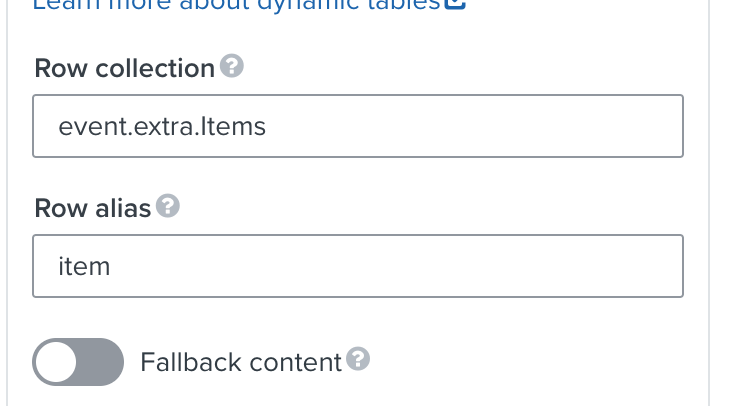
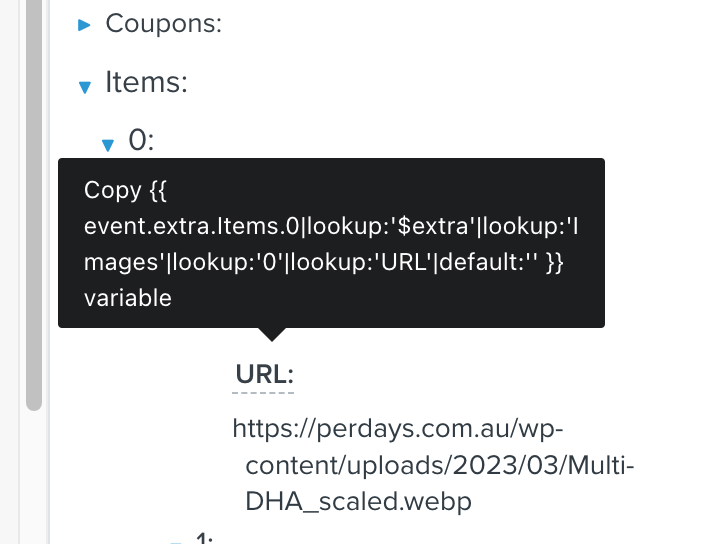

Originally for the image, I tried this: {{ item.0|lookup:'$extra'|lookup:'Images'|lookup:'0'|lookup:'URL'|default:'' }}
I also tried:
And for the product page url: {{ event.extra.Items.0|lookup:'$extra'|lookup:'URL'|default:'' }} => {{ item.0|lookup:'$extra'|lookup:'URL'|default:'' }}
However, this does not even show.
Finally, a button URL.
It is still unclear to me how to add the dynamic URL to the button href=””. Probably because of the above problem, nothing shows.
Any help appreciated. Most of the examples are for Shopify, so the answer is not obvious.