Contributor I
November 27, 2024
Solved

email format to the left

  • November 27, 2024
  • 2 replies
  • 60 views

Hey, wondering if anyone can help!


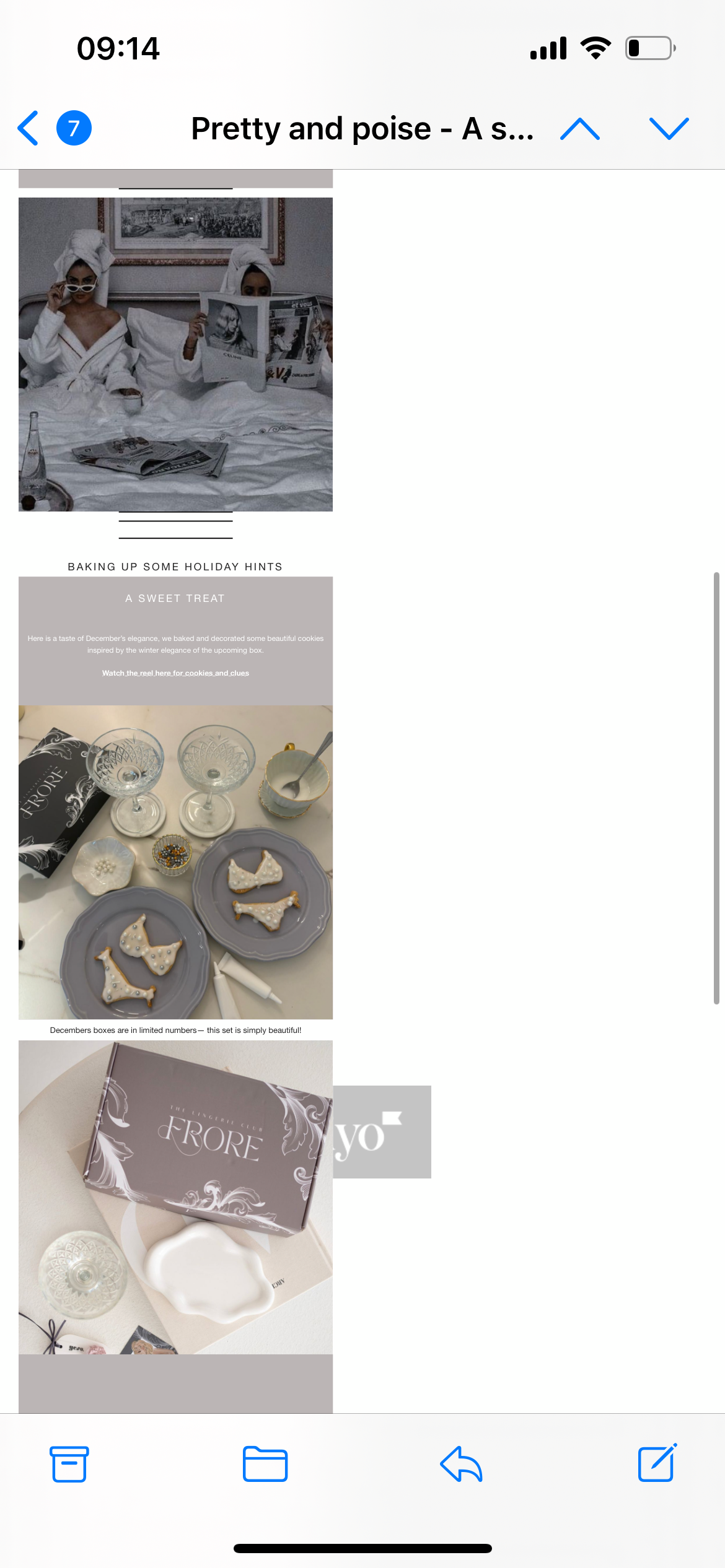
On my Mail app that comes with iPhone my email is very small and to the left.

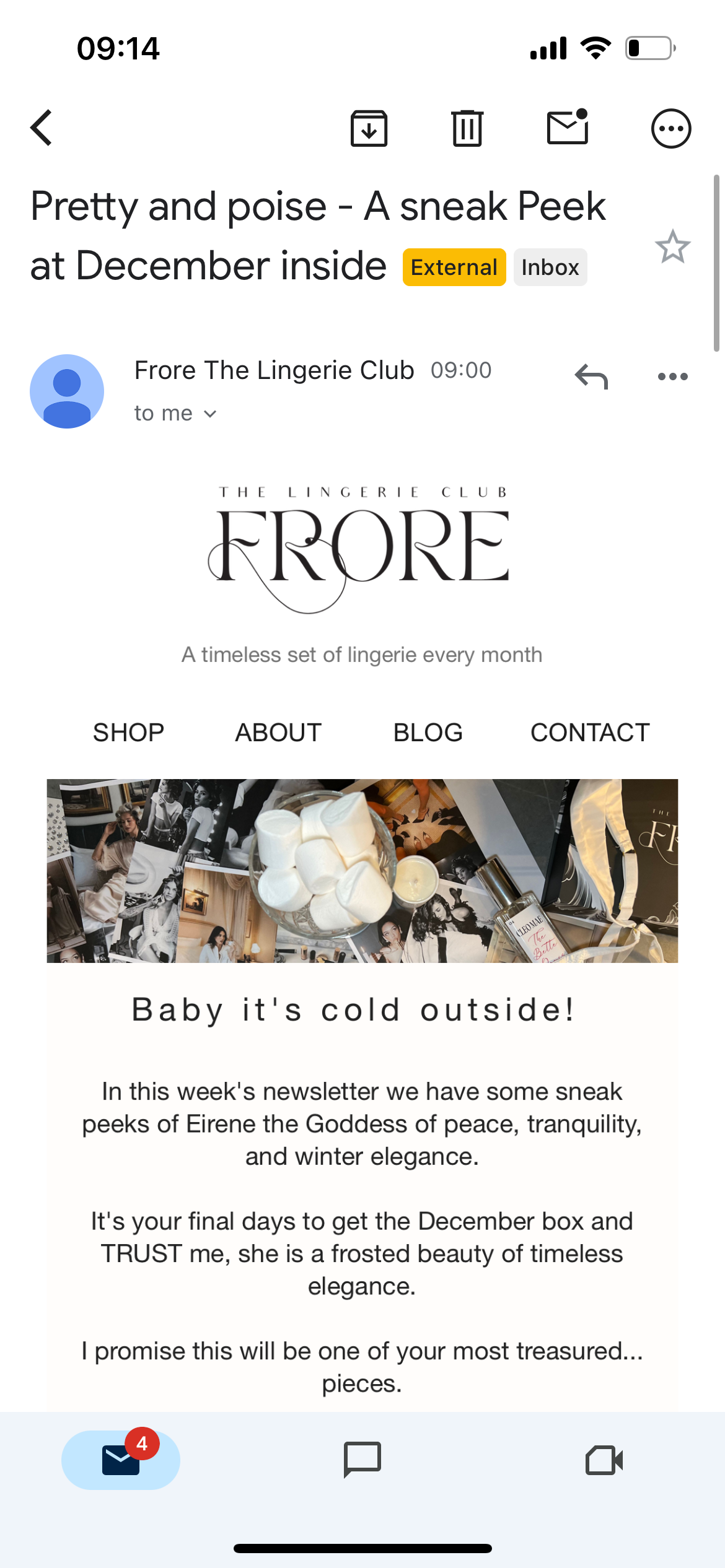
On my Gmail app, it is displayed correctly.

On browser on a laptop it’s ok too.

Does anyone know why it’s not appearing correctly on Mail?


Thank you so much 


    This topic has been closed for replies.
    Best answer by Fario Consulting

    Hi,
    The issue might be due to how the Mail app on your iPhone displays emails compared to other apps or browsers. You could try adjusting the email's width setting to 600px (or similar) and make sure the "Auto-restrict blocks" option is turned on for better mobile display

    2 replies

    Problem Solver IV
    November 27, 2024

    Hi,
    The issue might be due to how the Mail app on your iPhone displays emails compared to other apps or browsers. You could try adjusting the email's width setting to 600px (or similar) and make sure the "Auto-restrict blocks" option is turned on for better mobile display

    We help businesses with Klaviyo setups, integrations, and customizations. Reach out and learn more on farioconsulting.com
    LornaAuthor
    Contributor I
    November 29, 2024

    Hello where is the ‘Auto-restrict blocks’ toggle?


    When I preview as mobile it looks right o Klavijo. I’ve had a few customers say it pulls through all to the left on their app. :/


    I have an ‘Enable Optimizations’ which is switched on