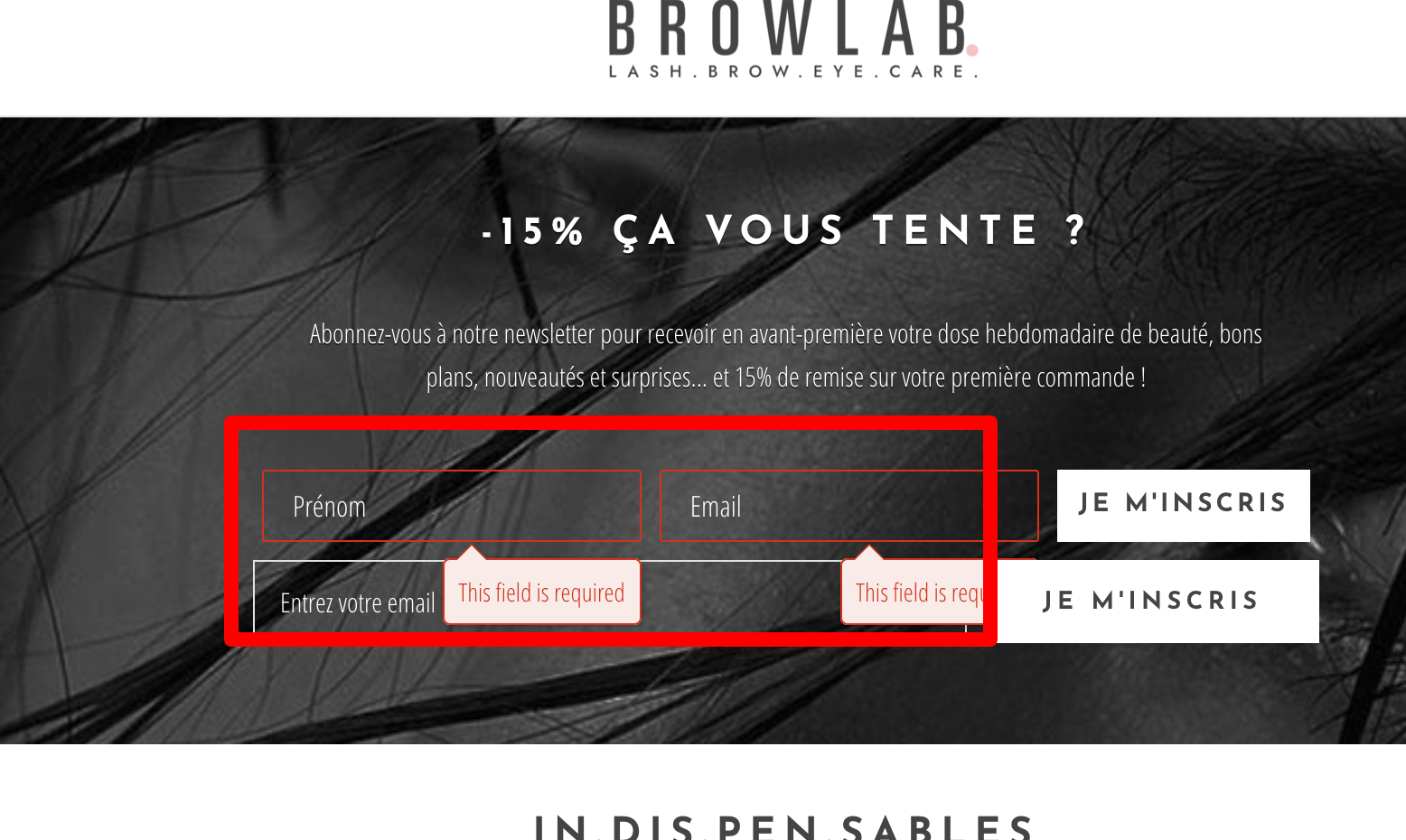
Unfortunately at this time, we are unable to adjust the language of the error messages that populate for required fields. I just submitted a product enhancement request to our product team regarding this.
As a possible workaround, you could work with a front end web developer to custom code a legacy signup form for you. With legacy forms, you have the power to update the Javascript and control the complete messaging of the form.
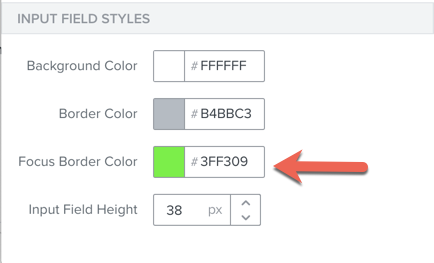
As for how to adjust the color, I’m assuming you are referring to the red outline of the fields highlighted (first name and email). If this is the case, you can update the color of the outlined field with the signup form editor under Behaviors > Input Field Styles > Focus Border Color.
Unfortunately at this time, we are unable to adjust the language of the error messages that populate for required fields. I just submitted a product enhancement request to our product team regarding this.
As a possible workaround, you could work with a front end web developer to custom code a legacy signup form for you. With legacy forms, you have the power to update the Javascript and control the complete messaging of the form.
As for how to adjust the color, I’m assuming you are referring to the red outline of the fields highlighted (first name and email). If this is the case, you can update the color of the outlined field with the signup form editor under Behaviors > Input Field Styles > Focus Border Color.
I have a form I am trying to launch in multiple global markets, and this was flagged in UAT as a fail due to this messaging being in the wrong language.
As stated above, the language in the form fields will be based on the language of the account.
To create a custom form that will act how you want, you can utilize our new subscribe API. This will allow you to code and design your custom signup form however they want via HTML and the form will submit to the new frontend subscribe API.