Thanks for sharing your question with the Klaviyo Community.
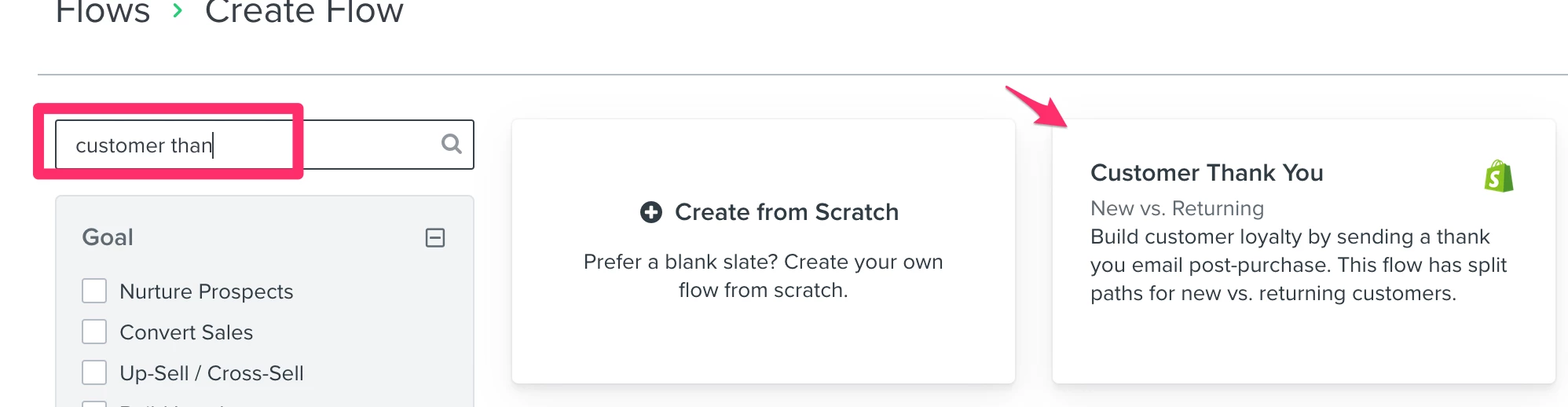
You can start by using the default Custom Thank You flow from the flows library. You can access the flows library by navigating to the Flows tab > Create Flow (top-right) > search for the name “Customer Thank You”.
This will automatically create a flow with 2 emails, one catered for new buyers thanking them for their purchase and a second email catered to repeat buyers, thanking them for their repeat purchase.
This is a great starting flow template to achieve the goal of your first email. From here, you have the freedom to add additional emails to your flow.
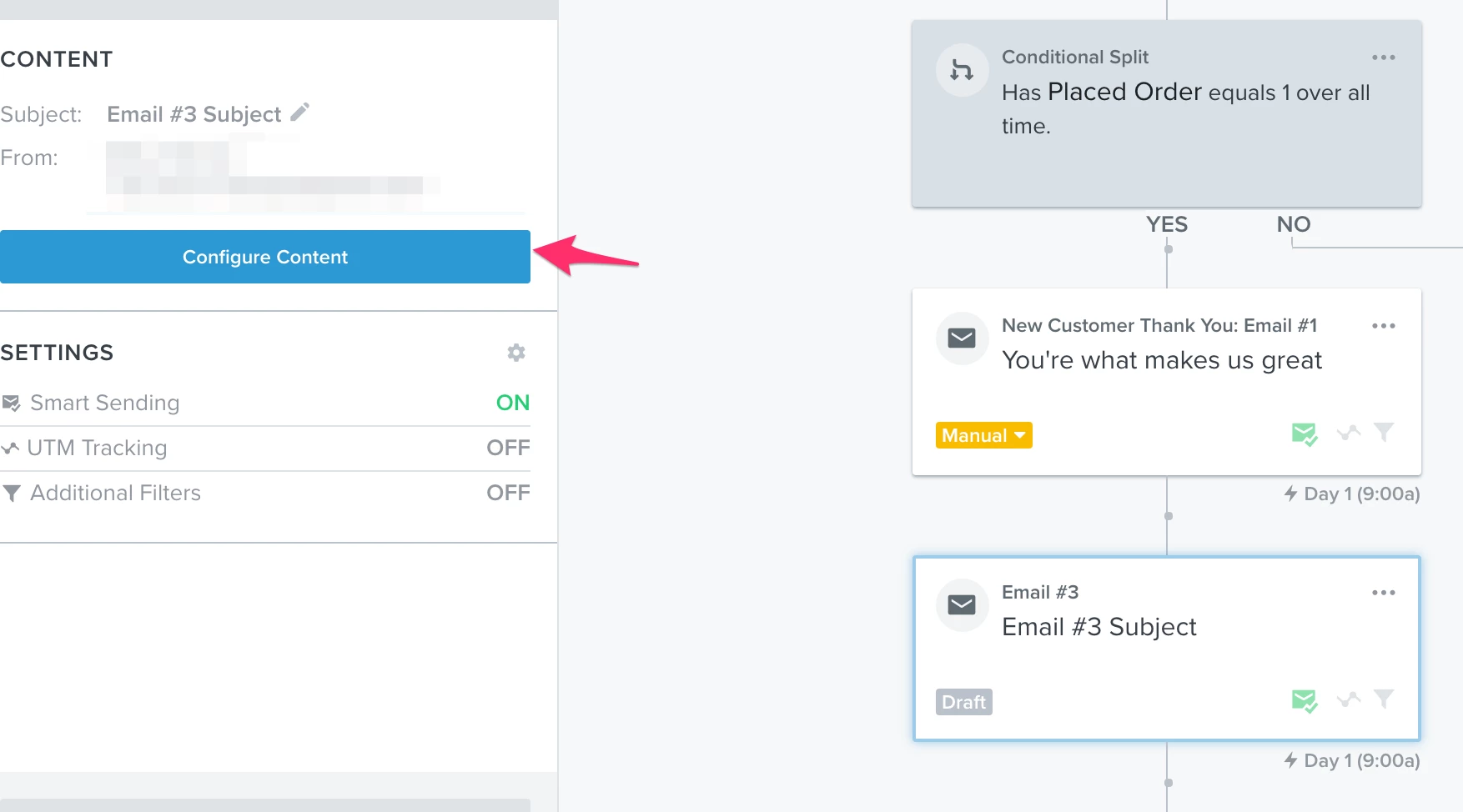
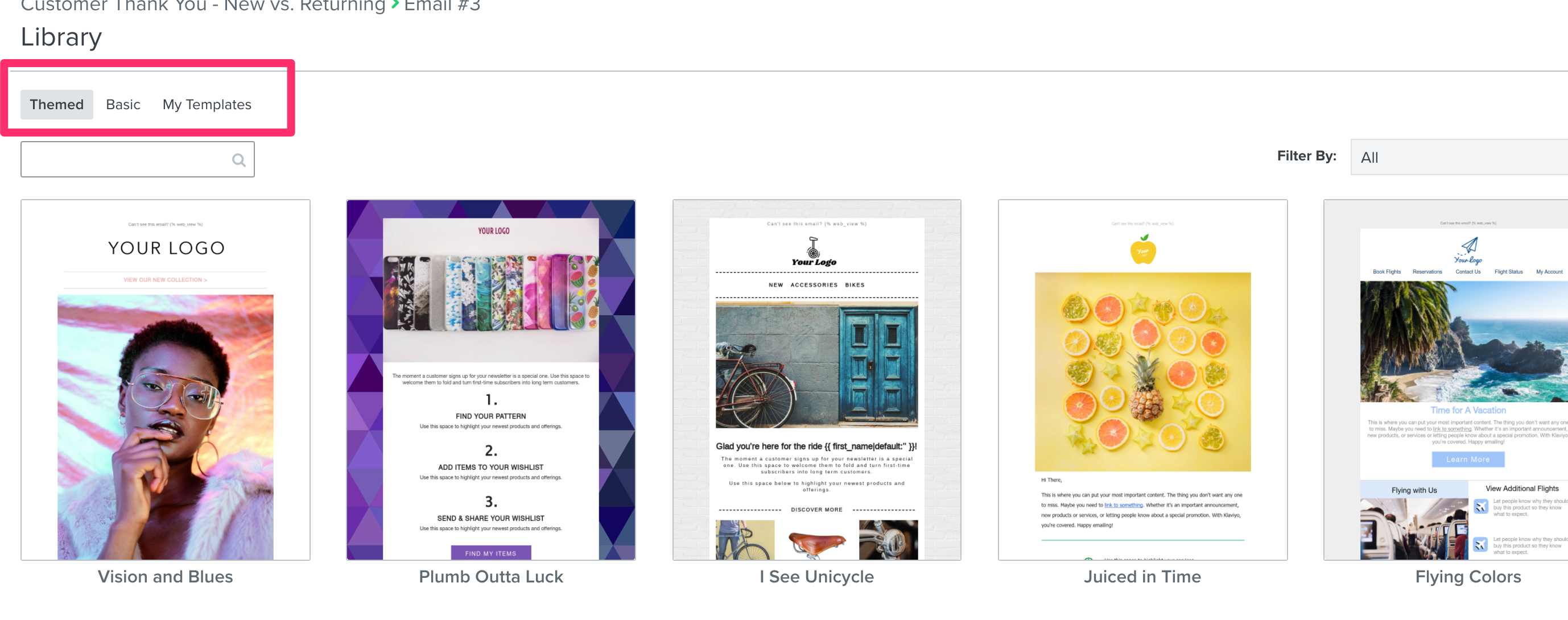
For the second email, you should look into using dynamic coupon codes for Shopify. When you add a net-new email and click “Configure Content”, you’ll have the option to use Klaviyo’s default themed or basic templates, you can also use previously saved templates in your new email in this flow. You should add a unique coupon code into this email using the above guide.
For the third email, you can simply clone the 2nd email and change the wording around slightly. Or, you can use an existing template, or create a new one from scratch. If you reference the same coupon code in the email (as long as it’s not expired) it will display the same unique coupon code again in both emails. For example, say you have a coupon code that is valid for 10 days and it is contained in email number 2. You send email number 2 and then 8 days later, email number 3 sends, the same unique coupon code will be displayed in email number 2 & email number 3.
I hope that helps! Thanks for being a valued member of our Community.
Thanks for sharing your question with the Klaviyo Community.
You can start by using the default Custom Thank You flow from the flows library. You can access the flows library by navigating to the Flows tab > Create Flow (top-right) > search for the name “Customer Thank You”.
This will automatically create a flow with 2 emails, one catered for new buyers thanking them for their purchase and a second email catered to repeat buyers, thanking them for their repeat purchase.
This is a great starting flow template to achieve the goal of your first email. From here, you have the freedom to add additional emails to your flow.
For the second email, you should look into using dynamic coupon codes for Shopify. When you add a net-new email and click “Configure Content”, you’ll have the option to use Klaviyo’s default themed or basic templates, you can also use previously saved templates in your new email in this flow. You should add a unique coupon code into this email using the above guide.
For the third email, you can simply clone the 2nd email and change the wording around slightly. Or, you can use an existing template, or create a new one from scratch. If you reference the same coupon code in the email (as long as it’s not expired) it will display the same unique coupon code again in both emails. For example, say you have a coupon code that is valid for 10 days and it is contained in email number 2. You send email number 2 and then 8 days later, email number 3 sends, the same unique coupon code will be displayed in email number 2 & email number 3.
I hope that helps! Thanks for being a valued member of our Community.
I’ve followed your instruction and this is how it’s been implemented.
Now I’m thinking about deleting the part which is circled in RED. Because I want to create a separate flow for repeated buyers. Where I would use the same flow example as on the picture below, but what changes on this one is that this should be triggered when this repeated buyer order something for the 3rd or 5th time. And I want to automatically add these buyers to a “VIP” list.
Is what I’m saying above possible with the “Thank You” flow?
That can be definitely done in the welcome flow. You’ll need to use the conditional split’s to break out the paths based on the criteria you set (ie. order 1, order 2, order 3+, etc.).
You can definitely have a separate flow for that, but from my experience, it may be easier to have the splits in the same flow so you can easily visualize where your subscribers are being sent in their journey.
For adding people to a VIP list, you can use an action to update a profile property (ie. VIP = TRUE) and then have a segment based on that property OR just have a segment based on conditions you have set for VIP’s (ie. more than 5 orders within a year):
Also, some unsolicited feedback on pushing a promo so quickly after ordering, think through if it may be too off-putting in your customers journey. But, I don’t know what your product is or the nature of your customers buying pattern.
But, I’d recommend think long term relationship vs short term revenue. It’ll pay off, I’ve been there :)
To automatically remove a custom from a flow if they’ve returned or cancelled their order, you can use the flow filters of “What someone has done, Cancelled Order zero times since starting this flow AND What someone has done, Refunded Order zero times since starting this flow”.
Since flow filters are evaluated at every step of the flow, customers who cancel or refund an order with these two flow filter rules in place would automatically be removed from the flow and considered skipped.
Great call out! Thank you for correcting me as I had meant for the rule to read “What someone has done, Cancelled Order zero times since starting this flow AND What someone has done, Refunded Order zero times since starting this flow”.
I’ve since gone ahead and edited my previous comment to reflect this as well!
Thanks for being a member of the Klaviyo Community!
That can be definitely done in the welcome flow. You’ll need to use the conditional split’s to break out the paths based on the criteria you set (ie. order 1, order 2, order 3+, etc.).
You can definitely have a separate flow for that, but from my experience, it may be easier to have the splits in the same flow so you can easily visualize where your subscribers are being sent in their journey.
For adding people to a VIP list, you can use an action to update a profile property (ie. VIP = TRUE) and then have a segment based on that property OR just have a segment based on conditions you have set for VIP’s (ie. more than 5 orders within a year):
Also, some unsolicited feedback on pushing a promo so quickly after ordering, think through if it may be too off-putting in your customers journey. But, I don’t know what your product is or the nature of your customers buying pattern.
But, I’d recommend think long term relationship vs short term revenue. It’ll pay off, I’ve been there :)
The welcome flow has been setup like this and now the First Time buyers will get an email congratulating them followed by offering a temporary one time discount code. I’m sure this one is good.
For the repeated buyers, I’ve used the conditional split within the welcome flow as you suggested, and when they have shopped with us for the 7th time, they will receive a different discount that’s also temporary and can only be used once.
Is what I’ve done with the conditional split for the repeated buyers good or am I missing anything?