


Contributor III
June 4, 2025
Solved

Help! Erased text on the confirmation page for Subscription.

  • June 4, 2025
  • 9 replies
  • 152 views

I have accidentally erased the text when changing the font style on the `confirmation page´step of the Subscribe page. Can anyone share the default text or a screenshot for that second step as I wanted to use the default text and just change the font type. Also does anyone know if there is a way to undo options once the platform has autosaved. Can't seem to find an undo or back button which is frustrating when you change things by mistake as it is pretty quick to save the new changes.
Thanks.

 

    Best answer by emma.owens

    Hi ​@KatyOakes ! 

    Thank you for reaching out to the Community! I’ve gone ahead and submitted a support ticket for you as this is unexpected behavior. Our team will be reaching out shortly via email! :) 

    9 replies

    NicolineLage
    Partner - Gold
    Partner - Gold
    June 4, 2025

    Hi ​@KatyOakes 

    Welcome to the community - we’re here to help you🌞🌞

    The confirmation text looks like this: 

    Confirm your email

    We just sent you an email to confirm your subscription. To finish signing up, please click the confirmation link in the email.

    Nicoline Lage - Klaviyo Gold Partner & Marketing Automation Specialist at Searchmind
    KatyOakesAuthor
    Contributor III
    June 4, 2025

    Is that all it says on that page, is it possible to see a screenshot?

    NicolineLage
    Partner - Gold
    Partner - Gold
    June 4, 2025
    This is a screenshot. I just realized I unfortunately deleted some of the text in my original answer. Sorry about that. I hope this helps.


    Nicoline Lage - Klaviyo Gold Partner & Marketing Automation Specialist at Searchmind
    KatyOakesAuthor
    Contributor III
    June 4, 2025

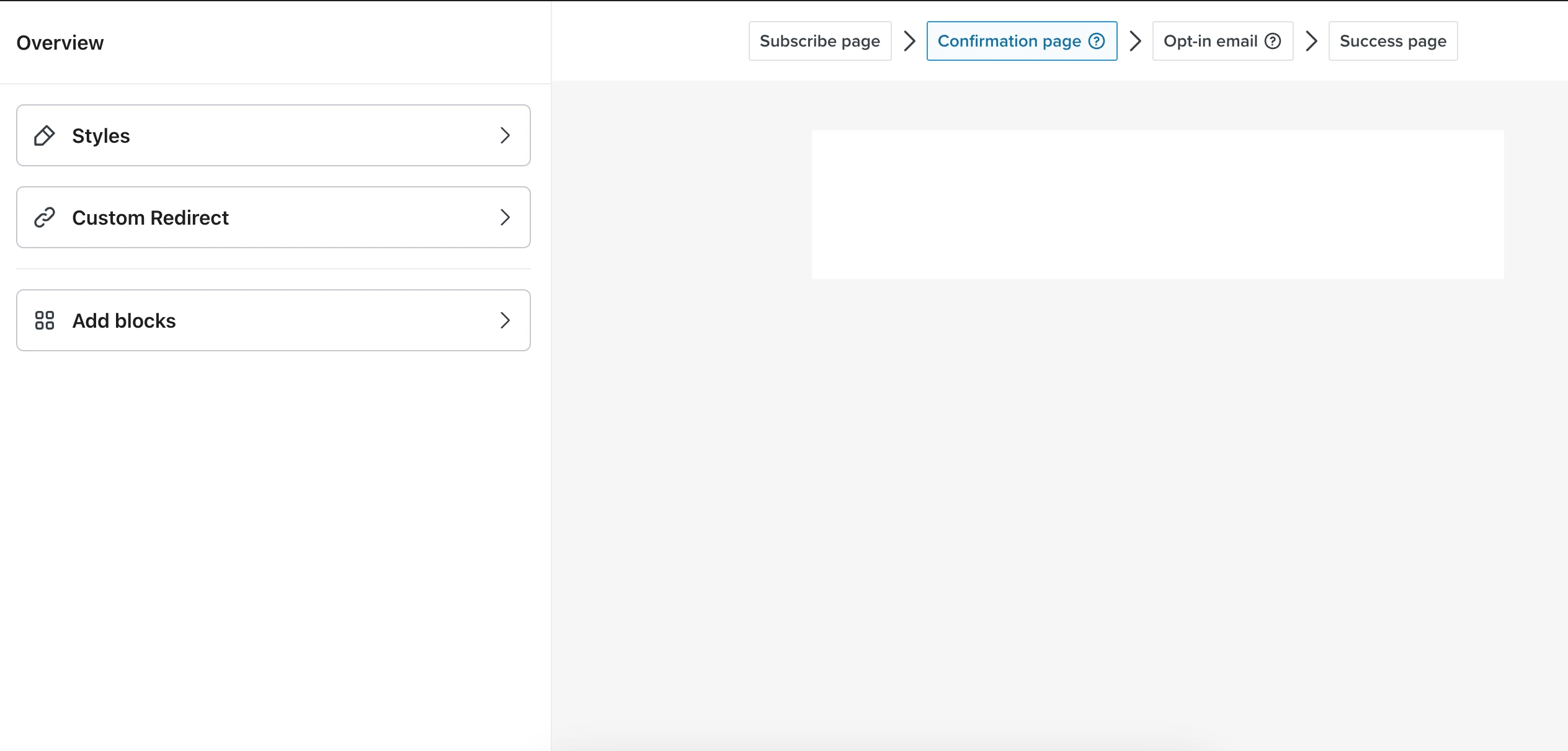
    I have just realised that I had deleted the text box on this page completely and can´t add it back, not sure if this is as I am on a free Klaviyo plan. I have followed the steps suggested by the chat bot but can´t seem to solve the issue of being able to add a text box with the drag and drop feature. I am not ready to upgrade to a higher level account yet so don´t have access to live chat or email support but not sure how to add text back to this page, it´s completely empty. Anyone know otherwise if there is a way to reset the whole page sequence otherwise customers will get stuck on this step and I can´t seem to find any guidance on how to fix it. 😞

    NicolineLage
    Partner - Gold
    Partner - Gold
    June 4, 2025

    Hi ​@KatyOakes 

    This might be a case of the system not working properly right now. Have you tried signing out and signing in again and see if this works? You should be able to add a text box to this page.

    Nicoline Lage - Klaviyo Gold Partner & Marketing Automation Specialist at Searchmind
    KatyOakesAuthor
    Contributor III
    June 4, 2025

    Hi ​@KatyOakes 

    This might be a case of the system not working properly right now. Have you tried signing out and signing in again and see if this works? You should be able to add a text box to this page.

    Yes, and also signing in through a different browser.

    NicolineLage
    Partner - Gold
    Partner - Gold
    June 4, 2025

    Hi ​@KatyOakes 

    This might be a case of the system not working properly right now. Have you tried signing out and signing in again and see if this works? You should be able to add a text box to this page.

    Yes, and also signing in through a different browser.

    Sorry, I have not experienced this before and neither have my colleagues. Hope someone else can add to this issue.

    Nicoline Lage - Klaviyo Gold Partner & Marketing Automation Specialist at Searchmind
    KatyOakesAuthor
    Contributor III
    June 4, 2025


    Sorry, I have not experienced this before and neither have my colleagues. Hope someone else can add to this issue.

    Maybe there could be a way to reset this sequence? Otherwise that step is blank and customers won´t see anything 😯

    emma.owens
    Community Manager
    Community Manager
    June 5, 2025

    Hi ​@KatyOakes ! 

    Thank you for reaching out to the Community! I’ve gone ahead and submitted a support ticket for you as this is unexpected behavior. Our team will be reaching out shortly via email! :)