June 3, 2023
Solved

How can I change my 'send-from' email for my account?

  • June 3, 2023
  • 1 reply
  • 1475 views

We have created a sign up form. I changed the system email address, but it still sends the old email address in the email. I also corrected the address manually in editable e-mails. I want to know where I can edit the e-mail that the system sends when the customer has subscribed to the newsletter?

Many thanks for help!
    This topic has been closed for replies.
    Best answer by Taylor Tarpley

    Hi there @johlep,


    Welcome to the Community, happy to help! 


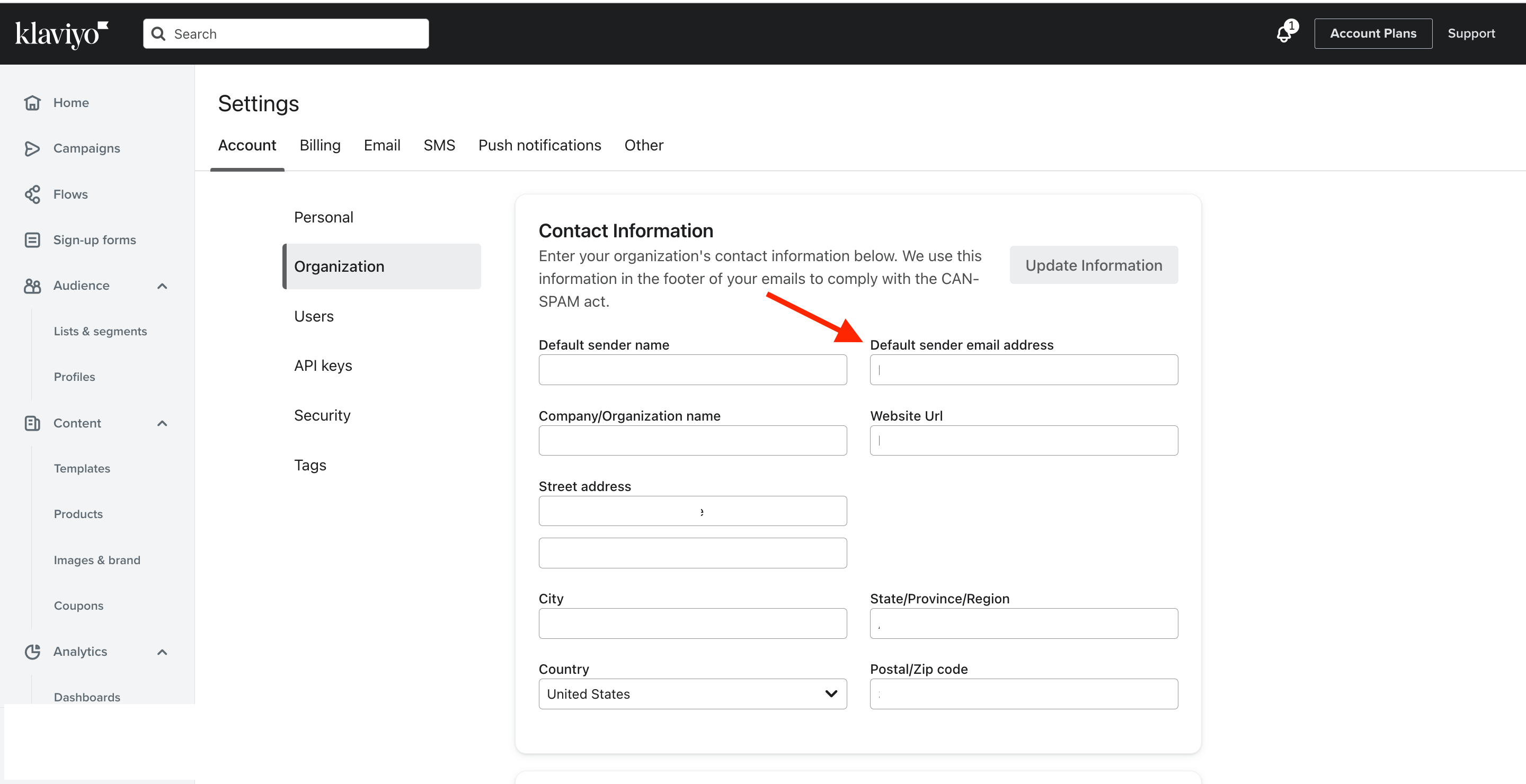
    You can change your organization’s send from email by navigating to your setting > account > organization. Here you’ll find your default sender email address and can update the information accordingly. This is the default sending address that will be populated when you create a new campaign. 


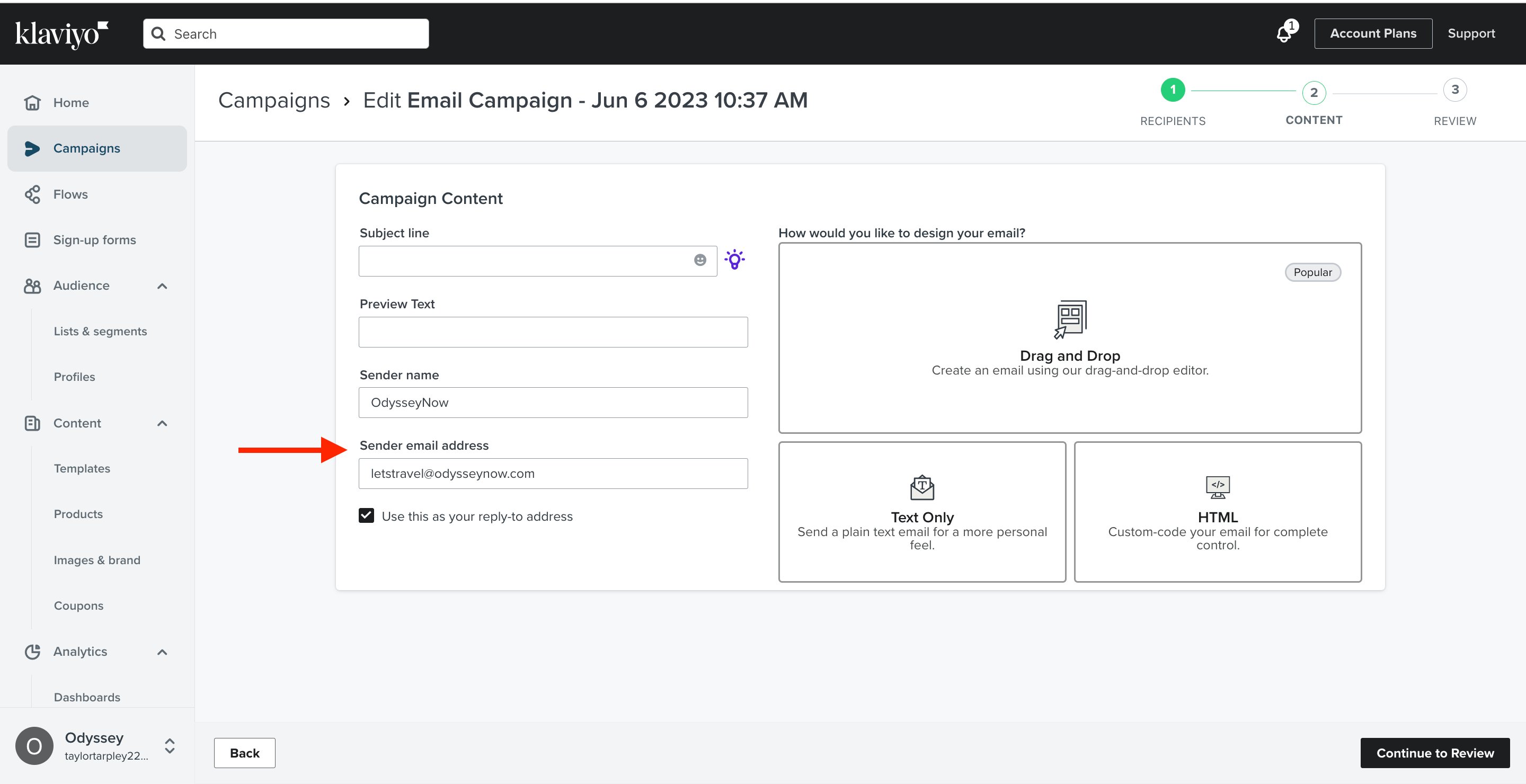
    Additionally, you can choose to override this at the creation stage of your campaign by replacing the default sending address with one that you would like the campaign to be sent from.


    Thanks for participating in the Community!

    -Taylor

    1 reply

    Taylor Tarpley
    Community Manager
    Community Manager
    June 6, 2023

    Hi there @johlep,


    Welcome to the Community, happy to help! 


    You can change your organization’s send from email by navigating to your setting > account > organization. Here you’ll find your default sender email address and can update the information accordingly. This is the default sending address that will be populated when you create a new campaign. 


    Additionally, you can choose to override this at the creation stage of your campaign by replacing the default sending address with one that you would like the campaign to be sent from.


    Thanks for participating in the Community!

    -Taylor