Contributor II
May 27, 2023
Solved

How can I create a browse abandonment flow with multiple items?

  • May 27, 2023
  • 1 reply
  • 803 views

Hi. I am new to klaviyo and I have a question please.

We are using magento 2 integration.

In our previous email marketing platform we had the ability when someone entered the browse product flow to loop in items which are sent in the email ( up to 3 products)

For example:

a client walk in our site and see 3 different product pages.

All these three products then were inserted in the browse abandon emails.

Now here I see the option only to collect 1 product to sent in the mail.

Is it possible to get more products from client’s path and insert them in the emails as a loop?

Thanks

    This topic has been closed for replies.
    Best answer by Taylor Tarpley

    Hi there @giannisgz


    Welcome to the Community! Great question!


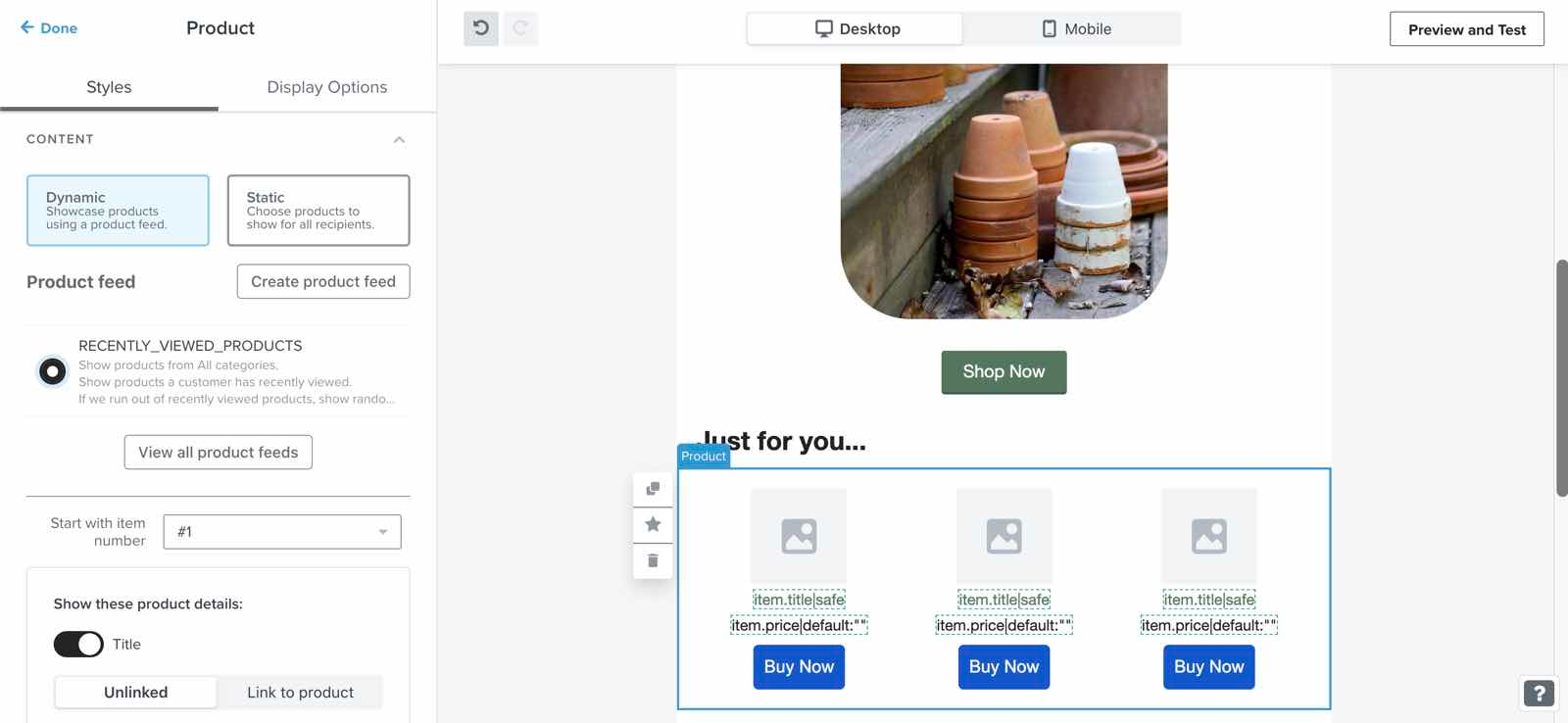
    Our native browse abandonment flow does only trigger one item that a user viewed before leaving it behind because they are only viewing one page/item when they trigger the ‘Viewed Product’ flow trigger. However, you can definitely reconfigure your Browse Abandonment emails to show multiple items a user viewed before leaving your site, by following our documentation here. Essentially, once you sync your product catalog, you will add a product block into your email template and say how many items you want to show in the block.
     

    In order to set your emails in this way, make sure you have these two aspects set up before you build this kind of Browse Abandonment flow.


    Additionally, as your new to Klaviyo and using Magento 2, I’d recommend joining a user group based on your industry and learn from your peers in our Show and tell section as well as the additional resources below!


    Thanks for participating in the Community!

    -Taylor

    1 reply

    Taylor Tarpley
    Community Manager
    Community Manager
    May 30, 2023

    Hi there @giannisgz


    Welcome to the Community! Great question!


    Our native browse abandonment flow does only trigger one item that a user viewed before leaving it behind because they are only viewing one page/item when they trigger the ‘Viewed Product’ flow trigger. However, you can definitely reconfigure your Browse Abandonment emails to show multiple items a user viewed before leaving your site, by following our documentation here. Essentially, once you sync your product catalog, you will add a product block into your email template and say how many items you want to show in the block.
     

    In order to set your emails in this way, make sure you have these two aspects set up before you build this kind of Browse Abandonment flow.


    Additionally, as your new to Klaviyo and using Magento 2, I’d recommend joining a user group based on your industry and learn from your peers in our Show and tell section as well as the additional resources below!


    Thanks for participating in the Community!

    -Taylor