Contributor I
May 24, 2023
Solved

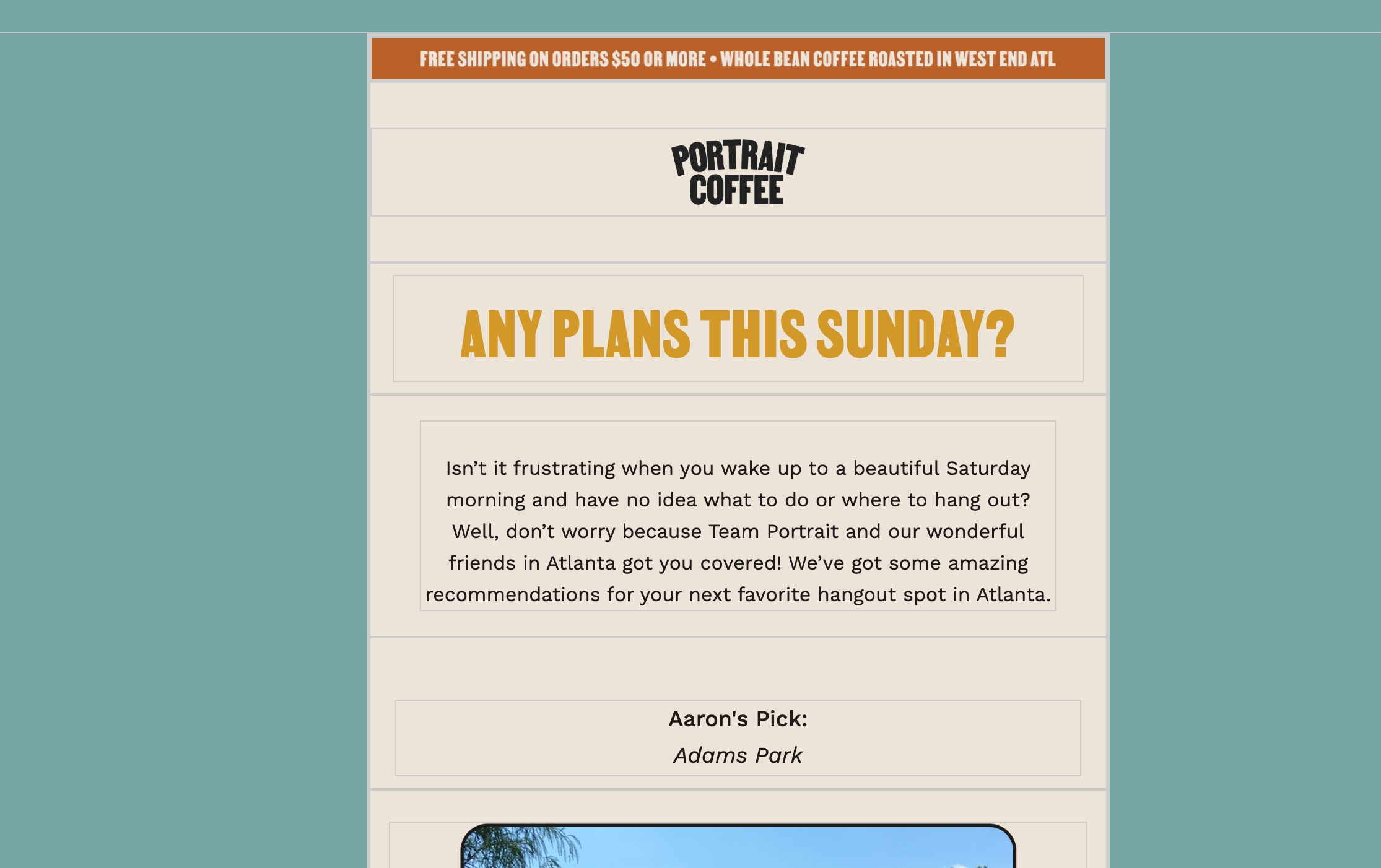
How can I get rid of these gray border lines everywhere?

  • May 24, 2023
  • 12 replies
  • 6470 views


Best answer by Taylor Tarpley

Hi there @christinemassiel


Welcome to the Community! Happy to help! 


Additional styling like this can happen when copying and pasting from an external source (such as Outlook) where unknown styling is hiding in the blocks. To fix this issue, click the 'Clear Styles' option and these gray boxes should disappear. I’d recommend checking out this helpful thread written by a member of our template team below for more insight! 


In the future, ensure you are pasting as plain text or paste and then remove formatting immediately. 


Thanks for participating in the Community!

-Taylor 

12 replies

Contributor I
October 29, 2024

Hello, I’m having similar issues with gray lines that appear in my email. However, none of the solutions presented here have helped. I do not paste with formatting ever. I cleared all formatting. The box continues to show up. It also shows up in templates that have been cloned once the content is changed, even though the original didn’t have it. I’m at a loss as to how to prevent this with Outlook, and Outlook is a large portion of our email clients. Oddly this is happening more and more often when it wasn’t an issue 2 months ago. Any help would be appreciated. I already tried Klaviyo support.

Contributor I
March 16, 2026

Check if the borders align with section borders. For me that was the issue. I can only have 1 section per template that has everything. All section borders are visible otherwise, which is problematic in white/light background templates.