For example, I am using #5168C0 for my button color in my email, and I’d like to have the block background color be 20% opacity of that hex color. Is it possible to set that? Right now I am choosing a second hex color, but I will have to pass this template on to another team member and for simplicity sake, I don’t want them having to choose two colors.
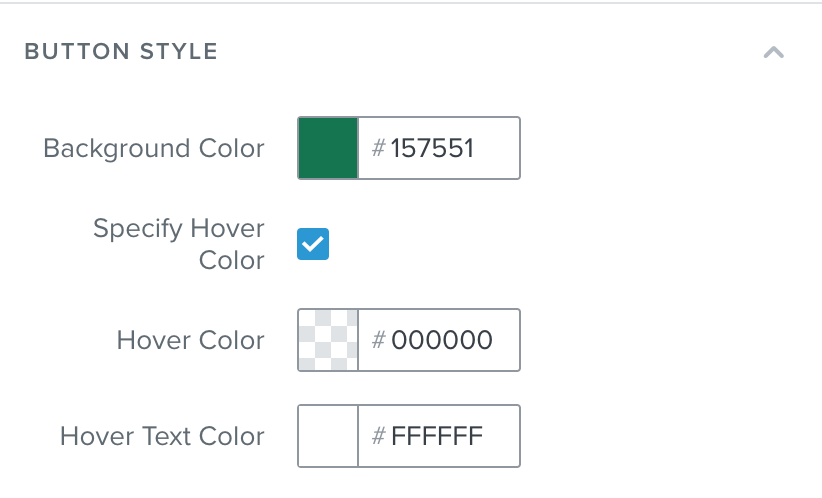
For a button, in your signup form editor, you should see the option to specify a hover color and then from there you can drag the opacity slider to the far left to create a transparent layer.
I would like to note, applying text blocks and button blocks over images is only possible within the New Editor. That being said, we don't currently have a feature that allows you to lower the opacity of the background color for those blocks.
We do also offer the option to import custom HTML template if you are able to achieve this outside of Klaviyo and would like to use the custom template. More on this here: How to import a custom HTML template.
Please note, while our product does support custom HTML, our support team cannot help you build out your custom templates or troubleshoot them for you.
For a button, in your signup form editor, you should see the option to specify a hover color and then from there you can drag the opacity slider to the far left to create a transparent layer.
I would like to note, applying text blocks and button blocks over images is only possible within the New Editor. That being said, we don't currently have a feature that allows you to lower the opacity of the background color for those blocks.
We do also offer the option to import custom HTML template if you are able to achieve this outside of Klaviyo and would like to use the custom template. More on this here: How to import a custom HTML template.
Please note, while our product does support custom HTML, our support team cannot help you build out your custom templates or troubleshoot them for you.
Glad I could help! That is indeed on our product team’s list on the feature requests. Although I cannot provide an exact timeline, the more community members create feature requests posts, the more likely they will highly prioritize them!