


Julia.LiMarzi
Klaviyo Employee
Klaviyo Employee
November 27, 2020

How do I install and publish a Klaviyo signup form on my website?

  • November 27, 2020
  • 18 replies
  • 2703 views

If you have an ecommerce integration with Shopify, BigCommerce, WooCommerce, or Magento, the first step has likely already been completed during your ecommerce integration setup of Klaviyo's Web Tracking. The integrations listed above automatically install klaviyo.js when you set up our built-in integration.

If you don’t use one of the above integrations or did not install Klaviyo’s Web Tracking, you’ll need to install the klaviyo.js below in your store’s main code.

<script type="text/javascript" async src="https://static.klaviyo.com/onsite/js/klaviyo.js?company_id=Public API Key"></script>

Be sure to replace Public API Key with your specific API Key which you can find in your Account > Settings > API Keys.

Once you have this installed, all you need to do is navigate to the Signup Forms tab and create your form. If it's a popup or flyout all you need to do is set it Live and click Publish.

If it's an embedded form, there is one extra step: copying and pasting the provided <div> tag anywhere on your website that you want the embedded form to show.
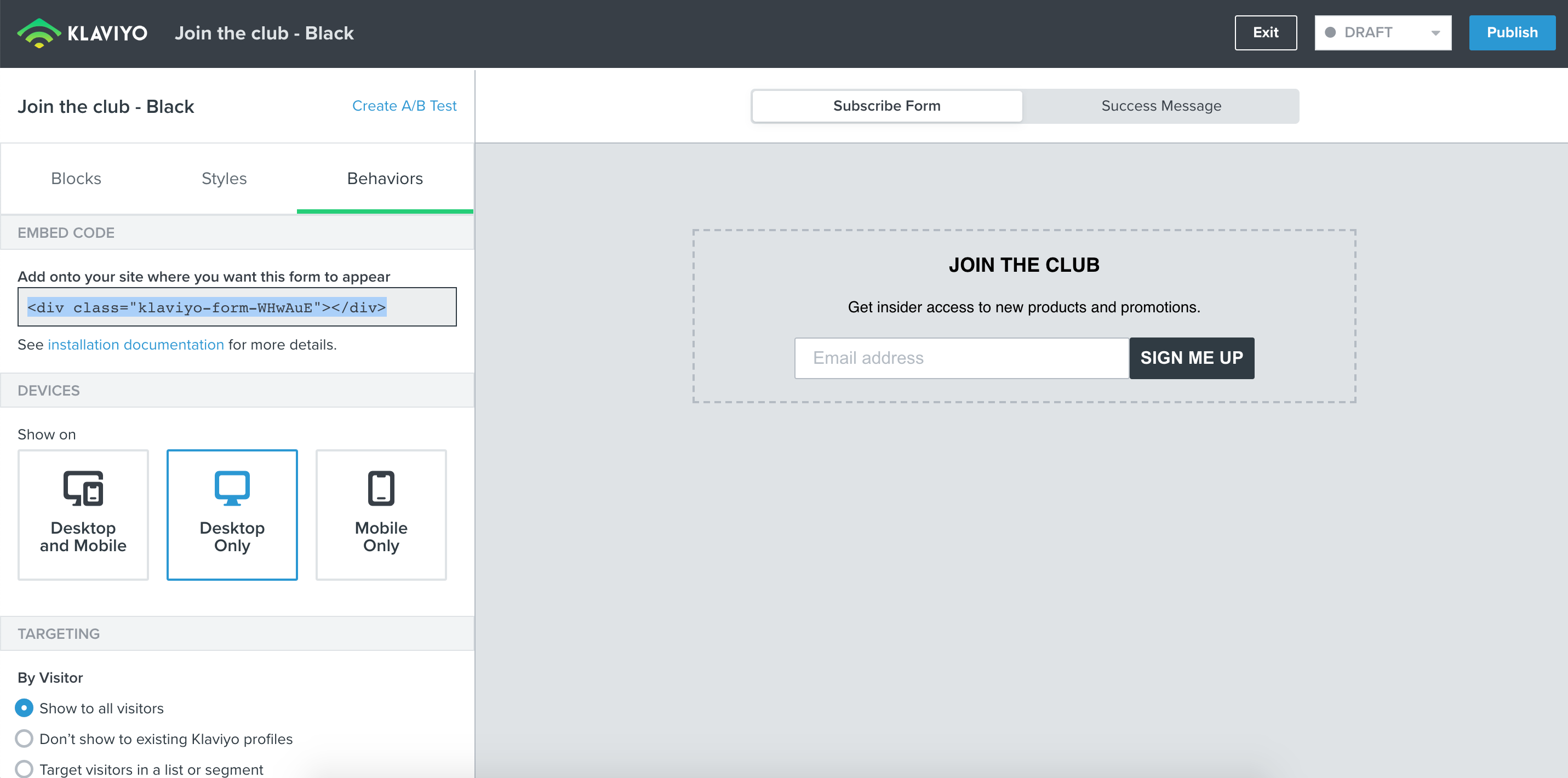
 

Head to our article on Install Klaviyo Signup Forms for more information and a step-by-step guide. 

And if you’re ready to start creating your first forms, checkout our Overview of the Signup Form Builder for a closer look at all the options available to make your form unique for your site.

This topic has been closed for replies.

18 replies

Contributor I
December 21, 2020

I’m really confused about the form integration on Woo. Installed the app, so it says don’t need to install the code, created a popup form in Klaviyo but how to you get the popup form on your site? I don’t understand that process, and it’s confusing because there’s not a lot of documentation for woo. I know I can create popups in Elementor, but I would rather use Klaviyo because I’m having issues.

Julia.LiMarzi
Klaviyo Employee
Klaviyo Employee
December 21, 2020

Hi @hartscott, happy to try and clear up any confusion! 

If you have successfully integrated your WooCommerce store with Klaviyo, web tracking should be installed as well. You can verify that web tracking is correctly installed by following the steps for testing your web tracking.

When you’ve verified that web tracking is installed, you will be able to publish any popup or flyout forms created in Klaviyo by clicking Publish within the Form Editor—no additional steps required. Your forms will then appear based on the behavioral parameters you set under the form’s Behaviors tab.

I recommend testing your form in an incognito browser to make sure it is appearing when you want it to. 

-Julia
Contributor I
December 21, 2020

Web tracking is automatically installed via the app and api keys?

Julia.LiMarzi
Klaviyo Employee
Klaviyo Employee
December 21, 2020

Web tracking is automatically installed via the app and api keys?

Yes, that should be the case!

-Julia
Contributor I
December 21, 2020

I can get embedded fine, it’s reading data, which means that it’s properly working, but popups are a no go….

Julia.LiMarzi
Klaviyo Employee
Klaviyo Employee
December 22, 2020

@hartscott It is possible it’s related to the settings in the behaviors tab. If you share a screenshot of the behaviors you have set for your form I’d be happy to take a look and see if we can figure it out together. 

-Julia
Contributor II
January 4, 2021

@Julia.LiMarzi hey there. it states integration and sign up form successful; however, it is not popping up on my site. I have behaviors on pop up for all. Please assist.

Julia.LiMarzi
Klaviyo Employee
Klaviyo Employee
January 4, 2021

@jaz I’d recommend checking out our signup form troubleshooting guide and seeing if that can help work through the issue. For example, Klaviyo forms will not appear on Internet Explorer, ensuring you are viewing your site on the device your form is set to show on, or making sure you’ve set your form to publish (you’d be surprised how easy this is to miss! :smile: ).

Since there a lot of variables you can adjust with Klaviyo’s behavorial settings, it’s important to make sure you follow any of the behaviors you set in your form editor when testing. 

If you find you are still having issue viewing the signup form though, let us know here and we can continue to walk through and investigate together. A screenshot of the Behaviors tab for the form in question is super helpful to see what’s going one within the form.

-Julia
Contributor II
January 4, 2021

@Julia.LiMarzi  thank you so much for responding. 

I think I found the problem lol. I didn’t add the snippet believing it did it itself upon publishing. However, I'm confused on this api part that makes the snippet work. Attached is the behaviors screenshot.

Julia.LiMarzi
Klaviyo Employee
Klaviyo Employee
January 4, 2021

@jaz Thanks for including the screenshot!

For an embedded form like this one, you’ll need to copy that snippet of code and add it to your website’s theme where you want the form to appear specifically. For example, the footer of your site is a common location for embedded signup forms, or within a dedicated landing page. The form will only show where the snippet has been added. This guide can help walk through how and where to paste a form’s embed code.

So if you publish the form but do not have the snippet added anywhere within your site code, it will not show. And if you add the code to your site, but unpublish the form it will not show then either. Both conditions need to be met for an embedded form to appear on site. 

-Julia