


Julia.LiMarzi
Klaviyo Employee
Klaviyo Employee
November 27, 2020

How do I install and publish a Klaviyo signup form on my website?

  • November 27, 2020
  • 18 replies
  • 2703 views

If you have an ecommerce integration with Shopify, BigCommerce, WooCommerce, or Magento, the first step has likely already been completed during your ecommerce integration setup of Klaviyo's Web Tracking. The integrations listed above automatically install klaviyo.js when you set up our built-in integration.

If you don’t use one of the above integrations or did not install Klaviyo’s Web Tracking, you’ll need to install the klaviyo.js below in your store’s main code.

<script type="text/javascript" async src="https://static.klaviyo.com/onsite/js/klaviyo.js?company_id=Public API Key"></script>

Be sure to replace Public API Key with your specific API Key which you can find in your Account > Settings > API Keys.

Once you have this installed, all you need to do is navigate to the Signup Forms tab and create your form. If it's a popup or flyout all you need to do is set it Live and click Publish.

If it's an embedded form, there is one extra step: copying and pasting the provided <div> tag anywhere on your website that you want the embedded form to show.
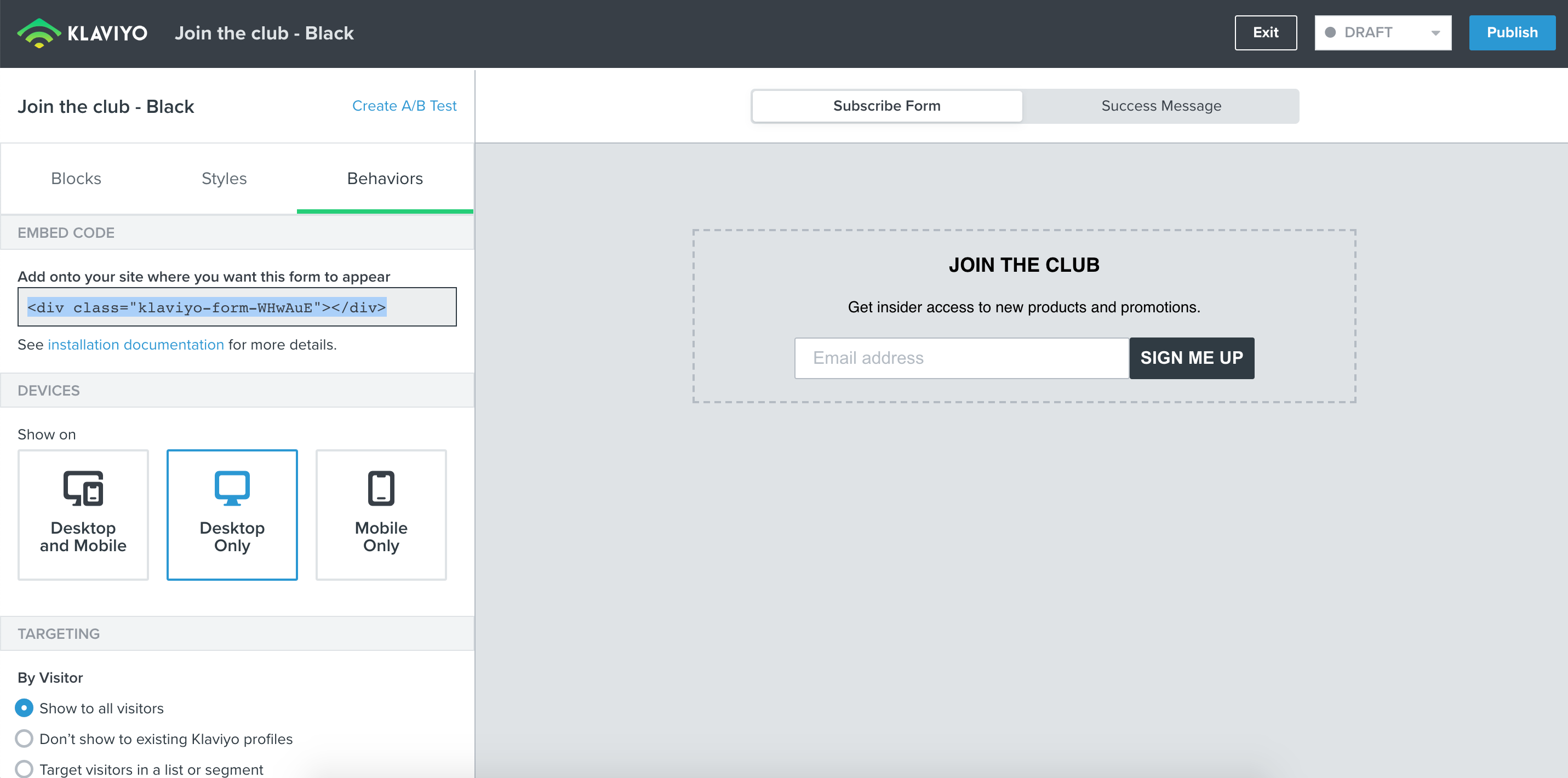
 

Head to our article on Install Klaviyo Signup Forms for more information and a step-by-step guide. 

And if you’re ready to start creating your first forms, checkout our Overview of the Signup Form Builder for a closer look at all the options available to make your form unique for your site.

This topic has been closed for replies.

18 replies

Contributor II
January 4, 2021

@Julia.LiMarzi I was intending for it to be like a pop up when coming on my site. is this not an option?


I figured it out. sorry about that.

Julia.LiMarzi
Klaviyo Employee
Klaviyo Employee
January 4, 2021

@Julia.LiMarzi I was intending for it to be like a pop up when coming on my site. is this not an option?


I figured it out. sorry about that.

No worries, great that you figured it out! I’m gonna go ahead and answer your question about changing form types though for others who may come across this post in the future:

When creating a signup form in Klaviyo, you’ll be prompted to select what type of form (Popup, Flyout, or Embed) you’d like to create first before designing your form. 

But if you change your mind while editing, you can easily toggle between the form types in the Styles tab of the Form Editor. 

The form will optimize for each form type, but be sure to review you form’s design and behavioral settings, as different options will become available for each form type. 

-Julia
Contributor I
April 2, 2021

Hi Julia,

I have created a new shopify page, which I intend to dedicate as a sign-up landing page; but can’t seem to find any guide as to where to embed the snippet and the code, to make sure it appears on the page? 
 

thanks,

adeline

Contributor I
April 4, 2021

If I use a page builder program (GemPages, PageFly, Shogun, etc.) does the snippet go into the landing page and it will be active and collect emails the same as if I added the snippet on an actual Shopify page?

David To
Klaviyo Employee
Klaviyo Employee
May 1, 2021

Hello @keepitsimple,

@skellam has a great post on troubleshooting signup forms here that may be able to assist you:

Other suggestions I would recommend double-checking when troubleshooting why a form is not displaying on your site:

  • Ensuring the Klaviyo form is set to Live.
  • Double checking the form behavior and settings - particularly the (Audience) Targeting and the Device Targeting settings.
  • Is the Klaviyo.js present on the same page you want the Klaviyo form to appear on?

-David

November 2, 2021

what if I am using pagefly as my homepage. I can’t find any help with embedding the code on page fly. I did custom html. I used the actual Klaviyo form that they had on pagefly and its not appearing. 

Taylor Tarpley
Community Manager
Community Manager
November 2, 2021

Hi @ehenderson


Thanks for sharing your question with the Community! Embedded codes are a great tool to gain more subscribers. 


To embed the code into your homepage, you will need to paste the code into your website’s website, given in the form’s behavior tab. However, display issues can arise when multiple .of our onsite javascript is added to one website. If you are having display issues, I would investigate your website code by navigating to your homepage and right clicking the ‘View Source Code’ option. Then hit control + F and type in ‘klaviyo’. If you find multiple lines of duplicate javascript in your site’s code, I would remove the duplicates and this should resolve this issue! 


For additional insight, this user had a similar issue with their Pagefly site. 


Thanks for being a part of the Community! 

-Taylor 

Contributor I
May 5, 2022

Hello, I’m using Klaviyo on our Magento 2 site. I have completed “Setup Web Tracking” and when I put our URL in, it shows connected. 

However, when I create sign-up form, it says that I need to put an additional line of code in?? Where does this line of code go? I’ve tried putting it in the main header file, but it just says “Unable to detect that signup forms are successfully installed on your site. Please view the installation documentation.”

The installation documentation says that I shouldn’t have to do this step as it should have happened at installation. So why isn’t it working then?

Any help would be greatly appreciated!