Contributor I
May 3, 2024
Solved

HOW DO I MAKE FULL SIZE GIF IN BLOCK FOR DESKTOP

  • May 3, 2024
  • 9 replies
  • 712 views
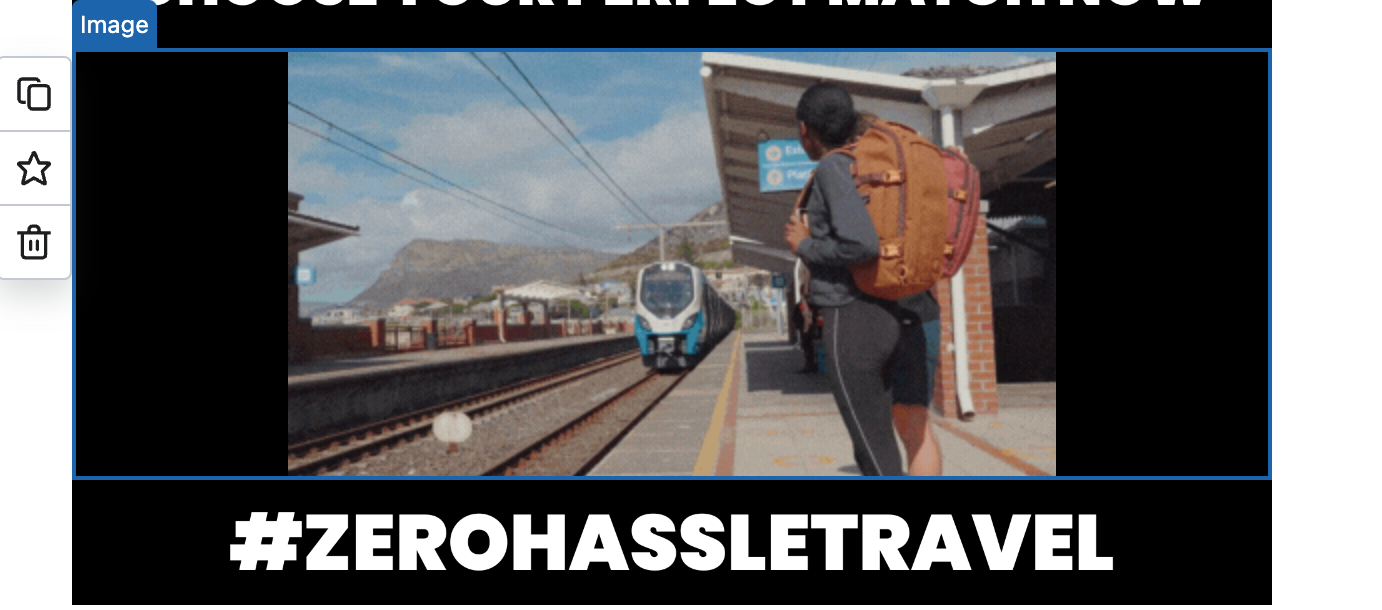
I import the gif for my newsletter, but I don't know why it is not full size for desktop version, can someone help me? :(( ( This is my first time using Klavio)

Β 

    Best answer by bluesnapper

    Welcome to the community @evelynΒ 

    Happy to try to help.

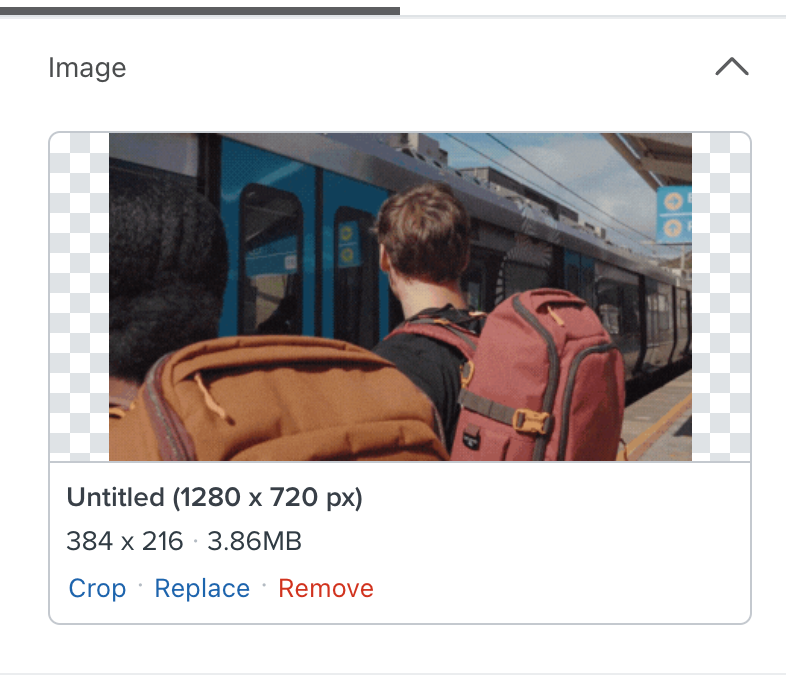
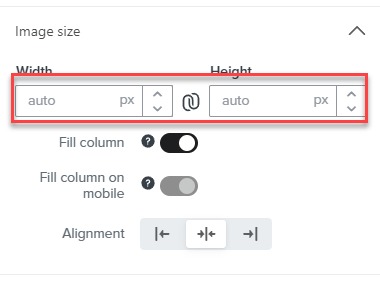
    You have the image size set to 384 x 216 so it will display in the email as that size. If you change the image size settings to auto (see below) it will fill the image block to the maximum width of your email.

    Also, I suggest you resize your image to reduce its file size.Β 3.8MB is big and will load slowly, particularly on a mobile.Β 600px wide is the usual max. for the desktop version, though for any smaller images, even better to re-size to that which will keep filesize down.

    Hope that helps

    Andy

    Β 

    9 replies

    bluesnapper
    Partner
    Champion & Partner
    May 3, 2024

    Welcome to the community @evelynΒ 

    Happy to try to help.

    You have the image size set to 384 x 216 so it will display in the email as that size. If you change the image size settings to auto (see below) it will fill the image block to the maximum width of your email.

    Also, I suggest you resize your image to reduce its file size.Β 3.8MB is big and will load slowly, particularly on a mobile.Β 600px wide is the usual max. for the desktop version, though for any smaller images, even better to re-size to that which will keep filesize down.

    Hope that helps

    Andy

    Β 

    https://bluesnapper.com - Klaviyo Champion '24 & Partner
    evelynAuthor
    Contributor I
    May 5, 2024

    Hello Andy,

    Thank you for your help.

    I've tried to do like you said but it do not work T.T

    It work with Image but the gif is not T.T How can I fix it? Thank you for helping me

    Contributor I
    May 8, 2024

    I have this same issue - my gif is set to auto but not covering the full column size.Β  Please help!Β 

    evelynAuthor
    Contributor I
    May 9, 2024

    Hello LauraK86, I can do it now, my method is compress the video in Veed (https://www.veed.io/learn/how-to-compress-a-gif#TOC1) and I use ezgif to change from video to gif(https://ezgif.com/video-to-gif?err=expired) at compress videoyou should compress it lower than 1MB, maybe like 999kb and lower. I hope thiss helps ^^

    Contributor I
    May 10, 2024

    Thanks so much, Evelyn.Β  I tried this like you said but when I upload my Veed compressed video (around 900kb)Β to ezgif it creates a gif that is way larger in size (10MB) so then I can’t upload that to Klaviyo.Β  Any ideas why the compressed vid is expanding again in ezgif?

    Contributor I
    August 10, 2024

    I’m also having this issue. Compressing the gif does nothing and it is set to auto, with Fill Column toggled on. Any other ideas?

    Contributor I
    November 26, 2024

    I have the same problem every time I design an email. It's so frustrating!!! Please can Klaviyo fix this issue?????

    chloe.strange
    Community Manager
    Community Manager
    December 26, 2024

    ​@modeandaffaire,Β 

    I have sent this feedback to our product team. Thank you for sharing your feedback!

    ~Chloe

    kxe4
    Contributor III
    Contributor III
    January 10, 2025

    Has this issue ever been resolved? Having this same problem but on mobile