


Active Contributor II
June 20, 2023
Solved

How do I make my button block and content block line up?

  • June 20, 2023
  • 2 replies
  • 219 views

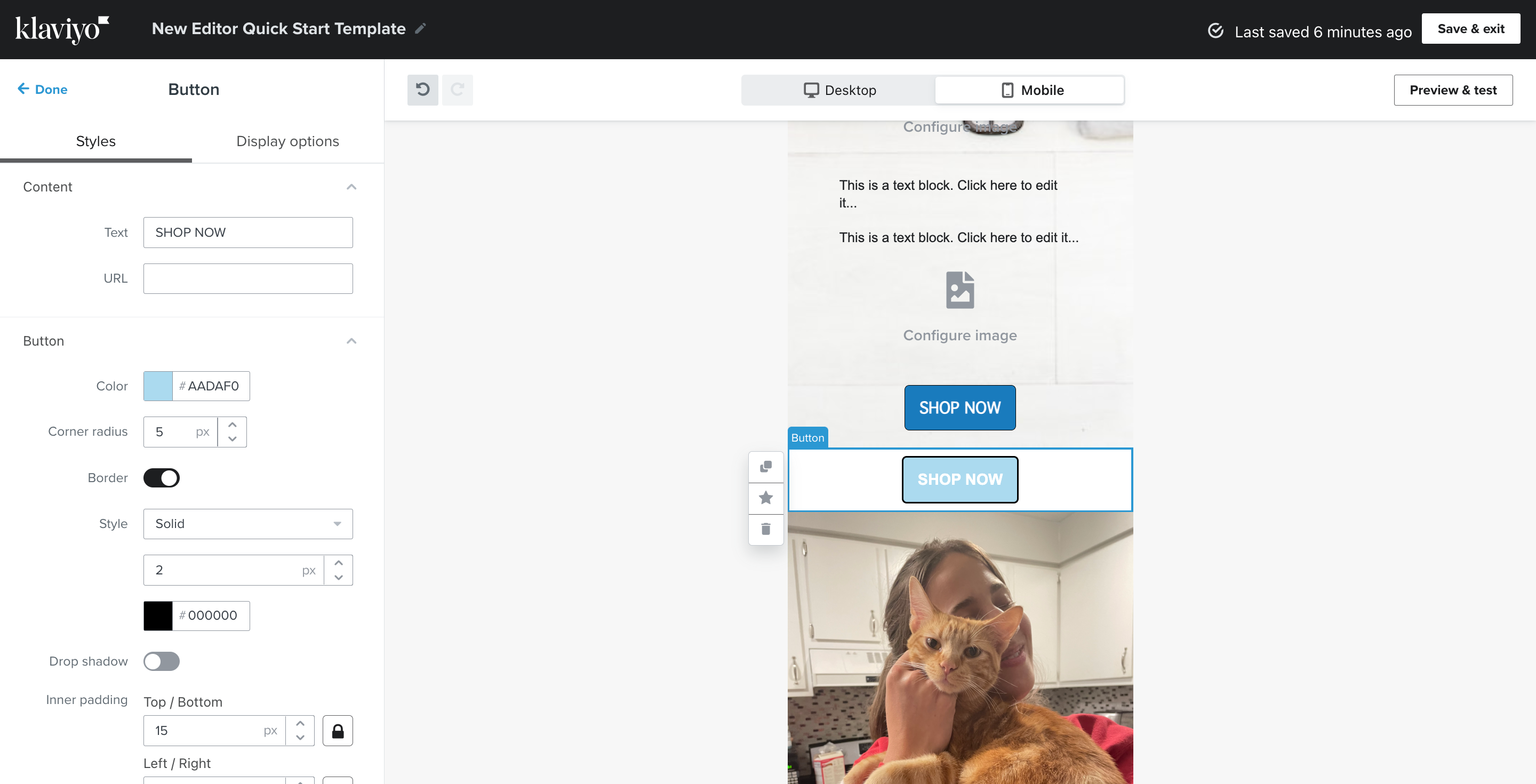
I am not sure why I can make a border around my content block but I can’t seem to doit for my button block. Currently, my email looks very silly and I would like to line it up so that it isn’t taking up the full width of the email.

    This topic has been closed for replies.
    Best answer by Taylor Tarpley

    Hi there @Vbeebs


    Thanks for sharing your question with us! Happy to help! 


    You can add a border to your button block by toggling on the option you see below!


    Additionally, when you mention ‘lining it up’, I would ensure you have the ‘full-width on mobile’ toggled off for each block if you don’t want your blocks to to reach the sides of your email! 


    Hope this helps!

    -Taylor

    2 replies

    Taylor Tarpley
    Community Manager
    Community Manager
    June 22, 2023

    Hi there @Vbeebs


    Thanks for sharing your question with us! Happy to help! 


    You can add a border to your button block by toggling on the option you see below!


    Additionally, when you mention ‘lining it up’, I would ensure you have the ‘full-width on mobile’ toggled off for each block if you don’t want your blocks to to reach the sides of your email! 


    Hope this helps!

    -Taylor

    Contributor I
    November 13, 2024

    I have the same question about the button box border, not the actual button border. I can’t find where that area can have a border added.