


Contributor I
March 23, 2021
Solved

How to edit the Confirm Your Subscription email?

  • March 23, 2021
  • 6 replies
  • 1955 views

hi i want to edit the confirm your subscription email but it not let me edit somefields in the email someone know how to edit it?
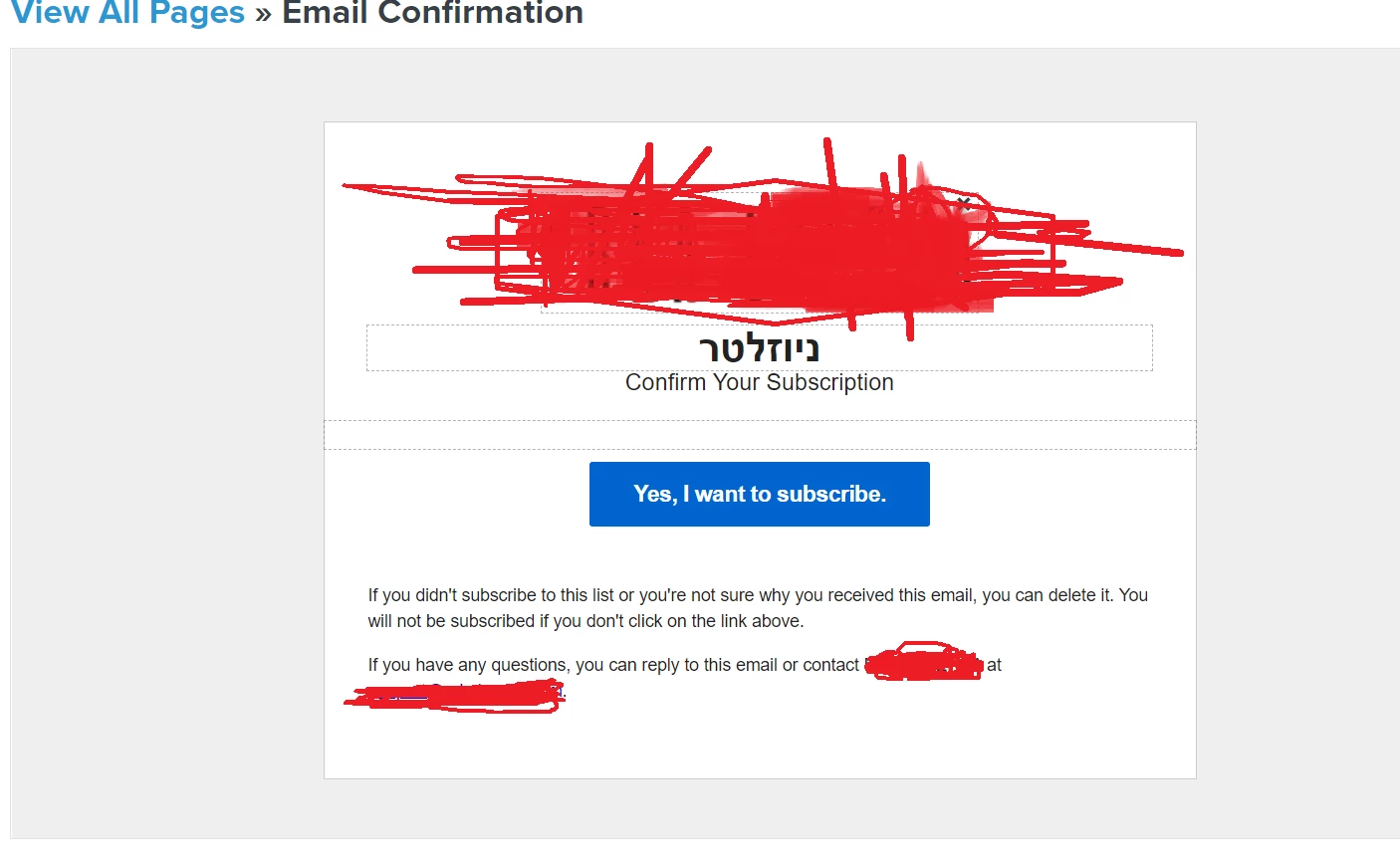
i can edit the button and the text down and the confirm your subscription how can i edit them?

    This topic has been closed for replies.
    Best answer by ashley_mcdermott

    Hello,

    Thanks for writing into the Community!

    In Klaviyo, there are certain aspects of opt-in related pages that can’t be modified. For details on what can and cannot be edited with this feature, I recommend looking at the following article: Understanding Opt-In Related Pages for a List. It also has a video tutorial that may be helpful while you go through this process!

    Best,

    Ashley

    6 replies

    ashley_mcdermott
    Klaviyo Employee
    Customer Ed.
    March 23, 2021

    Hello,

    Thanks for writing into the Community!

    In Klaviyo, there are certain aspects of opt-in related pages that can’t be modified. For details on what can and cannot be edited with this feature, I recommend looking at the following article: Understanding Opt-In Related Pages for a List. It also has a video tutorial that may be helpful while you go through this process!

    Best,

    Ashley

    AM
    ehud123Author
    Contributor I
    March 23, 2021

    Hello,

    Thanks for writing into the Community!

    In Klaviyo, there are certain aspects of opt-in related pages that can’t be modified. For details on what can and cannot be edited with this feature, I recommend looking at the following article: Understanding Opt-In Related Pages for a List. It also has a video tutorial that may be helpful while you go through this process!

    Best,

    Ashley

    can I do those people who subscribe don't need to approve theyre subscribe?

    ashley_mcdermott
    Klaviyo Employee
    Customer Ed.
    March 23, 2021

    From what it sounds like, you want to disable the double opt-in confirmation altogether, though correct me if I’m wrong! This is possible in Klaviyo, though we highly recommend having customers confirm their subscription via email as a way to maintain good deliverability and collect real, engaged profiles.

    That said, if you wish to remove the double opt-in process, follow these steps on setting up single opt-in. Once you do so, people will be added to your list without having to confirm their subscription in an email.

    AM
    Problem Solver I
    April 7, 2021

    This is really frustrating, i need to translate these fields! How do i do it?

    ashley_mcdermott
    Klaviyo Employee
    Customer Ed.
    April 7, 2021

    Hi @tropfenkontor, thanks for writing in - I’m sorry to hear about this frustration!

    To translate your list-specific pages, you will need to click into the specific list that your page is tied to and select Settings. Under Language, choose a language from the associated dropdown menu. Once the correct language is selected, click Update List Settings to save your changes. This will translate that content to your new boilerplate language (i.e., the default language that will be reproduced each time someone subscribes or unsubscribes to this list).

    Head to this article for a full list of available languages and to learn more about this process. If you are interested in learning more about Klaviyo’s support for different languages, currency, dates/timestamps, etc. you may also be interested in our Academy course on Running a Multinational Business

    I hope that proves helpful and have a great day!

    Best,

    Ashley

    AM
    Contributor I
    October 15, 2021

    Hi, 

    This e-mail is currently set to French to me. However, on my website I do have several languages and I would like this e-mail to be adapted to the language. How do I do that?


    Thank you