Solved

How to enable "View in Browser" and share email as a web page?

  • June 11, 2024
  • 3 replies
  • 2807 views

Forum|alt.badge.img+1

Where is the setting to enable the “View in Browser” feature?

I would like to use a link to share with certain individuals through a messaging app like WhatsApp.

Best answer by Maxbuzz

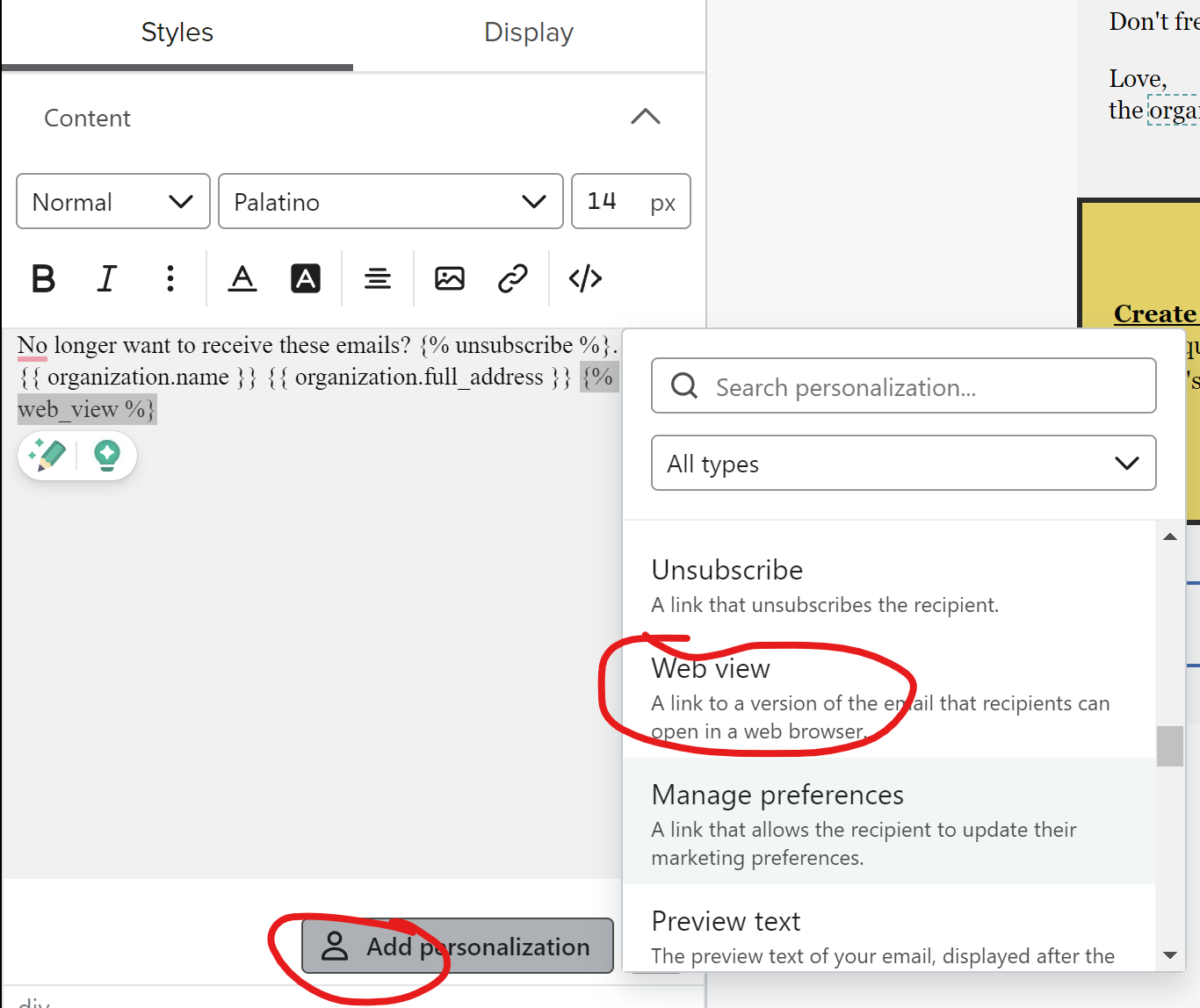
To add a "View in Browser" link to a Klaviyo email, go to the email editor → click Add personalization → select Web view. This inserts a {% web_view %} tag that generates a unique browser link per recipient. Important: this link is personalized. If you share it externally (e.g. via WhatsApp), all opens will be attributed to the original recipient.


3 replies

Forum|alt.badge.img+33
  • Partner
  • Answer
  • June 11, 2024

To add a "View in Browser" link to a Klaviyo email, go to the email editor → click Add personalization → select Web view. This inserts a {% web_view %} tag that generates a unique browser link per recipient. Important: this link is personalized. If you share it externally (e.g. via WhatsApp), all opens will be attributed to the original recipient.


why does it come up with this text after the link when i try to add it in the preview as well as the test email sent to myself?

style="color:rgb(247, 246, 242); text-decoration:underline">View In Your Browser


why does it come up with this text after the link when i try to add it in the preview as well as the test email sent to myself?

style="color:rgb(247, 246, 242); text-decoration:underline">View In Your Browser

I also need to know this, how do I add colours to the link so that it doesn’t show as default link blue?