


Problem Solver II
October 29, 2023
Solved

How to get iPads to display the full width of a template?

  • October 29, 2023
  • 2 replies
  • 137 views

Hi There,

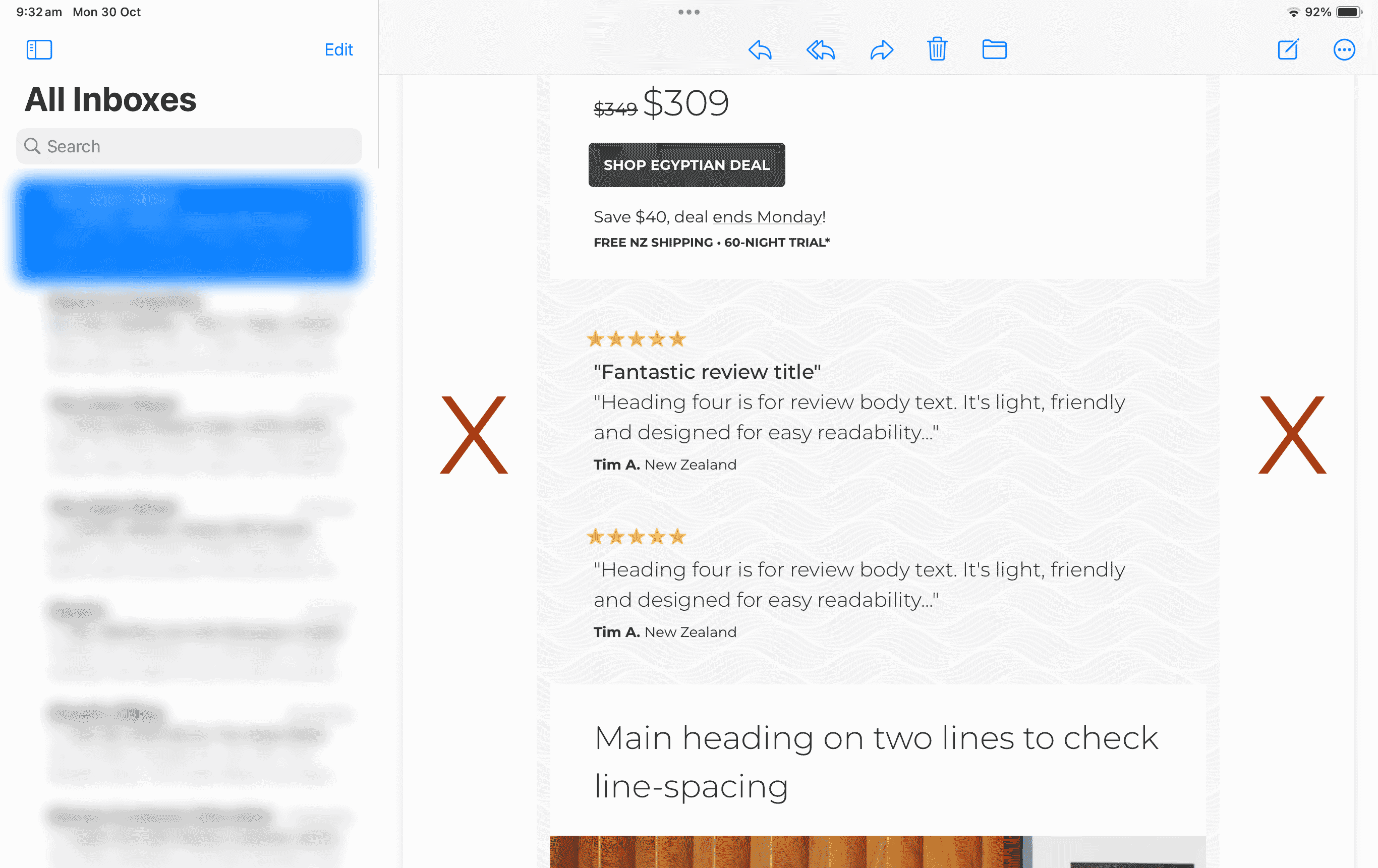
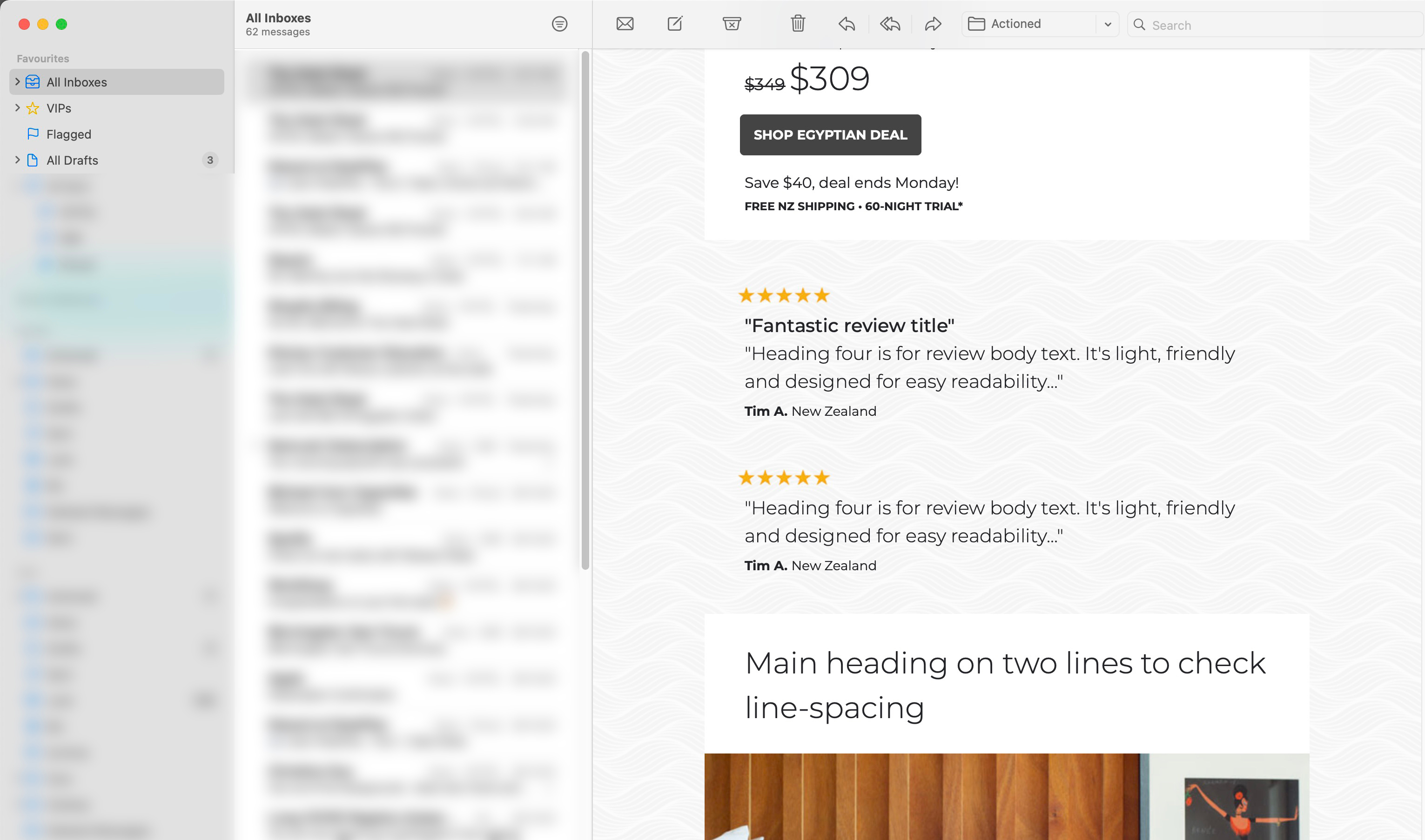
Desktop and mobile templates look great but I can’t get iPads to display the full-width of the email background, even though there’s plenty of room - see attached for iPad (see red X’s) vs Desktop vs Mobile.

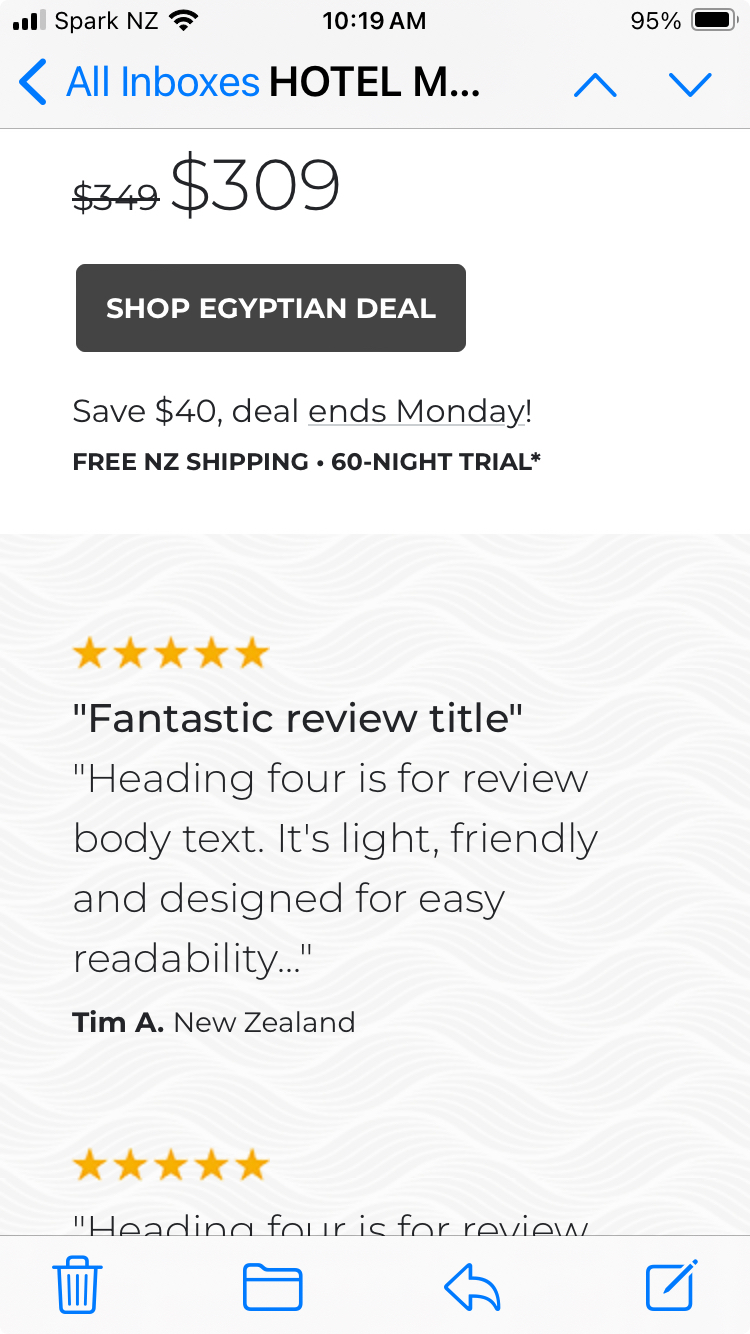
Mobile doesn’t have this issue because the design butts to the sides so you don’t get that 15px each side which creates visual clutter between email and content backgrounds if that makes sense. It looks super clean when viewing on the device.

Does anyone know how to stop iPads from cutting-off backgrounds on the sides?

Any help much appreciated.

Cheers, Ben


On iPad...
 

On Desktop…
 

On Mobile…
 

    This topic has been closed for replies.
    Best answer by Taylor Tarpley

    Hi @Ben


    Great question!


    Tablets are always tricky! Unfortunately, there is not way to prioritize what version of an email, desktop or mobile, an IPAD will display.


    While I wish there was some way to alter this, ultimately, this is not something we can control in Klaviyo as the issue lies with how IPAD renders emails. 


    Thanks for participating in the Community!

    -Taylor 

    2 replies

    Taylor Tarpley
    Community Manager
    Community Manager
    October 30, 2023

    Hi @Ben


    Great question!


    Tablets are always tricky! Unfortunately, there is not way to prioritize what version of an email, desktop or mobile, an IPAD will display.


    While I wish there was some way to alter this, ultimately, this is not something we can control in Klaviyo as the issue lies with how IPAD renders emails. 


    Thanks for participating in the Community!

    -Taylor 

    BenAuthor
    Problem Solver II
    October 30, 2023

    Thanks Taylor, much appreciated.

